Freedom251 › Customer Journey Mapping Software

Journify
What Journify is
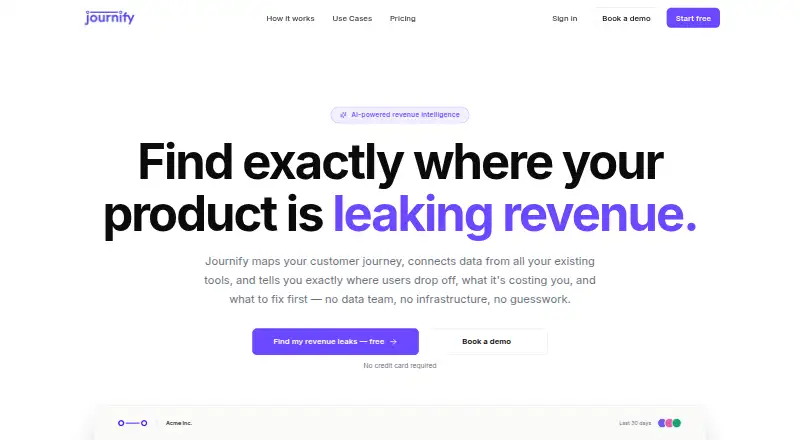
Journify maps customer journeys from acquisition through expansion and connects data from existing tools to show where users drop off, estimate the cost, and identify what to address first. After users answer questions about their product, its AI builds journey stages. The service lists one-click integrations, metric mapping, real-time data syncing, multiple data sources per journey, and AI-built connectors for tools it does not yet support. Named examples include LinkedIn, Google Ads, Meta Ads, GA4, HubSpot, Segment, Mixpanel, Sentry, Stripe, and Intercom. Teams can attach screenshots, competitor pages, benchmarks, PDFs, and other context to stages or signals; AI agents scan for changes. Journify says its AI monitors stages and signals for unusual drop-off, missing churn-predictive metrics, and opportunities, then suggests actions. Users can ask questions in plain English and receive an answer with data and a visual. Collaboration includes live cursors and presence, comments, threads, mentions, and decision resolution. Journeys have Detail and Storyboard views. The free plan lists two active journeys, one connected data source, 30 days of data history, and capped AI generations, chats, and insights.
Who it suits
Journify suits teams looking to map product journeys, connect analytics and business tools, and investigate drop-offs or churn-related signals. Its collaboration features may also suit teams that discuss findings and decisions within a shared product view.
What it does well
- Maps stages from acquisition through expansion
- Connects named tools including GA4 and Stripe
- Supports multiple sources per journey
- Answers journey questions with data and a visual
- Free plan includes unlimited collaborators
What to know first
- Free plan is limited to two active journeys
- Free plan includes one connected data source
- Free plan limits AI generations, chats, and insights
Limits
Free includes 2 active journeys, 1 connected data source, 30 days of data history, 3 AI journey generations total, 20 AI chats per month, and 3 actionable AI insights per month. Its export is PNG with a watermark. Growth is listed at $150 a month and includes 10 active journeys and 3 data sources; Pro is listed at $500 a month and includes unlimited active journeys and 10 data sources.
Plans
| Plan | Billed and limits | Price |
|---|---|---|
| Free | 2 active journeys · Unlimited collaborators · 1 connected data source · 30 days data history · 3 AI journey generations total · 20 AI chats/month · 3 actionable AI insights/month · PNG export with watermark · Self-serve support | Free |
| Growth | Monthly pricing shown; annual option says Save 20% · 10 active journeys · Unlimited collaborators · 3 connected data sources · 6 months data history · Unlimited AI journey generation · 200 AI chats/month · 50 actionable AI insights/month · PNG export without watermark · Slack + email support | $150 a month |
| Pro | Monthly pricing shown; annual option says Save 20% · Unlimited active journeys · Unlimited collaborators · 10 connected data sources · 24 months data history · Unlimited AI journey generation and AI chat · Unlimited actionable AI insights · Custom branding export · Priority support | $500 a month |
| Enterprise | Custom pricing · Unlimited active journeys, collaborators, connected data sources, data history, AI journey generation, AI chat, and actionable AI insights · Custom integrations · Dedicated support · Dedicated CSM | On request |
As journifynow.com lists them, read 7 Oct 2026. The maker's own page has the final word.
Getting started
- Open the Journify website.
- Create an account through the web app account creation flow.
- Answer questions about the product so AI can build journey stages.
- Connect a data source, or use an AI-built connector for a tool not yet supported.
- Attach context to a journey stage or signal as needed.
- Switch between Detail and Storyboard views.
Verdict
Journify combines journey mapping, data connections, AI-generated observations, and team collaboration. Its free tier has limits on journeys, data history, and AI usage, so compare those caps with your needs.
Questions
Is there a free plan?
Yes. Free costs nothing and includes 2 active journeys, 1 connected data source, and unlimited collaborators.
What do the paid plans cost?
Growth is $150 a month and Pro is $500 a month. Enterprise uses custom pricing. Growth and Pro also show an annual option marked Save 20%.
Which platforms does Journify support?
Journify is listed for web, with a web app sign-in and account creation flow.
Which tools can it connect to?
Named examples include LinkedIn, Google Ads, Meta Ads, GA4, HubSpot, Segment, Mixpanel, Sentry, Stripe, and Intercom. The site also describes AI-built connectors for tools it does not yet support.
How many journeys and data sources are included?
Free has 2 active journeys and 1 source; Growth has 10 active journeys and 3 sources. Pro has unlimited active journeys and 10 sources, while Enterprise has unlimited journeys and sources.
What export format is available?
Free includes PNG export with a watermark. Growth includes PNG export without a watermark; Pro includes custom branding export.
Facts from Journify's own pages
- AI insights
- Journify says AI monitors stages, signals, and gaps for abnormal drop-off, missing churn-predictive metrics, and opportunities, then recommends actions. · journifynow.com, 7 Oct 2026
- Context attachments
- Users can attach screenshots, competitor pages, benchmarks, PDFs, and other context to a journey stage or signal; AI agents scan for changes. · journifynow.com, 7 Oct 2026
- Data connections
- The site lists one-click integrations, AI metric mapping, real-time data syncing and refresh, multiple data sources per journey, and AI-built connectors for tools it does not yet support. · journifynow.com, 7 Oct 2026
- Journey mapping
- The site says AI builds journey stages from acquisition to expansion after users answer questions about their product. · journifynow.com, 7 Oct 2026
- Named tools
- Examples shown include LinkedIn, Google Ads, Meta Ads, GA4, HubSpot, Segment, Mixpanel, Sentry, Stripe, and Intercom. · journifynow.com, 7 Oct 2026
- Natural-language chat
- Users can ask questions about their product journey in plain English, and Journify provides an answer with data and a visual. · journifynow.com, 7 Oct 2026
- Platform access
- The site links to a Journify web app sign-in and account creation flow. · app.journifynow.com, 7 Oct 2026
- Pricing limits
- The pricing table lists 2 journeys and 1 connected data source on Free, 10 journeys and 3 sources on Growth, 10 sources on Pro, and unlimited sources on Enterprise. · journifynow.com, 7 Oct 2026
- Purpose
- Journify maps customer journeys, connects data from existing tools, and identifies where users drop off, the estimated cost, and what to fix first. · journifynow.com, 7 Oct 2026
- Setup
- The site describes setup in one session and says no engineers are required. · journifynow.com, 7 Oct 2026
- Team collaboration
- The site describes live teammate cursors and presence, comments, threads on signals, @mentions, and resolving decisions in the product. · journifynow.com, 7 Oct 2026
- Use cases
- The site names activation leaks, conversion leaks, client revenue reporting, expansion revenue, and churn prevention as use cases. · journifynow.com, 7 Oct 2026
- Views
- Users can switch between Detail and Storyboard views of a journey. · journifynow.com, 7 Oct 2026
Where Journify stands on Freedom251
- Customer Journey Mapping Software#10 of 23