Freedom251 › Cost Accounting Software

JobCost.com
What JobCost.com is
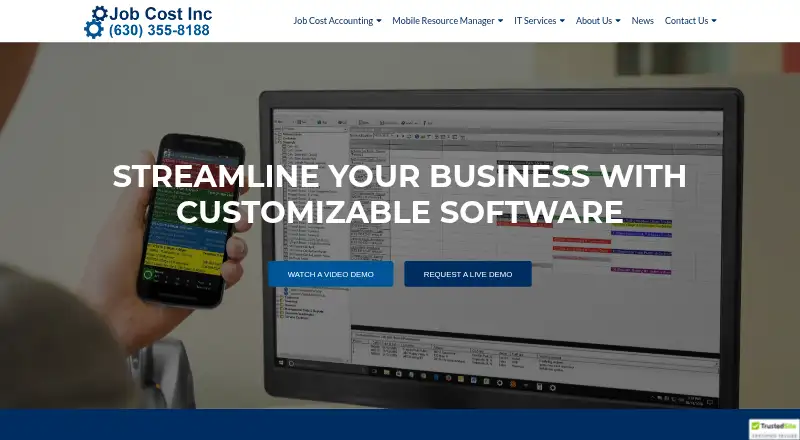
JobCost.com is an integrated job cost management and accounting system designed for construction and service companies. It can be installed in-house or in the cloud and uses single-entry processing, so source documents are recorded once. Its accounting modules cover accounts receivable and payable, job cost, cash management, general ledger, equipment, billing, payroll, and purchase orders. Job costing tracks phases, estimates, and change orders, with customizable job analysis and balance reports. Mobile Resource Manager schedules and dispatches work and monitors field progress in real time. The Field App stores job data when a worker is out of signal range and synchronizes updates when data or Wi-Fi becomes available. Time cards cover regular, overtime, and double-time hours assigned to job and phase codes. The system supports multiple companies, workstations, and bank accounts, and runs on PCs and Microsoft Networks. Pricing is available on request. Job Cost Inc provides personalized training and telephone support; its Mobile Resource Manager help site does not cover custom programming or features.
Who it suits
JobCost.com is intended for construction and service companies that need job costing, accounting, and field operations tools. Its mobile apps may suit field employees who need to record job data or time away from a connection.
What it does well
- Source documents are entered once
- Job costing tracks phases, estimates, and change orders
- Field App stores data without signal
- Supports multiple companies and bank accounts
- Includes personalized training and telephone support
What to know first
- Pricing is available on request
- Mobile Resource Manager help excludes custom programming and features
Limits
The standard Mobile Resource Manager help site does not cover custom programming or features. Pricing is on request.
Getting started
- Visit the JobCost.com website.
- Contact Job Cost Inc for pricing on request.
- Choose an in-house or cloud setup.
- Use PCs and Microsoft Networks for the system.
- Download the Time Card App from Google Play or the Apple App Store.
JobCost.com is an integrated accounting, job-costing and field-operations system built for construction and service contractors. It suits companies that need payroll, dispatch, job phases and financial controls connected across office and mobile work. Its broad module coverage is a strong reason to shortlist it, while custom pricing and limited help coverage for custom Mobile Resource Manager work deserve scrutiny before purchase.
Overview
Designed by CPAs and established in 1979, JobCost.com combines contractor accounting with operational tools rather than treating field work as a separate product. It can be installed in-house or run in the cloud, and supports multiple companies, workstations and bank accounts. That scope fits growing contractors and service businesses with more than one entity, office or banking relationship; smaller firms wanting only basic invoicing may find the system broader than necessary.
Key features
Accounting modules cover accounts receivable, accounts payable, job cost, cash management, general ledger, equipment, billing, payroll and purchase orders. Single-entry processing means source documents are entered once, reducing duplicate posting across connected functions. The system automates payroll checks, government and union payroll reports, retainage tracking and job-cost postings—useful where compliance and withholding work consume office time.
The Job Cost module follows job phases, estimates and change orders, then produces customizable job analysis and job balance reports. Variance analysis and overhead allocation support profitability review, although configuring those analyses to a particular business will require implementation decisions. Standard and user-defined reports can be viewed on screen or printed, giving accounting teams control over output without being limited to a fixed report set.
Mobile Resource Manager schedules and dispatches jobs and monitors field progress in real time. It creates work orders with customized Crystal Reports layouts, connects to QuickBooks and Job Cost Accounting, and can support custom accounting integrations through its support team. Mapping integrates with MapQuest, Google and Bing, which can help dispatchers coordinate locations.
The Field App retains job data outside signal range and synchronizes changes with the office over data or Wi-Fi. The Time Card App records regular, overtime and double-time hours against job and phase codes. Field employees can assign expenses to those codes and attach notes, documents and photos; Dropbox, Google Drive and OneDrive can store optional notes and photos. These offline and coding features are particularly relevant to crews working at inconsistent-connectivity sites.
Password security by user and an audit trail provide basic access and activity controls. Job Cost Inc also offers personalized training and telephone support from experienced professionals. The Mobile Resource Manager help site covers the standard version, not custom programming or custom features, so organizations relying on bespoke extensions should establish a separate support arrangement.
Pricing
JobCost.com is paid software with pricing on request. There are no published plan tiers, seat allowances, trial terms or renewal conditions to compare, so buyers should request a complete quote covering deployment, modules, users, training, support and any custom integration. Custom pricing may suit contractors with varied accounting and field requirements, but it makes straightforward budget comparison harder than with products that publish packages.
Platforms
The core system runs on PCs and Microsoft Networks and supports Microsoft Windows functions. It can be deployed in-house or in the cloud. Mobile field work is supported on Android and iOS smartphones and tablets: the Field App handles offline synchronization, while the Time Card App is downloaded through Google Play or the Apple App Store.
Who it's for
JobCost.com is aimed at construction and service companies that need job costing tied to accounting, payroll and dispatch. It is a strong candidate for contractors managing phases, estimates, change orders, retainage, union payroll or multiple entities, and for field teams that need offline time and expense capture. It is less compelling for buyers seeking a small, transparent-priced scheduling or invoicing tool, or for organizations that cannot accommodate a primarily PC and Microsoft Networks operating environment.
Pros and cons
Pros
- Broad contractor accounting: payroll, retainage, job-cost postings and government and union reporting address specialized construction administration.
- Connected field workflow: dispatch, real-time progress, work orders, time cards and coded expenses link mobile activity to office records.
- Offline capability: Field App data synchronization supports crews working beyond reliable signal coverage.
- Flexible reporting and scale: user-defined reports plus support for multiple companies, workstations and bank accounts suit complex operations.
- Integration options: QuickBooks, Job Cost Accounting, mapping services and support-created custom accounting connections broaden deployment choices.
Cons
- Custom pricing: buyers cannot compare published tiers or forecast cost without a sales quote.
- Help-site boundary: standard Mobile Resource Manager documentation does not cover custom programming or features, creating a potential support gap for tailored deployments.
- Traditional operating environment: the PC and Microsoft Networks foundation may not fit organizations seeking a browser-first platform.
Alternatives
Browse Job Costing Software or Cost Accounting Software lists when you want a wider category comparison.
Choose Fieldified instead if you prioritize a freemium entry point, web access and scheduling, invoicing, CRM and reporting; its Free plan costs nothing with usage limits, while Basic costs $49 a month billed for five users.
Global Shop Solutions ERP is an alternative for organizations wanting Android, iOS, Linux, macOS, self-hosted, web and Windows coverage, with upfront plus ongoing quarterly costs tailored to the company.
Consider Trimble Viewpoint Vista when cloud-hosted and on-premises deployments and a sales-quoted Vista plan are preferable.
Technisoft Service Manager suits buyers purchasing through a Sage 300 Solution Provider who accept compulsory first-year Software Assurance.
CMiC is an option organized for general contractors, subcontractors and heavy-highway businesses.
Infor Construction is a paid construction product available on Android, iOS and the web.
Acumatica Construction Edition fits teams seeking custom pricing based on applications, usage, resources and deployment, with unlimited users.
Commusoft offers paid plans for job tracking, custom forms, scheduling and customer-journey functions across web, iOS and Android.
Verdict
JobCost.com is best for construction and service companies that want one system for specialized accounting, job costing and field coordination, especially where offline mobile capture and union or government payroll matter. Choose it for integrated contractor controls and configurable reporting; look elsewhere if transparent package pricing, browser-first operation or fully documented custom extensions are essential.
Verdict
JobCost.com brings job costing, accounting modules, and field tools together for construction and service companies. Buyers should ask for pricing and note the stated limits of the Mobile Resource Manager help site.
Questions
How much does JobCost.com cost?
Pricing is available on request.
Can it be installed in the cloud?
Yes. JobCost.com can be set up in-house or in the cloud.
Which platforms are listed?
The listed platforms are Android, iOS, and Windows. The system runs on PCs and Microsoft Networks; its Field App is designed for smartphones and tablets.
Which accounting and mapping integrations are listed?
Mobile Resource Manager connects with QuickBooks and Job Cost Accounting, and support can create custom accounting integrations. Its mapping feature integrates with MapQuest, Google, and Bing.
What support does Job Cost Inc provide?
Job Cost Inc offers personalized training and telephone support from experienced professionals.
What does the Field App do when there is no signal?
It stores job data while users are out of signal range and synchronizes updates when connected to data or Wi-Fi.
Facts from JobCost.com's own pages
- Accounting features
- The software automates accounts receivable, payroll checks, government and union payroll reports, retainage tracking, and job-cost postings. · jobcost.com, 30 Sept 2026
- Accounting integrations
- Mobile Resource Manager can export customers and invoices for import into accounting software, including Peachtree and QuickBooks. · help.jobcost.com, 2 Oct 2026
- Accounting modules
- Modules include accounts receivable, accounts payable, job cost, cash management, general ledger, equipment, billing, payroll and purchase orders. · jobcost.com, 2 Oct 2026
- Cloud storage integrations
- The Time Card App can use Dropbox, Google Drive or OneDrive for optional notes and photo storage. · jobcost.com, 2 Oct 2026
- Customer base
- Job Cost says it has helped over 1,000 companies since its founding in 1979. · jobcost.com, 2 Oct 2026
- Dispatching
- Mobile Resource Manager schedules, dispatches, and monitors field progress in real time. · jobcost.com, 30 Sept 2026
- Field app
- The Field App stores job data while out of signal range and synchronizes updates with the office when connected to data or Wi-Fi. · jobcost.com, 30 Sept 2026
- Field expenses
- Field employees can assign expenses to job and phase codes with optional notes, documents and photos. · jobcost.com, 2 Oct 2026
- Field operations
- Mobile Resource Manager schedules, dispatches and monitors job progress in real time. · jobcost.com, 2 Oct 2026
- Founded
- 1979 · jobcost.com, 28 Sept 2026
- Headquarters
- Naperville, Illinois, United States · jobcost.com, 28 Sept 2026
- Industry focus
- The software is built for construction and service companies. · jobcost.com, 2 Oct 2026
- Installation
- The software can be set up in-house or in the cloud. · jobcost.com, 30 Sept 2026
- Job costing
- The Job Cost module tracks job phases, estimates, change orders and customizable job analysis and job balance reports. · jobcost.com, 2 Oct 2026
- Limit
- The Mobile Resource Manager help site covers the standard version and does not cover custom programming or features. · help.jobcost.com, 30 Sept 2026
- Mapping integrations
- Its mapping feature integrates with MapQuest, Google, and Bing. · jobcost.com, 30 Sept 2026
- Mobile platforms
- The Field App is designed for smartphones and tablets, and the Time Card App is downloaded from Google Play or the Apple App Store. · jobcost.com, 2 Oct 2026
- Offline field use
- The Field App stores job data when users are out of signal range and synchronizes updates when connected to data or Wi-Fi. · jobcost.com, 2 Oct 2026
- Operating environment
- JobCost.com runs on PCs and Microsoft Networks. · jobcost.com, 30 Sept 2026
- Purpose
- JobCost.com provides job cost accounting, mobile resource management, field service software and IT services. · jobcost.com, 2 Oct 2026
- Reporting
- It provides standard or user-defined reports for screen or paper output. · jobcost.com, 30 Sept 2026
- Security
- Job Cost says customer information is stored in its corporate database, is not shared or sold, and is secured in an in-house database. · jobcost.com, 2 Oct 2026
- Single entry
- The system uses single-entry processing requiring source documents to be entered once. · jobcost.com, 30 Sept 2026
- Support
- Job Cost offers personalized training and telephone support from experienced professionals. · jobcost.com, 2 Oct 2026
Where JobCost.com stands on Freedom251
- Cost Accounting Software#27 of 46
- Job Costing Software#30 of 32