
JHipster
What JHipster is
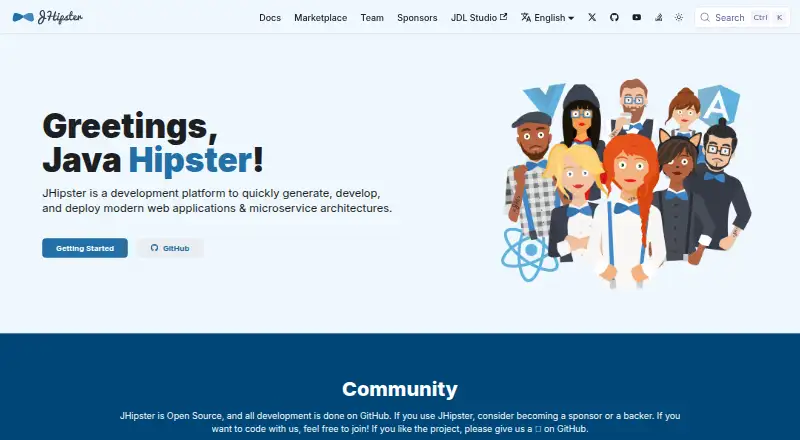
JHipster is a free platform for generating and developing web applications and microservice architectures, with tools for deploying them as well. It scaffolds frontends using Angular, React, or Vue, and supports backend options including Spring Boot with Java or Kotlin, Micronaut, Quarkus, Node.js, and .NET. Mobile app support is available through Ionic and React Native. For deployment, JHipster supports Docker and Kubernetes, with listed options including AWS, Azure, Google Cloud Platform, Heroku, and OpenShift. You can use JHipster Online, install it locally through NPM, or run it in a Docker container. Online generation avoids installing JHipster itself, but developing generated applications still requires Java and NPM. Local NPM installation calls for Java 21 LTS or later and an LTS 64-bit Node.js version. The project also lists CI/CD integrations, databases, messaging systems, and authentication methods such as JWT, OAuth 2.0, and OpenID Connect. Keycloak is its default OIDC server configuration. JHipster is open source and free to use.
Who it suits
JHipster suits developers building web applications or microservice architectures who want project scaffolding across its listed frontend and backend choices. Teams deploying with Docker, Kubernetes, or the listed cloud platforms may also find its deployment options relevant.
What it does well
- Free, open-source development platform.
- Supports Angular, React, and Vue frontends.
- Offers Java, Kotlin, Node.js, and .NET backends.
- Supports Docker, Kubernetes, and listed cloud platforms.
- Provides CLI, custom templates, and schema-to-code generation.
What to know first
- Local NPM installation requires Java 21 LTS or later.
- Local installation requires an LTS 64-bit Node.js version.
- Online-generated apps still need Java and NPM for development.
Limits
The free JHipster plan is listed as free. Local NPM installation requires Java 21 LTS or greater and an LTS 64-bit Node.js version; applications generated online still require Java and NPM for normal development.
Plans
| Plan | Billed and limits | Price |
|---|---|---|
| JHipster | Open source development platform | Free |
As jhipster.tech lists them, read 29 Sept 2026. The maker's own page has the final word.
Getting started
- Open the JHipster website or use JHipster Online.
- Choose an approach: JHipster Online, local NPM installation, or a Docker container.
- For local NPM installation, use Java 21 LTS or later and an LTS 64-bit Node.js version.
- Generate a project using the supported frontend and backend technologies.
- Develop the generated application with Java and NPM.
- Deploy using Docker, Kubernetes, or a listed cloud platform.
Overview
JHipster is a free generator and development platform for web applications and microservice architectures. It is best suited to developers and teams who want a scaffold spanning frontend, backend and deployment choices rather than a generator focused on one language or API format. Its breadth is useful, but choosing among those options and maintaining the generated application still calls for technical judgment.
Key features
Application generation and stack choices
JHipster offers project scaffolding, custom templates, schema-to-code generation and a CLI. Frontend choices include Angular, React and Vue, with mobile support through Ionic and React Native. Backend options range from Spring Boot with Java or Kotlin to Micronaut, Quarkus, Node.js and .NET. That flexibility suits teams working across varied stacks; it may be more choice than a narrowly scoped project needs.
Listed data and messaging integrations include MySQL, PostgreSQL, Oracle, MS SQL, MongoDB, Cassandra, Couchbase, Kafka and Pulsar. Authentication options include JWT, session-based authentication, OAuth 2.0 and OpenID Connect. Keycloak is the default OIDC server configured with JHipster. Generated default user and admin passwords should be changed before production use.
Deployment and workflow
JHipster supports Docker and Kubernetes, and lists deployment support for AWS, Azure, Google Cloud Platform, Heroku and OpenShift. Its homepage also names CI/CD options including Jenkins, GitLab CI, CircleCI, Azure Pipelines and GitHub Workflows. This makes it relevant when scaffolding needs to account for both application infrastructure and delivery workflows, though the project still needs people to configure and operate those systems.
Ways to get started
Use JHipster Online to generate an application without installing JHipster, install it locally through NPM, or use a Docker container. Online generation does not remove local development requirements: generated applications still need Java and NPM for normal development. Local NPM installation calls for Java 21 LTS or later and an LTS 64-bit Node.js version, so check the requirements before choosing a local setup.
Pricing
JHipster is free. Its JHipster plan costs nothing and is described as an open-source development platform; there are no paid tiers to weigh against the free option. That makes it a straightforward fit for developers seeking a free application generator, rather than a plan-based service with stated seat or usage allowances.
Platforms
JHipster supports Linux, macOS and Windows, as well as web and self-hosted use. Its online generator can avoid installing JHipster itself, while local development of generated applications still depends on Java and NPM.
Who it's for
JHipster suits developers and teams building web applications or microservice architectures who want generation across several frontend and backend stacks, with database, authentication and deployment options in the same platform. It is less compelling for someone looking only to generate API clients or database access code, or for a project that does not need a broad application scaffold. The project directs users to GitHub to ask questions, report issues, contribute and connect with its community.
Pros and cons
- Pros: Broad frontend and backend support lets teams generate around multiple established stack choices.
- Pros: Scaffolding, custom templates and schema-to-code generation are available in a free platform with a CLI.
- Pros: Docker, Kubernetes and named cloud deployment targets connect application generation to deployment choices.
- Cons: Local application development requires Java and NPM, and local NPM installation has specific Java and Node.js version requirements.
- Cons: The wide stack menu leaves architecture and production security decisions to the team; generated default passwords must be changed.
Alternatives
For other options, see Code Generators.
- quicktype is a free Apache-2.0 open-source option with a web app and CLI; choose it when that combination is a closer fit than JHipster's application-platform scope.
- SQLDelight is a free Kotlin SQL code-generation library; choose it for that focused role rather than a full web-application scaffold.
- Nx has a free Hobby plan with 50,000 monthly-reset credits, five contributors and ten concurrent CI connections; choose it when those stated limits fit your needs.
- OpenAPI Generator is a free open-source generator for API clients, server stubs, documentation and configurations; choose it for those API-generation tasks.
- TypeSpec is a free open-source, Microsoft-built and community-supported project; consider it as another free option.
- Backstage is a free open-source framework; consider it as another free option.
- sqlc offers a free CLI, while hosted sqlc Cloud features require a cloud project; choose it when a CLI-based option better fits your needs.
- Stainless has a free plan capped at five generators, five seats, 25 endpoints, 100 preview builds per month and 25 requests per day; choose it if those limits fit your project.
Verdict
Choose JHipster if you want a free generator that can scaffold across frontend and backend choices and carry those choices into deployment options. Its main advantage is range; look elsewhere if you need only a narrower API or database code-generation tool, or if the Java and Node.js requirements make local development a poor fit.
Verdict
JHipster brings project generation, a wide range of frontend and backend options, and deployment support into one free platform. Check its Java and Node.js requirements if you plan to develop generated applications locally.
Questions
How much does JHipster cost?
The JHipster plan is listed as free.
Can I use JHipster without installing it?
JHipster Online can generate an application without installing JHipster. Developing that application still requires Java and NPM.
Which platforms does JHipster support?
Its listed platforms are Linux, macOS, self-hosted, web, and Windows.
Which languages can I use?
The listed supported languages are Java and Kotlin. Backend options also include Micronaut, Quarkus, Node.js, and .NET.
What authentication options are documented?
JHipster documents JWT, session-based authentication, OAuth 2.0, and OpenID Connect. Keycloak is the default OIDC server configured with JHipster.
Where can I get community support?
The project directs users to GitHub to ask questions, report issues, contribute, and connect with the community.
Facts from JHipster's own pages
- Authentication
- JHipster documents JWT, session-based authentication, OAuth 2.0, and OpenID Connect; Keycloak is the default OIDC server configured with JHipster. · jhipster.tech, 29 Sept 2026
- Backend
- Supported backend technologies include Spring Boot with Java or Kotlin, Micronaut, Quarkus, Node.js, and .NET. · jhipster.tech, 29 Sept 2026
- Data and messaging
- The homepage lists integrations including MySQL, PostgreSQL, Oracle, MS SQL, MongoDB, Cassandra, Couchbase, Kafka, and Pulsar. · jhipster.tech, 29 Sept 2026
- Deployment
- JHipster supports Docker and Kubernetes and lists deployment support for AWS, Azure, Google Cloud Platform, Heroku, and OpenShift. · jhipster.tech, 29 Sept 2026
- Founded
- 2013 · jhipster.tech, 23 Sept 2026
- Frontend
- Supported frontend technologies include Angular, React, and Vue, with mobile app support through Ionic and React Native. · jhipster.tech, 29 Sept 2026
- Installation
- JHipster can be used through JHipster Online, local NPM installation, or a Docker container. · jhipster.tech, 29 Sept 2026
- Integrations
- The homepage lists CI/CD options including Jenkins, GitLab CI, CircleCI, Azure Pipelines, and GitHub Workflows. · jhipster.tech, 29 Sept 2026
- Local requirements
- The installation guide specifies Java 21 LTS or greater and an LTS 64-bit Node.js version for local NPM installation. · jhipster.tech, 29 Sept 2026
- Online limitation
- JHipster Online generates an application without installing JHipster, but generated applications still require Java and NPM for normal development. · jhipster.tech, 29 Sept 2026
- Purpose
- JHipster generates, develops, and deploys modern web applications and microservice architectures. · jhipster.tech, 29 Sept 2026
- Security setup
- JHipster's security documentation says to change the generated default user and admin passwords in production. · jhipster.tech, 29 Sept 2026
- Support
- The project directs users to ask questions, report issues, contribute, and connect with the community through GitHub. · jhipster.tech, 29 Sept 2026
Where JHipster stands on Freedom251
- Code Generators#10 of 33
- Full Stack Generators#13 of 26