Hackathon Starter
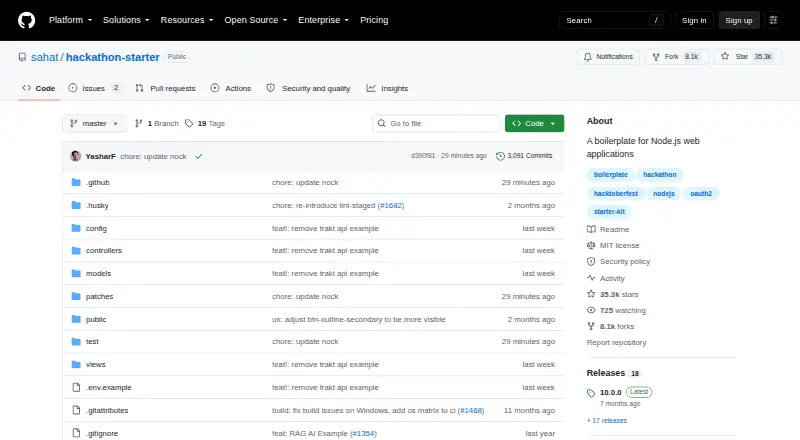
What Hackathon Starter is
Hackathon Starter is a free, reusable boilerplate for Node.js web applications. It provides scaffolding for common hackathon projects and can also guide developers learning how individual features work. Sign-in options include email and password, passwordless access, passkeys or biometric authentication, and OAuth through Google, Microsoft, Facebook, LinkedIn, X, Twitch, GitHub and Discord. Account functions cover profiles, password changes and recovery, email verification, two-factor authentication, OAuth account linking, token revocation and account deletion. Examples include a ReAct AI agent with tool calling, MongoDB session persistence and input guardrails, plus RAG and text and image LLM examples. API examples cover services such as Stripe, PayPal, QuickBooks, Twilio, Google Maps, HERE Maps, Google Drive, Google Sheets, GitHub and GIPHY. Listed protections include reCAPTCHA, rate limiting, CSRF protection and secure SMTP transmissions over port 465 by default. To start, clone the repository, install npm dependencies and run the app; MongoDB and Node.js LTS 24 are prerequisites. Some integrations require provider credentials, and supplied keys are placeholders. The project is offered under the MIT License without warranty.
Who it suits
Hackathon Starter suits developers beginning a Node.js web application or learning how particular features are implemented. It is intended for generic, reusable hackathon use cases and includes examples across authentication, APIs and AI.
What it does well
- Free software under the MIT License.
- Includes multiple authentication and account-management options.
- Provides AI agent, RAG, and LLM examples.
- API examples cover a range of named services.
- Lists reCAPTCHA, rate limiting and CSRF protection.
What to know first
- MongoDB and Node.js LTS 24 are prerequisites.
- Some integrations require provider credentials.
- The software is provided without warranty.
Limits
The MIT License plan costs nothing and provides the software without warranty. Some integrations require credentials from their providers; supplied keys are placeholders.
Plans
| Plan | Billed and limits | Price |
|---|---|---|
| MIT License | Free software under the MIT License · No warranty; attribution and license notice required in copies or substantial portions | Free |
As github.com lists them, read 8 Oct 2026. The maker's own page has the final word.
Getting started
- Open the project repository on GitHub.
- Clone the repository.
- Install the npm dependencies.
- Ensure MongoDB and Node.js LTS 24 are available.
- Run the app.
- Obtain provider credentials for integrations that require them.
Verdict
Choose Hackathon Starter if you want a free Node.js starting point with reusable app scaffolding and feature examples. It can also serve as a learning guide; account for the MongoDB and Node.js prerequisites and the need to obtain credentials for some integrations.
Questions
How much does Hackathon Starter cost?
It is free under the MIT License, listed as free.
Does it have a free plan or trial?
The project has a free plan. There is no free trial.
Which platforms does it support?
Its listed platforms are Linux, macOS, self-hosted, web and Windows.
Is Hackathon Starter open source?
It is provided under the MIT License, which permits use, modification, distribution, sublicensing and sale subject to its conditions. Copies or substantial portions require attribution and the license notice.
What is needed to get started?
Getting started involves cloning the repository, installing npm dependencies and running the app. MongoDB and Node.js LTS 24 are prerequisites.
Who makes Hackathon Starter?
The project is hosted in the sahat/hackathon-starter GitHub repository.
Facts from Hackathon Starter's own pages
- Account management
- Account features include profile details, password changes and recovery, email verification, two-factor authentication, linking OAuth accounts, token revocation, and account deletion. · github.com, 8 Oct 2026
- AI examples
- The project includes a ReAct AI agent example with tool calling, MongoDB session persistence and input guardrails, as well as RAG and text and image LLM examples. · github.com, 8 Oct 2026
- Authentication
- It includes local email and password, passwordless, passkey or biometric authentication, plus OAuth sign-in with Google, Microsoft, Facebook, LinkedIn, X, Twitch, GitHub, and Discord. · github.com, 8 Oct 2026
- Contributions
- Pull requests are welcome, but the maintainer says the project's opinionated nature means not every pull request can be accepted and asks contributors to open an issue first. · github.com, 8 Oct 2026
- Deployment
- The README describes optional production deployment and HTTPS proxy setup using ngrok or Cloudflare. · github.com, 8 Oct 2026
- External credentials
- Some integrations require credentials from service providers, and the repository says its supplied keys are placeholders. · github.com, 8 Oct 2026
- Integrations
- API examples cover services including Stripe, PayPal, QuickBooks, Twilio, Google Maps, HERE Maps, Google Drive, Google Sheets, GitHub, and GIPHY. · github.com, 8 Oct 2026
- Intended users
- The maker describes the project as generic and reusable for common hackathon web app use cases and as a learning guide for developers interested in individual features such as Google sign-in. · github.com, 8 Oct 2026
- License and warranty
- The repository provides the software under the MIT License, which allows use, modification, distribution, sublicensing, and sale subject to its stated conditions, and provides it without warranty. · github.com, 8 Oct 2026
- Purpose
- Hackathon Starter is a reusable boilerplate for Node.js web applications, intended to help developers get projects started and can also be used as a learning guide. · github.com, 8 Oct 2026
- Security features
- Listed protections include reCAPTCHA, rate limiting, CSRF protection, and secure SMTP transmissions over port 465 by default. · github.com, 8 Oct 2026
- Setup
- Getting started involves cloning the repository, installing npm dependencies, and running the app; MongoDB and Node.js LTS 24 are listed prerequisites. · github.com, 8 Oct 2026
Where Hackathon Starter stands on Freedom251
- Code Generators#9 of 33