Freedom251 › TurboGrafx-16 Emulators
jgenesis
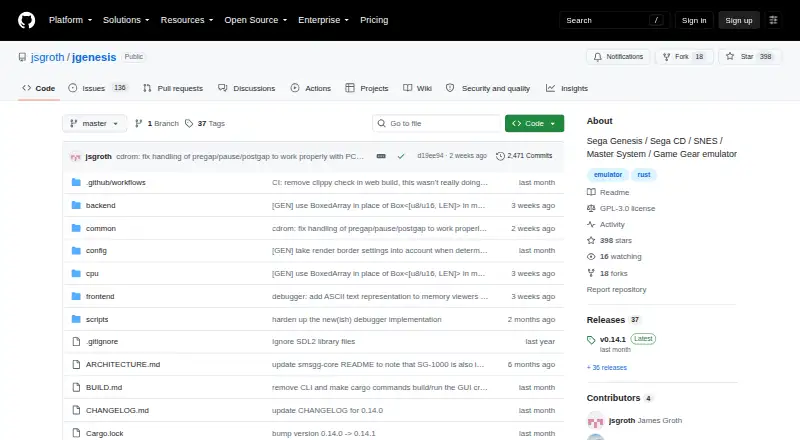
What jgenesis is
jgenesis is a free, cross-platform emulator for 8-bit and 16-bit gaming consoles. It supports Sega Genesis/Mega Drive, Sega CD, Sega 32X, SG-1000, Master System, Game Gear, NES, SNES, Game Boy, Game Boy Color, Game Boy Advance, and PC Engine/TurboGrafx-16. The emulator provides save states, fast forward, and rewind, with optional CPU overclocking on some systems. It also supports expansion hardware such as Master System FM sound, the Genesis SVP chip, common NES mappers, and most SNES coprocessors.
Its GPU-based renderer includes integer prescaling, optional linear interpolation, configurable pixel aspect ratios, and blur and anti-dither shaders. Players can use a keyboard or DirectInput gamepad, including 3-button and 6-button Genesis controllers. PC Engine/TurboGrafx-16 CD-ROM support is not yet available.
Published release builds require a 64-bit x86 CPU with SSE4.2 and a GPU supporting Vulkan, or DirectX 12 on Windows 10 and later. The project estimates about 300 MB of free RAM for default settings. Release builds are distributed through GitHub Releases. GitHub Actions also builds each commit, with those builds available for 90 days; the project cautions that development builds may contain bugs and may not be well tested. The repository code is licensed under GNU GPL v3 unless otherwise stated, with some shader and supporting code under other licenses.
Who it suits
jgenesis suits players who want one emulator for a broad range of 8-bit and 16-bit console systems, with save states, playback controls, and graphics options. It is a fit for users whose computer meets its published CPU and GPU requirements and who are comfortable getting builds from GitHub.
What it does well
- Supports 11 console systems across multiple generations.
- Includes save states, fast forward, and rewind.
- GPU renderer offers prescaling, aspect ratio, and shader options.
- Works with keyboards and DirectInput gamepads.
- Free to use under the repository's stated licenses.
What to know first
- PC Engine/TurboGrafx-16 CD-ROM support is unavailable.
- Requires a 64-bit x86 CPU with SSE4.2.
- Requires Vulkan graphics support or DirectX 12 on Windows 10 and later.
- Development builds may contain bugs and may not be well tested.
Limits
The free software does not yet support PC Engine/TurboGrafx-16 CD-ROM. Published release builds require SSE4.2 on a 64-bit x86 CPU and a GPU supporting Vulkan or, on Windows 10 and later, DirectX 12.
Getting started
- Visit the jgenesis GitHub repository.
- Download a release build from GitHub Releases.
- Check that the computer has a 64-bit x86 CPU with SSE4.2.
- Confirm the GPU supports Vulkan, or DirectX 12 on Windows 10 and later.
- Choose keyboard or DirectInput gamepad controls.
Verdict
Pick jgenesis if you want a free emulator covering many 8-bit and 16-bit consoles, with flexible graphics and playback controls. Look elsewhere if you need PC Engine CD-ROM support or your computer does not meet the published CPU and graphics requirements.
Questions
Is jgenesis free?
Yes. The listed plan is free, and the repository code is licensed under GNU GPL v3 unless a file states otherwise; some included files use other licenses.
Which consoles does it emulate?
It supports Sega Genesis/Mega Drive, Sega CD, Sega 32X, SG-1000, Master System, Game Gear, NES, SNES, Game Boy, Game Boy Color, Game Boy Advance, and PC Engine/TurboGrafx-16.
What computers can run its published release builds?
They require a 64-bit x86 CPU with SSE4.2 and a GPU supporting Vulkan, or DirectX 12 on Windows 10 and later. The project estimates about 300 MB of free RAM for default settings.
Does it support PC Engine CD-ROM games?
No. PC Engine/TurboGrafx-16 CD-ROM support is not yet available.
Where can I get a build or report an issue?
Release builds are published through GitHub Releases. GitHub Issues and Discussions are provided for reporting issues and project discussion.
Are commit builds available?
GitHub Actions compiles builds on every commit, and those builds remain available for 90 days. The project warns development builds may contain bugs and are not always well tested.
Facts from jgenesis's own pages
- Build dependencies
- The project uses SDL3 for windowing, audio playback, and keyboard, gamepad, and mouse input. · github.com, 5 Oct 2026
- Builds
- GitHub Actions compiles release builds on every commit, and those builds remain available for 90 days; the project notes they may be buggy and are not always well-tested. · github.com, 4 Oct 2026
- Controllers
- It supports keyboard and DirectInput gamepad controls, including 3-button and 6-button Genesis controllers. · github.com, 4 Oct 2026
- Controls
- It supports keyboard and DirectInput gamepad controls, including 3-button and 6-button Genesis controllers. · github.com, 5 Oct 2026
- Development builds
- The project warns that development builds may contain bugs and are not always well tested. · github.com, 5 Oct 2026
- Distribution
- The project publishes release builds through GitHub Releases, and GitHub Actions builds for each commit remain available for 90 days. · github.com, 5 Oct 2026
- Emulation features
- It supports save states, fast forward, rewind, select expansion chips and coprocessors, and optional CPU overclocking on some systems. · github.com, 5 Oct 2026
- Expansion hardware
- It supports Sega Master System FM sound, the Genesis SVP chip, common NES mappers, and most SNES coprocessors. · github.com, 4 Oct 2026
- Graphics
- It has a GPU-based renderer with integer prescaling, optional linear interpolation, configurable pixel aspect ratios, and video shaders. · github.com, 5 Oct 2026
- Latest release
- The releases page lists v0.14.1 as the latest release and describes it as a bugfix for a 32X aspect-ratio regression. · github.com, 4 Oct 2026
- License
- The repository code is licensed under GPL-3.0 except where a file states otherwise. · github.com, 5 Oct 2026
- Notable limit
- PC Engine/TurboGrafx-16 CD-ROM support is not yet available. · github.com, 4 Oct 2026
- PC Engine limit
- PC Engine/TurboGrafx-16 CD-ROM support is not available yet. · github.com, 5 Oct 2026
- Platforms
- Linux, Windows, and web via WebAssembly are officially supported; other platforms may work but have not been tested. · github.com, 5 Oct 2026
- Product
- jgenesis is a cross-platform emulator for a range of 8-bit and 16-bit game consoles. · github.com, 5 Oct 2026
- Purpose
- jgenesis is a cross-platform emulator for 8-bit and 16-bit gaming consoles. · github.com, 4 Oct 2026
- Requirements
- Published release builds require a 64-bit x86 CPU with SSE4.2 and a GPU supporting Vulkan or DirectX 12; the README estimates about 300 MB of free RAM for default settings. · github.com, 5 Oct 2026
- Save and playback controls
- It supports save states, fast forward, and rewind. · github.com, 4 Oct 2026
- Support channel
- The repository provides GitHub Issues and Discussions as places to report issues and discuss the project. · github.com, 5 Oct 2026
- Supported consoles
- It supports Sega Genesis, Sega CD, Sega 32X, SG-1000, Master System, Game Gear, NES, SNES, Game Boy, Game Boy Color, Game Boy Advance, and PC Engine/TurboGrafx-16. · github.com, 5 Oct 2026
- System requirements
- Published release builds require a 64-bit x86 CPU with SSE4.2; the GPU must support Vulkan or, on Windows 10 and later, DirectX 12. · github.com, 4 Oct 2026
Where jgenesis stands on Freedom251
- TurboGrafx-16 Emulators#12 of 33
- Sega Master System Emulators#10 of 25
- SNES Emulators#13 of 30
- Game Gear Emulators#19 of 31
- Multi-System Emulators#35 of 54
- Sega Genesis Emulators#19 of 29
- Sega CD Emulators#14 of 19