
Jan
by Jan
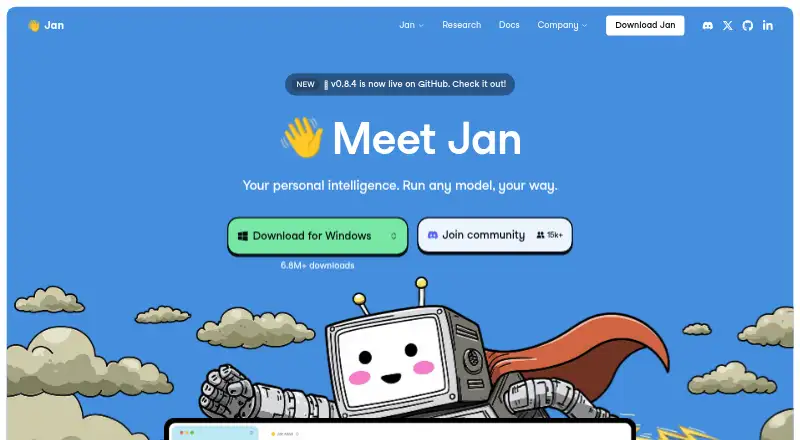
What Jan is
Jan is a free, open-source AI app for chatting with models that run locally or connecting to online model providers. Local models run on the user's computer, can work offline, and do not require an API key. Cloud connections include OpenAI, Anthropic, and Google, using the provider's API key; cloud usage is paid directly to providers. Jan's homepage lists models such as ChatGPT, Claude, Gemini, Llama, Mistral, Qwen, DeepSeek, Gemma, and Kimi. MCP-compatible servers connect tools and data sources, including web search, browser control, code execution, and databases. Each tool call requires approval by default, though users can enable automatic approval for all tools. Jan also includes a local OpenAI-compatible API server. Local conversations and app data are stored on the user's computer, while provider data policies apply to cloud use. Desktop builds are available for macOS, Windows, and Linux under the Apache 2.0 license. Jan Agent is a preview terminal agent for project files, commands, web search, and MCP servers; it requires a remote model provider or another configured endpoint. Jan is headquartered in Ho Chi Minh City, Vietnam.
Who it suits
Jan suits people who want to chat with local models or connect to cloud AI providers from a desktop app. Its local API and MCP tool connections may also suit users connecting models with other tools and data sources.
What it does well
- Local models can work offline without an API key.
- Local conversations and app data stay on the computer.
- Includes a local OpenAI-compatible API server.
- Supports MCP connections to tools and data sources.
- Desktop builds are available for macOS, Windows, and Linux.
What to know first
- Cloud model usage is paid directly to providers.
- Cloud provider data policies apply when using their services.
- Jan Agent requires a remote model provider or configured endpoint.
- Jan Agent is a preview.
Limits
Local model use is free, while cloud model usage is paid directly to the providers. Jan Agent is a preview and requires an API key for a model provider or Tokamak sign-in; it has no local inference engine.
Plans
| Plan | Billed and limits | Price |
|---|---|---|
| Jan Desktop | Free and open source · Local model use is free · Cloud model usage is paid directly to providers | Free |
| Jan Agent | Preview · Requires an API key for a model provider, or Tokamak sign-in | Free |
As jan.ai lists them, read 11 Oct 2026. The maker's own page has the final word.
Getting started
- Open the Jan website
- Download the desktop build for macOS, Windows, or Linux
- Install Jan on your computer
- Choose a local model or connect a cloud provider with its API key
- Configure MCP-compatible servers if needed
- Approve MCP tool calls individually or enable automatic approval
Verdict
Jan offers a choice between local model use and cloud providers, with a local API and MCP connections. Cloud use follows provider data policies, and Jan Agent depends on a remote model endpoint.
Questions
Is Jan free?
Jan Desktop is free, and local model use is free. Cloud model usage is paid directly to the providers.
Which platforms does Jan support?
Platforms listed are API, Linux, macOS, self-hosted, web, and Windows. Desktop downloads are offered for macOS, Windows, and Linux.
Is Jan open source?
Jan's desktop overview describes it as open source under the Apache 2.0 license.
Can Jan work without an internet connection?
Local models run on your computer and can work offline without an API key.
What does Jan Agent do?
Jan Agent is a preview terminal agent that can read and edit project files, run commands, search the web, and use configured MCP servers.
Where is Jan data stored?
Local model conversations and app data are stored on your computer. Cloud services follow their providers' data policies.
Facts from Jan's own pages
- Cloud models
- Jan can connect to cloud providers including OpenAI, Anthropic, and Google using a provider API key. · jan.ai, 11 Oct 2026
- Data storage
- Jan stores local model conversations and app data on the user's computer; when using cloud AI services, their providers' data policies apply. · jan.ai, 11 Oct 2026
- Downloads
- The download page offers desktop builds for macOS, Windows, and Linux. · jan.ai, 11 Oct 2026
- File uploads
- Yes · jan.ai, 20 Sept 2026
- Free plan
- Yes · jan.ai, 20 Sept 2026
- Hardware requirements
- Jan's Windows installation guide lists 8 GB memory minimum and 10 GB free storage minimum. · jan.ai, 11 Oct 2026
- Headquarters
- Ho Chi Minh City, Vietnam · jan.ai, 28 Sept 2026
- App integrations
- Yes · jan.ai, 20 Sept 2026
- Jan Agent
- Jan Agent is a preview terminal agent that can read and edit project files, run commands, search the web, and use configured MCP servers. · jan.ai, 11 Oct 2026
- Jan Agent limitation
- Jan Agent has no local inference engine and requires a remote model provider or another configured endpoint. · jan.ai, 11 Oct 2026
- License
- Jan's desktop overview describes the project as open source under the Apache 2.0 license. · jan.ai, 11 Oct 2026
- Local API
- Jan includes a local OpenAI-compatible API server that runs on the user's computer. · jan.ai, 11 Oct 2026
- Local use
- Local models run on the user's machine and can work offline without an API key. · jan.ai, 11 Oct 2026
- MCP permissions
- MCP tool calls require individual approval by default, with an option to enable automatic approval for all tools. · jan.ai, 11 Oct 2026
- Model choice
- The homepage lists models including ChatGPT, Claude, Gemini, Llama, Mistral, Qwen, DeepSeek, Gemma, and Kimi. · jan.ai, 11 Oct 2026
- Product
- Jan is an open-source AI app for chatting with local models or connecting to online model providers. · jan.ai, 11 Oct 2026
- Support
- Jan's desktop overview directs users to its Discord community for help and discussion. · jan.ai, 11 Oct 2026
- Tools
- Jan supports MCP-compatible servers for connecting tools and data sources such as web search, browser control, code execution, and databases. · jan.ai, 11 Oct 2026
- Web search
- Yes · jan.ai, 20 Sept 2026
Where Jan stands on Freedom251
- Byok System#5 of 24
- AI chatbots and assistants#26 of 65
- Ai Assistant#10 of 25
- Virtual Assistant#7 of 16