
iTerm2
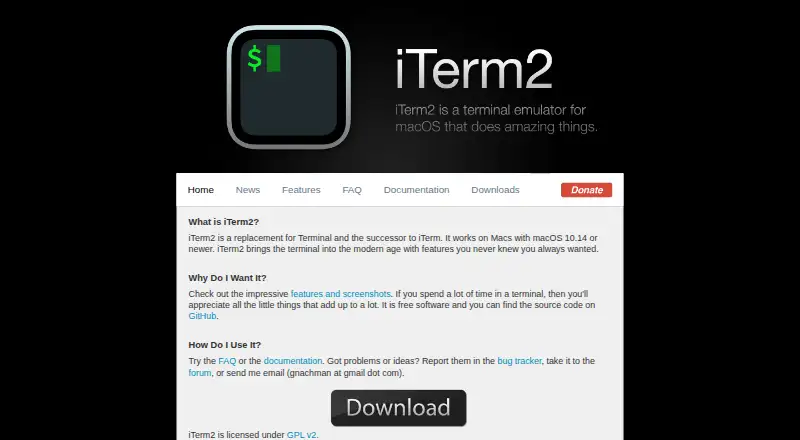
What iTerm2 is
iTerm2 is a free macOS application that replaces Terminal and follows the earlier iTerm. It is intended for people who spend a lot of time working in a terminal. Users can arrange work in split panes, connect over SSH, and use GPU acceleration. Search includes a find-on-page feature with highlighted matches and regular-expression support, as well as Global Search across tabs. Shell integration can identify prompts, commands, hosts, and working directories, and provides navigation to earlier prompts. The documentation covers tmux integration and a Python scripting API; AppleScript scripting is marked deprecated. A built-in password manager keeps its data encrypted in macOS Keychain and can enter passwords when a password prompt appears. The app is free software under GPL v2, with its source code on GitHub. The current recommended stable release is for macOS 13 or newer. Its download page provides a signed SHA256 message and instructions for verifying the zip with Keybase Verify.
Who it suits
iTerm2 suits people who spend substantial time working in a terminal on macOS. It is not available for other operating systems.
What it does well
- Free software licensed under GPL v2.
- Supports split panes, SSH, and GPU acceleration.
- Searches within a page and across tabs.
- Python API and tmux integration are documented.
- Password manager stores data encrypted in macOS Keychain.
What to know first
- Available only for macOS.
- Current recommended stable release requires macOS 13 or newer.
- AppleScript scripting is marked deprecated.
Limits
The free software is for macOS only. The current recommended stable release is for macOS 13 or newer.
Plans
| Plan | Billed and limits | Price |
|---|---|---|
| iTerm2 | macOS only · free software | Free |
As iterm2.com lists them, read 2 Oct 2026. The maker's own page has the final word.
Getting started
- Visit https://iterm2.com/
- Download the macOS application
- Use the provided signed SHA256 message and Keybase Verify instructions to check the zip file
- Install and open iTerm2 on a supported Mac
Verdict
iTerm2 combines terminal search, split panes, shell integration, and scripting features in a free macOS app. Check the macOS version requirement before choosing it.
Questions
How much does iTerm2 cost?
iTerm2 is free software. Its listed plan is free.
Which platforms does iTerm2 support?
It supports macOS only. The current recommended stable release is for macOS 13 or newer.
Is iTerm2 open source?
Yes. Its source code is on GitHub, and it is licensed under GPL v2.
What scripting does iTerm2 support?
It documents a Python API and scripting fundamentals. AppleScript scripting is marked deprecated.
What integrations are documented?
The documentation lists integrations for tmux, shells, Claude Code, and the iTerm2 Buddy companion app.
Facts from iTerm2's own pages
- Companion app security
- The download page says iTerm2 Buddy connects through an encrypted Noise channel and relay, with end-to-end encryption so data is visible only to the user. · iterm2.com, 2 Oct 2026
- Free plan
- Yes · iterm2.com, 20 Sept 2026
- GPU acceleration
- Yes · iterm2.com, 20 Sept 2026
- Integrations
- The documentation lists integrations for tmux, shells, Claude Code, and the iTerm2 Buddy companion app. · iterm2.com, 2 Oct 2026
- Intended users
- The site says people who spend a lot of time in a terminal may appreciate iTerm2's features. · iterm2.com, 2 Oct 2026
- Licensing and source
- iTerm2 is free software, its source code is on GitHub, and it is licensed under GPL v2. · iterm2.com, 2 Oct 2026
- Password manager
- The built-in password manager stores data encrypted in macOS Keychain and has a mechanism to enter passwords only at a password prompt. · iterm2.com, 2 Oct 2026
- Purpose
- iTerm2 is a replacement for Terminal and the successor to iTerm. · iterm2.com, 2 Oct 2026
- Release verification
- The download page provides a signed SHA256 message and instructions to verify the zip file using Keybase Verify. · iterm2.com, 2 Oct 2026
- Scripting
- iTerm2 documents a Python API and scripting fundamentals; AppleScript scripting is marked deprecated. · iterm2.com, 2 Oct 2026
- Scripting API
- Yes · iterm2.com, 20 Sept 2026
- Search
- Its find-on-page feature highlights matches and supports regular expressions, and Global Search searches all tabs at once. · iterm2.com, 2 Oct 2026
- Shell integration
- Shell integration lets iTerm2 identify prompts, commands, hosts, and working directories, and supports navigation to previous prompts. · iterm2.com, 2 Oct 2026
- Split panes
- A tab can be divided into vertically or horizontally arranged panes, each showing a different session. · iterm2.com, 2 Oct 2026
- SSH support
- Yes · iterm2.com, 20 Sept 2026
- Support
- The site directs users with problems or ideas to its bug tracker, forum, or the maintainer by email. · iterm2.com, 2 Oct 2026
- Supported OS
- iTerm2 is for macOS only; the current recommended stable release is for macOS 13 or newer. · iterm2.com, 2 Oct 2026
- Supported platforms
- macos · iterm2.com, 20 Sept 2026
- tmux integration
- The documentation includes a dedicated tmux Integration feature. · iterm2.com, 2 Oct 2026
Where iTerm2 stands on Freedom251
- Terminal apps#10 of 41
- Terminal Emulators#16 of 40