Freedom251 › Legal Trial Presentation Software

InTrial
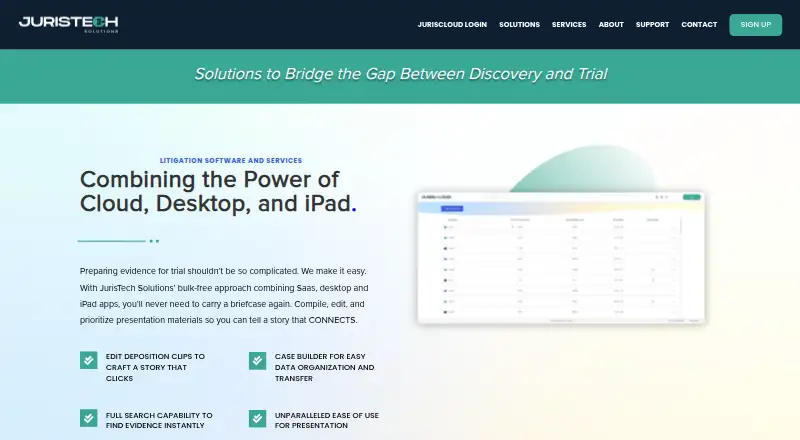
What InTrial is
InTrial is trial presentation software from JurisTech Solutions for attorneys and litigation teams preparing and presenting cases at trial or arbitration. Its iPad app helps organize and present exhibits and case materials, with tools to highlight, redact, and annotate documents, search and navigate evidence, group files into mini presentations, and present modified video clips. Documents can be shared over Wi-Fi or cable. Listed upload sources include iPad storage, flash drives, Dropbox, photos, videos, and email. InTrial is part of a JurisTech suite that also includes JurisCloud, InSession, and JurisTools. JurisCloud stores documents and media, supports creating and restoring cases, and can import and catalog eDiscovery files. The desktop app can upload, store, review, and share documents and media with selected individuals. InTrial is included with each subscription; an administrator can buy subscriptions for more devices and give users activation codes. Each user account includes 2GB of storage shared across its case data. JurisTech also offers trial technician and courtroom technology support, as well as litigation strategy, graphics, and presentation development services. The software runs on iOS, web, and Windows. Pricing is available on request, with products and services available for one-time, short-term, or longer durations based on client needs.
Who it suits
InTrial suits attorneys and litigation teams who need to organize, annotate, search, and present case materials at trial or arbitration. Its iPad presentation tools and document sharing options may fit teams preparing exhibits and media for courtroom use.
What it does well
- iPad tools support highlighting, redaction, and document annotation.
- Search and navigation help locate evidence.
- Files can be arranged into mini presentations.
- Modified video clips can be presented.
- Documents can be shared over Wi-Fi or cable.
- Listed upload sources include Dropbox, flash drives, photos, videos, and email.
What to know first
- No free plan is offered.
- Each user account includes 2GB shared across case data.
- JurisTools transfer applies only to cases created with Case Builder.
- Pricing is available on request.
Limits
Each user account includes 2GB of storage shared across its case data. The documented transfer flow from JurisTools to InTrial covers only cases created using Case Builder.
Getting started
- Visit the JurisTech Solutions website.
- Select the products and services needed and request pricing.
- Have an administrator purchase a subscription for each needed device.
- Provide users with activation codes.
- Use the iPad app or the web or Windows platform.
- Upload case material from supported sources such as iPad storage, flash drives, Dropbox, photos, videos, or email.
Verdict
Choose InTrial if your legal team needs iPad based exhibit presentation, evidence search, and document annotation for trial or arbitration. Consider the shared 2GB account storage and the Case Builder restriction when planning case transfers; subscription pricing is available on request.
Questions
How much does InTrial cost?
Pricing is available on request. JurisTech says products and services can be selected for one-time, short-term, or longer durations, with rates based on client needs.
Is there a free plan?
No. InTrial is paid and is included with each subscription.
Which platforms does InTrial support?
It runs on iOS, web, and Windows, and is designed for Apple iPad presentation.
How much storage is included?
Each user account includes 2GB of storage shared across its case data.
Who makes InTrial?
JurisTech Solutions provides InTrial. The maker identifies Scott Thompson as its founder and CEO and says he has more than 30 years of trial consulting and technology experience.
What tools are included in the JurisTech suite?
JurisTech describes a suite comprising JurisCloud, InTrial, InSession, and JurisTools.
Facts from InTrial's own pages
- Annotations
- The app supports highlighting, redacting, and annotating documents. · juristechsolutions.com, 5 Oct 2026
- Audience
- The maker describes its tools as intended for attorneys and litigation teams preparing and presenting cases at trial or arbitration. · juristechsolutions.com, 5 Oct 2026
- Cloud storage
- JurisCloud stores documents and media, and supports creating and restoring cases and importing and cataloging eDiscovery files. · juristechsolutions.com, 5 Oct 2026
- Company
- The maker identifies Scott Thompson as founder and CEO and says he has more than 30 years of trial consulting and technology experience. · juristechsolutions.com, 5 Oct 2026
- Company background
- The maker says founder Scott Thompson developed InTrial after more than 30 years as a trial consultant and technology expert working with over 100 law firms. · juristechsolutions.com, 4 Oct 2026
- Connected tools
- JurisTech describes a suite comprising JurisCloud, InTrial, InSession, and JurisTools. · juristechsolutions.com, 4 Oct 2026
- Desktop tools
- JurisTools can edit, annotate, convert, crop, highlight, and label files, and includes PDF tools and audio/video clip editing. · juristechsolutions.com, 5 Oct 2026
- File transfer limit
- Only cases created using Case Builder can be exported from JurisTools to InTrial through the documented transfer flow. · support.juristechsolutions.com, 4 Oct 2026
- Integrations
- The maker documents transferring cases between JurisTools and InTrial using a USB-connected iPad; only cases created with Case Builder can be exported this way. · support.juristechsolutions.com, 5 Oct 2026
- Intended users
- JurisTech describes its tools as designed for attorneys and litigation teams preparing and presenting cases at trial or arbitration. · juristechsolutions.com, 4 Oct 2026
- iPad presentation
- InTrial is designed for Apple iPad and supports highlighting, redaction, annotation, evidence search, mini presentations, and modified video clips. · juristechsolutions.com, 4 Oct 2026
- Presentations
- Users can organize files into mini presentations and present modified video clips. · juristechsolutions.com, 5 Oct 2026
- Pricing terms
- The maker says products and services can be selected in any combination for one-time, short-term, or longer durations, with rates based on what clients need. · juristechsolutions.com, 5 Oct 2026
- Purpose
- InTrial is an iPad trial presentation app for organizing and presenting exhibits in court. · juristechsolutions.com, 5 Oct 2026
- Search
- InTrial offers instant search and navigation to find evidence. · juristechsolutions.com, 5 Oct 2026
- Security
- The maker describes JurisCloud as secure cloud storage and says selected individuals can access shared documents and media. · juristechsolutions.com, 5 Oct 2026
- Sharing
- The maker says InTrial has document sharing capabilities and can share over Wi-Fi or cable. · juristechsolutions.com, 5 Oct 2026
- Storage limit
- The InTrial App Store description says each user account includes 2GB of storage shared across its case data. · apps.apple.com, 5 Oct 2026
- Subscription
- The maker says InTrial is included with each subscription; an administrator can purchase subscriptions for additional devices and provide users activation codes. · support.juristechsolutions.com, 4 Oct 2026
- Support
- JurisTech offers trial technician services and lists courtroom technology support among its services. · juristechsolutions.com, 5 Oct 2026
Where InTrial stands on Freedom251
- Legal Trial Presentation Software#16 of 24