Freedom251 › AI writing assistants

InstaText
by InstaText
What InstaText is
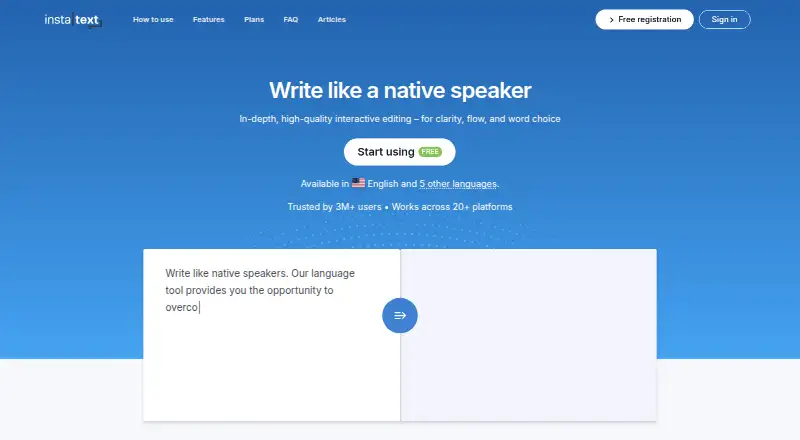
InstaText improves writing supplied by the user, with a focus on clarity, readability, grammar, and style. It does not generate new content. Suggestions are shown for review, so users can accept or reject changes rather than having edits applied automatically. Its Personal Dictionary can preserve specified words or phrases, or substitute preferred wording. The desktop app also offers Auto, Formal, and Informal tone settings.
InstaText is available on the web and as a browser extension. The extension works across more than 20 online platforms, including Google Docs, Gmail, WhatsApp, Slack, Overleaf, Outlook, Salesforce, and WordPress. A Microsoft Word add-in supports Word online and the classic version, with Track Changes for suggested revisions. Desktop availability is in early access for Windows 10 and 11, requires an internet connection, and lists macOS as coming soon. The desktop page lists English, German, Spanish, Italian, French, Portuguese, and one local language in 40+ countries.
The free plan allows five improvements per day and up to 1,500 characters at a time; its terms restrict use to personal, non-commercial purposes. InstaText One offers unlimited use, supported languages, a browser extension, and the Word add-in. It costs €24.99 a month when billed monthly, or €9.99 a month when billed yearly at €119.88 a year. The company says submitted text is processed in memory and deleted after the improved version is returned, and that usage metadata is deleted after 30 days.
Who it suits
InstaText suits people who want visible suggestions to improve their own writing across the web, supported online platforms, or Microsoft Word. The free plan is for personal, non-commercial use; InstaText One is available for personal and business use, while Teams adds centralized billing and team support.
What it does well
- Suggestions can be accepted or rejected individually.
- Personal Dictionary preserves or replaces chosen wording.
- Browser extension supports more than 20 online platforms.
- Word add-in supports Track Changes for suggested revisions.
- Paid plans include unlimited use and all supported languages.
What to know first
- Free use is limited to five improvements a day and 1,500 characters at once.
- The Free plan is restricted to personal, non-commercial use.
- Windows desktop app is in early access and requires internet; macOS is coming soon.
Limits
The Free plan permits five improvements a day and up to 1,500 characters at once, and is for personal, non-commercial use. InstaText One is listed with unlimited use and unlimited characters at once.
Plans
| Plan | Billed and limits | Price |
|---|---|---|
| InstaText One (monthly) | Billed monthly · Unlimited use · All supported languages · Browser extension and Microsoft Word add-in | €24.99 a month |
| InstaText One (yearly) | Billed 119.88 € yearly · Unlimited use · All supported languages · Browser extension and Microsoft Word add-in | €9.99 a month |
| Free | No credit card required. · 5 improvements a day · Up to 1,500 characters at once | Free |
| InstaText One yearly | Billed 119.88 € yearly. · Unlimited use · Unlimited improvements a day · Unlimited characters at once · All supported languages and features · Browser extension for 20+ applications · Word add-in | €119.88 a year |
| InstaText One monthly | Billed monthly. · Unlimited use · Unlimited improvements a day · Unlimited characters at once · All supported languages and features · Browser extension for 20+ applications · Word add-in | €24.99 a month |
As instatext.io lists them, read 23 Sept 2026. The maker's own page has the final word.
Getting started
- Open the InstaText website or install its browser extension.
- For Word, use the add-in with Word online or the classic version.
- Choose the Free plan or InstaText One based on your usage needs.
- For the desktop app, use Windows 10 or 11 and an internet connection.
Verdict
Pick InstaText if you want to revise writing with visible, user-controlled suggestions and use it across supported web platforms or Word. The free plan suits limited personal use; look at InstaText One for unlimited use or business use, and note the desktop app's early-access status on Windows and upcoming macOS availability.
Questions
What does InstaText do?
It improves user-provided writing for clarity, readability, grammar, and style without generating new content.
Is there a free plan?
Yes. It includes five improvements a day and accepts up to 1,500 characters at once; the terms limit it to personal, non-commercial use.
How much does InstaText One cost?
It costs €24.99 a month when billed monthly, or €9.99 a month when billed yearly at €119.88 a year.
Which platforms can I use it on?
InstaText is available on the web and as a browser extension. The desktop app is in early access for Windows 10 and 11; macOS is listed as coming soon.
Does it work with Microsoft Word?
Yes. The add-in works with Word online and the classic version, with Track Changes available for suggested revisions.
Who makes InstaText, and where is it based?
The maker is InstaText, founded in 2019 and headquartered in Ljubljana, Slovenia.
Facts from InstaText's own pages
- Brand voice controls
- Yes · instatext.io, 23 Sept 2026
- Browser extension
- Yes · instatext.io, 23 Sept 2026
- Data handling
- The privacy policy says submitted texts are not stored or used to improve services, and account data includes the user's email address and name. · instatext.io, 4 Oct 2026
- Desktop app
- Yes · instatext.io, 23 Sept 2026
- Desktop availability
- The desktop application is in early access for Windows 10 and 11, requires an internet connection, and has macOS listed as coming soon. · instatext.io, 4 Oct 2026
- Free plan
- Yes · instatext.io, 23 Sept 2026
- Free plan restriction
- The terms say the Free plan is for personal, non-commercial use; InstaText One is available for personal and business use. · instatext.io, 4 Oct 2026
- Headquarters
- Ljubljana, Slovenia · instatext.io, 28 Sept 2026
- Hosting and encryption
- The maker says data is hosted in the EU, transmitted over TLS 1.2 or higher, and that it complies with GDPR. · instatext.io, 4 Oct 2026
- Integrations
- The browser extension supports more than 20 online platforms, including Google Docs, Gmail, WhatsApp, Slack, Overleaf, Outlook, Salesforce, and WordPress. · instatext.io, 4 Oct 2026
- Languages
- The desktop page lists English, German, Spanish, Italian, French, Portuguese, and one local language in 40+ countries. · instatext.io, 4 Oct 2026
- Personal dictionary
- The Personal Dictionary lets users specify words or phrases InstaText should leave unchanged or replace with preferred wording. · instatext.io, 4 Oct 2026
- Security and privacy
- The company says submitted texts and improvements are processed in memory and deleted immediately after the improved version is returned; usage metadata is deleted after 30 days. · instatext.io, 4 Oct 2026
- Teams
- The Teams plan offers volume discounts, centralized billing, individual personal accounts, site licenses, and team support with live demos. · instatext.io, 4 Oct 2026
- Tone settings
- The desktop app includes Auto, Formal, and Informal tone settings. · instatext.io, 4 Oct 2026
- Visible suggestions
- Suggestions appear visibly for the user to accept or reject, and changes are not applied automatically. · instatext.io, 4 Oct 2026
- What it does
- InstaText improves user-provided writing for clarity, readability, grammar, and style without generating new content. · instatext.io, 4 Oct 2026
- Word add-in
- InstaText is available as an add-in for Word online and the classic version, with Word Track Changes available for suggested revisions. · instatext.io, 4 Oct 2026
Where InstaText stands on Freedom251
- AI writing assistants#11 of 25