Freedom251 › Software Packaging Tools

install4j
What install4j is
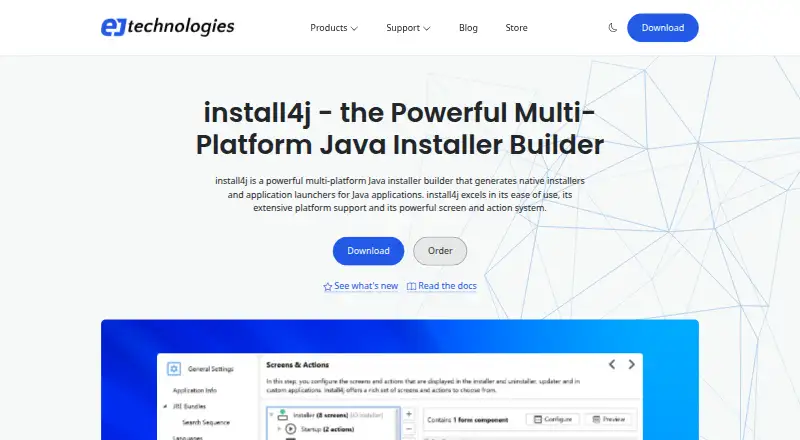
install4j creates native installers and application launchers for Java applications on Windows, macOS and Linux or other POSIX-compatible systems. Its visual editor assembles installer screens from standard form components, while more than 80 configurable actions cover installation tasks. Gradle, Ant and Maven integration, plus a command-line compiler, support automated and CI/CD packaging. Output can include native installers, MSIX, ZIP, macOS bundles, gzipped TAR archives, RPM and DEB packages. install4j can download JDKs from known providers, create optimized JRE bundles and include them with installers. It supports signing Windows and macOS media across build platforms, macOS notarization on supported platforms, and keys supplied as files or through PKCS #11. It can generate SBOMs for its runtime components and augment existing SBOMs. Version 13.1.1 requires Java 25 for its IDE and compiler, while version 13 can target Java 1.8 and newer.
Who it suits
It suits Java developers who need graphical or command-line packaging for multiple desktop and Unix-like targets. Build teams can use its Gradle, Ant, Maven and CI/CD integrations.
What it does well
- Native installers for Windows, macOS and POSIX systems
- More than 80 configurable installer actions
- JDK bundling and optimized JRE creation
- Signing, notarization and SBOM capabilities
- Command-line packaging with CI/CD integration
What to know first
- No free plan is listed
- Version 13.1.1 requires Java 25
- Windows Edition builds Windows media only
- Support beyond 60 days is optional
Limits
There is no free plan. A Windows Edition license can generate Windows installer and archive media only; other media definitions remain in the project but cannot be built. Version 13.1.1 requires Java 25 for its IDE and compiler.
Plans
| Plan | Billed and limits | Price |
|---|---|---|
| Multi-Platform Edition | Perpetual license; optional 1 year of support and upgrades · Build installers for all supported platforms | On request |
| Windows Edition | Perpetual license; optional 1 year of support and upgrades · Create Windows media files only · Other edition features supported | On request |
As ej-technologies.com lists them, read 2 Oct 2026. The maker's own page has the final word.
Getting started
- Open the install4j website
- Submit the evaluation form to receive an evaluation key by email, or obtain a perpetual license
- Install install4j on Linux, macOS, or Windows
- Use the visual editor to compose installer screens and configure actions
- Connect Gradle, Ant, Maven, or the command-line compiler to your build process
- Select target media, runtime bundling, signing, and packaging options
Verdict
install4j covers visual installer design, automated builds, runtime bundling and release signing across several output formats. Check the Java 25 requirement for version 13.1.1 and the Windows Edition media restriction before choosing an edition.
Questions
Is install4j free?
No. It is paid software with no free plan, but an evaluation key is available after submitting the evaluation form.
Which platforms can install4j target?
It supports Windows, Windows ARM, macOS, Linux/Unix, and POSIX-compatible systems, with native installers and formats such as MSIX, ZIP, RPM, and DEB.
What Java versions can it package?
install4j 13 can generate installers and archives for Java 1.8 and newer. Version 13.1.1 requires Java 25 for its IDE and compiler.
What editions are offered?
The Multi-Platform Edition builds installers for all supported platforms. The Windows Edition creates Windows media files only.
Does install4j support automated builds?
Yes. It integrates with Gradle, Ant, and Maven and includes a command-line compiler, with CI/CD integration.
Facts from install4j's own pages
- Build systems
- It integrates with Gradle, Ant, and Maven, and includes a command-line compiler. · ej-technologies.com, 2 Oct 2026
- Evaluation
- An evaluation key is available by email after submitting the evaluation form; the page does not state the evaluation duration. · ej-technologies.com, 2 Oct 2026
- Founded
- 2001 · ej-technologies.com, 28 Sept 2026
- Headquarters
- Munich, Germany · ej-technologies.com, 28 Sept 2026
- Installer actions
- The product offers more than 80 configurable installer actions. · ej-technologies.com, 2 Oct 2026
- Installer design
- Its visual editor lets users compose installer screens with standard form components. · ej-technologies.com, 2 Oct 2026
- Java requirement
- Version 13.1.1 requires Java 25 for the IDE and compiler, and install4j 13 can generate installers and archives for Java 1.8 and newer. · ej-technologies.com, 2 Oct 2026
- Java runtime bundling
- It can download JDKs from known providers, create optimized JRE bundles, and include them with installers. · ej-technologies.com, 2 Oct 2026
- License restriction
- A Windows Edition license can generate Windows installer and archive media only; other media definitions are retained in the project but cannot be created or built. · ej-technologies.com, 2 Oct 2026
- Purpose
- install4j builds native installers and application launchers for Java applications. · ej-technologies.com, 2 Oct 2026
- SBOM support
- It can generate SBOMs for install4j runtime components and optionally augment existing SBOMs. · ej-technologies.com, 2 Oct 2026
- Signing and notarization
- It supports signing Windows and macOS media files on all build platforms and macOS notarization on supported platforms; signing keys can be supplied as files or through PKCS #11. · ej-technologies.com, 2 Oct 2026
- Support
- Purchases include 60 days of email installation support, with an optional package providing one year of email support and upgrade assurance. · ej-technologies.com, 2 Oct 2026
- Supported output
- It can create Windows, macOS, and POSIX-compatible Unix/Linux installers, as well as Linux RPM and Deb packages. · ej-technologies.com, 2 Oct 2026
Where install4j stands on Freedom251
- Software Packaging Tools#23 of 29