Freedom251 › Software Packaging Tools
InstallForge
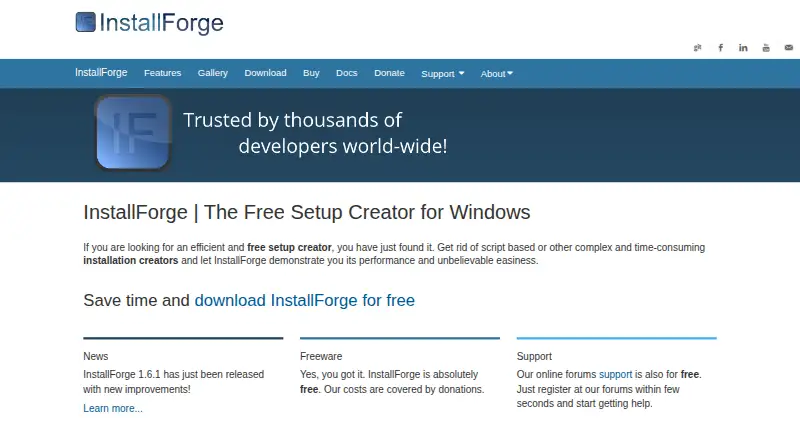
What InstallForge is
InstallForge is a Windows setup creator for building EXE installation packages. Its wizard-driven graphical interface is designed for package creation without scripting knowledge, and the maker describes it as a non-script-based builder for creating setups with minimal effort. A proprietary native setup engine produces single executable packages that do not require additional runtime environments. Created packages can include a built-in uninstallation engine.
Users can customize setup graphics, create DPI-aware interfaces, and make multilingual packages; InstallForge includes over 15 community translations. Supported compression algorithms are LZMA, Deflate, bzip2, and BriefLZ. Setup packages can also run external applications or shell commands during installation. InstallForge supports Visual Update Express, described by its maker as free to use in users’ own projects. It can sign packages, uninstallers, and packaged Visual Update executables through Microsoft Sign Tool, which must be available on the build system.
InstallForge is freeware for personal and commercial use, but its EULA prohibits charging for distribution or using the software to support a business or its customers. The builder requires Windows 7 or later, an x86 Intel or AMD CPU, 1 GB RAM, and 10 MB of disk space. The maker offers free help through online forums and directs bug reports and feature requests to GitHub. Its update check is enabled by default, cannot be disabled, and connects to an InstallForge server to check for new versions.
Who it suits
InstallForge suits Windows users who need to build EXE setup packages through a graphical wizard, including those who want to add an uninstaller, translations, custom graphics, or installation-time commands. Its command-line packaging and CI/CD integration also suit packaging workflows that use those capabilities.
What it does well
- The wizard-based interface does not require scripting knowledge.
- Creates single EXE packages without additional runtime environments.
- Packages can include a built-in uninstallation engine.
- Supports multilingual packages with over 15 community translations.
- Supports four compression algorithms.
- Offers free help through online forums.
What to know first
- The builder requires Windows 7 or later.
- The EULA prohibits charging for distribution.
- The EULA prohibits using it to support a business or its customers.
- The default update check cannot be disabled.
Limits
The freeware EULA allows personal and commercial use, but prohibits charging for distribution or using InstallForge to support a business or its customers. The builder requires Windows 7 or later, an x86 Intel or AMD CPU, 1 GB RAM, and 10 MB disk space.
Plans
| Plan | Billed and limits | Price |
|---|---|---|
| InstallForge | Freeware for personal and commercial use · Windows setup creator | Free |
As installforge.net lists them, read 8 Oct 2026. The maker's own page has the final word.
Getting started
- Open https://installforge.net/ and get the Windows builder.
- Use a system running Windows 7 or later with an x86 Intel or AMD CPU, 1 GB RAM, and 10 MB disk space.
- Create a setup package with the wizard-driven graphical interface.
- Customize the package with options such as graphics, translations, compression, or installation tasks.
- Build the EXE setup package; make Microsoft Sign Tool available on the build system if signing is needed.
Verdict
Choose InstallForge if you need a free Windows tool for creating EXE setup packages, with a wizard interface and options such as uninstallers, translations, and installation tasks. Its freeware license allows personal and commercial use, but its restrictions matter if you plan to charge for distribution or use it to support a business or its customers. The builder also requires Windows 7 or later and checks for updates through a connection that cannot be disabled.
Questions
How much does InstallForge cost?
InstallForge is freeware with a $0 plan. The EULA allows personal and commercial use, subject to its distribution and business-support restrictions.
Which platform does it run on?
InstallForge is for Windows and requires Windows 7 or later.
What does InstallForge create?
It creates EXE setup packages using its proprietary native setup engine. The packages do not require additional runtime environments.
Does it support command-line packaging and CI/CD integration?
Both command-line packaging and CI/CD integration are listed capabilities.
Can I sign the packages?
InstallForge can sign setup packages, uninstallers, and packaged Visual Update executables through Microsoft Sign Tool. The tool must be available on the build system.
Can I turn off the update check?
No. The application’s update check is enabled by default and cannot be disabled; it connects to an InstallForge server to check for new versions.
Facts from InstallForge's own pages
- Code signing
- InstallForge can sign setup packages, uninstallers and packaged Visual Update executables through Microsoft Sign Tool, which must be available on the build system. · docs.installforge.net, 8 Oct 2026
- Compression
- Supported compression algorithms are LZMA, Deflate, bzip2 and BriefLZ. · installforge.net, 8 Oct 2026
- Customization
- Users can customize setup graphics and create packages with a DPI-aware graphical interface. · installforge.net, 8 Oct 2026
- Custom tasks
- Setup packages can run external applications or shell commands during installation. · installforge.net, 8 Oct 2026
- Interface
- Its wizard-driven graphical interface lets users create installation packages without scripting knowledge. · installforge.net, 8 Oct 2026
- Languages
- The maker says InstallForge supports multilingual packages and includes over 15 community translations. · installforge.net, 8 Oct 2026
- License limit
- The freeware EULA allows personal and commercial use, but prohibits charging for distribution or using the software to support a business or its customers. · docs.installforge.net, 8 Oct 2026
- Privacy
- The application’s update check is enabled by default, cannot be disabled, and connects to an InstallForge server to check for new versions. · installforge.net, 8 Oct 2026
- Product
- InstallForge is a Windows setup creator for building installation packages. · installforge.net, 8 Oct 2026
- Setup engine
- The proprietary native setup engine creates single executable packages that do not require additional runtime environments. · installforge.net, 8 Oct 2026
- Support
- The maker offers free help through its online forums and directs users to GitHub for bug reports and feature requests. · installforge.net, 8 Oct 2026
- System requirements
- The builder requires Windows 7 or later, an x86 Intel or AMD CPU, 1 GB RAM and 10 MB disk space. · docs.installforge.net, 8 Oct 2026
- Uninstaller
- InstallForge can add a built-in uninstallation engine to created setup packages. · installforge.net, 8 Oct 2026
- Update integration
- InstallForge supports Visual Update Express, which the maker describes as free to use in users’ own projects. · installforge.net, 8 Oct 2026
- Use
- The maker describes InstallForge as a non-script-based builder intended to create setup packages with minimal effort. · installforge.net, 8 Oct 2026
Where InstallForge stands on Freedom251
- Software Packaging Tools#19 of 29