Freedom251 › Digital Painting Software

InkForge
What InkForge is
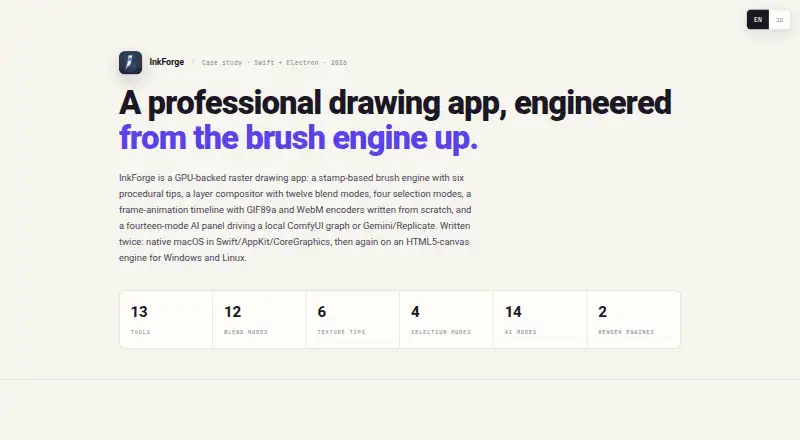
InkForge is a free, open-source raster drawing app for Windows, macOS, and Linux. Its GPU-backed canvas uses a stamp-based brush engine with six procedural texture tips; pen pressure can control brush size and opacity. Artists can use unlimited layers, twelve blend modes, clipping masks, and non-destructive layer effects. The frame-by-frame timeline supports duplication, onion-skinning, adjustable FPS, and GIF or WebM export. Native .inkforge projects preserve layers and frames, while export formats include PNG, JPEG, and TIFF. An AI panel lists fourteen modes, including style transfer, sketch-to-painting, inpainting, and background removal. Generation can use Gemini or Replicate with the user's own key, or a local ComfyUI graph. The maker says keys are stored locally and the ComfyUI path stays on the machine. The maker describes the MIT-licensed app as under active development on its cross-platform build and identifies the native macOS version as its original Swift implementation. The download section lists Windows 10+ and macOS 13+ requirements.
Who it suits
InkForge suits artists seeking a free desktop raster drawing app with animation tools and layered projects. Its AI options may suit users who can supply a Gemini or Replicate key or use a local ComfyUI graph.
What it does well
- Free and open source under the MIT license.
- Six procedural brush tips and pressure controls.
- Animation export to GIF or WebM.
- Native projects preserve layers and frames.
- AI keys are stored locally, according to the maker.
What to know first
- Windows 10+ and macOS 13+ are listed requirements.
- Cross-platform build is described as under active development.
- Gemini and Replicate use requires the user's own key.
Limits
Color management is basic. The download section lists Windows 10+ and macOS 13+ requirements.
Plans
| Plan | Billed and limits | Price |
|---|---|---|
| Free (MIT) | Open source under the MIT license · Windows 10+ · macOS 13+ | Free |
As inkforge.ilans.net lists them, read 8 Oct 2026. The maker's own page has the final word.
Getting started
- Open the InkForge website.
- Choose the build for Windows, macOS, or Linux.
- Check the listed Windows 10+ or macOS 13+ requirement for those downloads.
- Use Gemini or Replicate with your own key, or connect a local ComfyUI graph, for AI generation.
Verdict
InkForge combines drawing, frame-by-frame animation, and optional AI modes in a free desktop app. Check the listed operating-system requirements and development status for the build you plan to use.
Questions
How much does InkForge cost?
InkForge is free under the MIT license.
Which platforms does it support?
The listed platforms are Windows, macOS, and Linux. The download section lists Windows 10+ and macOS 13+ requirements.
Is InkForge open source?
Yes. The maker describes it as open source and free under the MIT license.
What file formats can it export?
It exports PNG, JPEG, and TIFF images, plus GIF or WebM animations. Native .inkforge projects preserve layers and frames.
What AI services can it use?
AI generation can use Gemini or Replicate with the user's own key, or a local ComfyUI graph.
Facts from InkForge's own pages
- AI integrations
- AI generation can use Gemini or Replicate with the user's own key, or a local ComfyUI graph. · inkforge.ilans.net, 8 Oct 2026
- AI key handling
- The maker says AI keys are stored locally and never bundled, and the ComfyUI path stays on the machine. · inkforge.ilans.net, 8 Oct 2026
- AI modes
- The AI panel lists fourteen modes, including style transfer, sketch-to-painting, inpainting, and background removal. · inkforge.ilans.net, 8 Oct 2026
- Animation
- Its frame-by-frame timeline supports duplication, onion-skinning, adjustable FPS, and GIF or WebM export. · inkforge.ilans.net, 8 Oct 2026
- Brushes
- The brush engine has six procedural texture tips and maps pen pressure to size and opacity. · inkforge.ilans.net, 8 Oct 2026
- Development status
- The maker says active development continues on the cross-platform build and describes the native macOS build as the original Swift implementation. · inkforge.ilans.net, 8 Oct 2026
- File formats
- Native .inkforge projects preserve layers and frames, and the app exports PNG, JPEG, and TIFF. · inkforge.ilans.net, 8 Oct 2026
- Layers
- The app supports unlimited layers, twelve blend modes, clipping masks, and non-destructive layer effects. · inkforge.ilans.net, 8 Oct 2026
- License
- The maker describes InkForge as open source and free under the MIT license. · inkforge.ilans.net, 8 Oct 2026
- Maker
- The page identifies Ilan Lenzner as a Creative Technologist / Design Engineer in Tel Aviv. · inkforge.ilans.net, 8 Oct 2026
- Platforms
- The official site lists Windows and macOS installers; the cross-platform repository describes Windows, macOS, and Linux support. · github.com, 8 Oct 2026
- System requirements
- The download section lists Windows 10+ and macOS 13+. · inkforge.ilans.net, 8 Oct 2026
- What it does
- InkForge is a GPU-backed raster drawing app with a stamp-based brush engine, layers, selection tools, animation, and an AI panel. · inkforge.ilans.net, 8 Oct 2026
Where InkForge stands on Freedom251
- Digital Painting Software#14 of 46