Freedom251 › Bill of Materials Software

IndaBOM
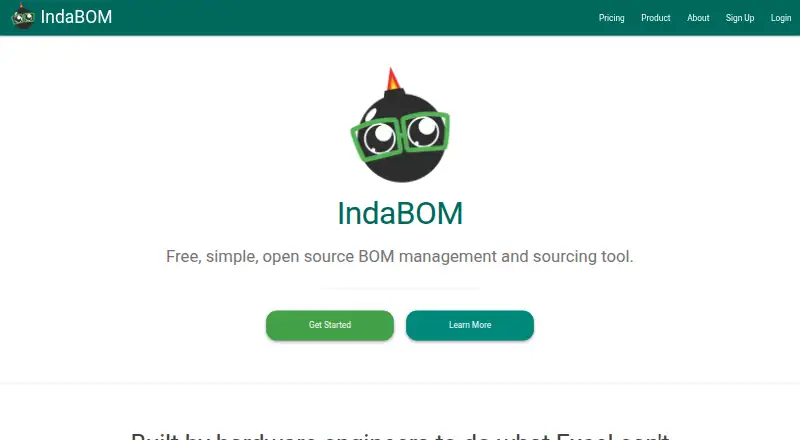
What IndaBOM is
IndaBOM is a bill of materials management and sourcing tool for parts, assemblies, and revision control. It is free and open source, built on Django and Python, and available as a web product or for self-hosting. Users can batch upload parts and assemblies from CSV or Excel lists, then manage revisions from development through production for electrical, mechanical, and hardware products. Indented BOMs arrange subassemblies and components in a tree. Sourcing connects with Mouser for pricing and datasheets and supports live sourcing through Octopart or Mouser. Google Drive integration creates a dedicated folder for each part to store files. Organizations can choose semi-intelligent CLASS-ITEM-VARIATION numbers or free-form intelligent part numbers, with Viewer, Editor, and Admin roles. Editing is restricted to Draft revisions, and only parts already in the database can be added as subparts. The free managed plan is for one user; the free self-hosted plan supports multi-user organizations. Managed Professional costs $35 a month per user.
Who it suits
IndaBOM suits engineers, operations teams, and founders working with parts, assemblies, sourcing, and revision control. The self-hosted option may suit organizations that need multi-user access without a managed plan.
What it does well
- Batch uploads accept CSV or Excel lists.
- Indented BOMs show subassemblies and components.
- Live sourcing is available through Octopart or Mouser.
- Free self-hosted plan supports multi-user organizations.
What to know first
- Managed free plan is limited to one user.
- Only Draft revisions can be edited.
- New subparts must already exist in IndaBOM.
- Professional managed plan costs $35 a month per user.
Limits
The managed Free plan is for one user and does not include multi-user organizations or role-based access control. The free Self Hosted plan supports multi-user access and role-based permissions but is not fully managed; managed Professional costs $35 per user per month.
Plans
| Plan | Billed and limits | Price |
|---|---|---|
| Free | One User / Always Free · Fully managed · Single User Access · No Multi-User Organizations · No Role Based Access Control · No Priority Support | Free |
| Self Hosted | Per User / Always Free · Unlimited BOMs · Multi User Access · Multi-User Organizations · Role Based Access Control · Not fully managed · No Priority Support | Free |
| Professional | Per User / Month · Fully managed · Multi User Access · Multi-User Organizations · Role Based Access Control · Priority Support | $35 a month |
As indabom.com lists them, read 1 Oct 2026. The maker's own page has the final word.
Getting started
- Open https://indabom.com/ to access the web product.
- Choose the managed Free plan for one user, the free Self Hosted plan for multi-user access, or Professional at $35 per user per month.
- For self-hosting, install the underlying django-bom locally or host it on your own web server.
- Upload parts and assemblies from CSV or Excel lists.
IndaBOM is a focused bill-of-materials, sourcing, and revision-control system for engineers, operations teams, and founders building electrical, mechanical, or other hardware products. It is strongest for organizations that want structured BOM history and supplier data without giving up an open-source, self-hosting option; teams needing broad manufacturing workflows or unrestricted revision editing should look elsewhere.
Overview
IndaBOM is built on Django and Python and is offered as a web service or through local deployment of the underlying django-bom project. Its scope is deliberately centered on BOMs, sourcing, and revision control rather than a full enterprise resource-planning suite. That focus can keep hardware data organized without imposing unrelated modules.
CSV and Excel batch import makes it practical to bring in existing part and assembly lists. Indented BOM views then present subassemblies and individual components as a hierarchy, helping teams trace how a finished product is constructed. Revision management follows electrical, mechanical, and hardware products from development through production, so the system suits teams that need a record of design changes over time.
Key features
BOM structure and revision workflow
Organizations can assign semi-intelligent CLASS-ITEM-VARIATION numbers or use free-form intelligent part numbers. That supports either a consistent internal convention or a numbering scheme tailored to an existing catalog. Multi-level BOMs and change workflows provide useful structure for complex assemblies.
The important limitation is operational: a BOM is editable only while its revision is in Draft. In addition, a new subpart must already exist in the IndaBOM database. This encourages controlled release practices, but it is a poor fit for teams that routinely modify released revisions or add unregistered components during a live build.
Sourcing and documents
Live sourcing connects to Mouser for pricing and datasheets and supports sourcing through Octopart or Mouser. Prices are retrieved when the page loads, include provider attribution and an as-of timestamp, and are not stored. That gives a current purchasing reference, but it is not a historical price archive.
Google Drive integration creates a dedicated folder for each part, providing a natural place for datasheets, drawings, and related files. Inventory integration is included among the product capabilities, helping connect BOM records to stock-oriented work without changing the core BOM focus.
Permissions and deployment
Viewer, Editor, and Admin roles provide progressively broader permissions on plans that include role-based access control. IndaBOM is free and open source, while the managed service trades infrastructure responsibility for a recurring per-user charge. Its privacy policy identifies Vyrd Labs LLC as the data controller and describes GDPR rights including access, correction, erasure, and portability; it also says commercially reasonable protections cannot guarantee absolute security.
Pricing
| Plan | Price | What it includes |
|---|---|---|
| Free | free, always free | Fully managed, single-user access |
| Self Hosted | free, always free | Unlimited BOMs, multi-user access, multi-user organizations, and role-based access control |
| Professional | $35 per user per month | Fully managed service, multi-user access, multi-user organizations, role-based access control, and priority support |
The managed Free plan is appropriate for an individual evaluating the workflow, but it excludes multi-user organizations, role-based access control, and priority support. Self Hosted removes those user and BOM restrictions at no license cost, making it the standout option for teams able to run and maintain their own service; it is not fully managed and still has no priority support. Professional is the straightforward choice for organizations that want managed hosting and team permissions, with the cost scaling per user. All listed plans are always free or monthly as stated; no trial period or renewal discount is specified.
Platforms
IndaBOM runs on the web and can be self-hosted. The hybrid deployment model lets a solo user choose managed access while a technical organization keeps the application on its own infrastructure through django-bom.
Who it's for
Engineers benefit from indented, revisioned BOMs and supplier lookups; operations teams gain a controlled path from development revisions to production; and founders can start with a no-cost single-user plan or self-host when budget and ownership matter. It is less suitable for teams that require released-revision editing, unrestricted ad hoc part creation, or a broader ERP and manufacturing suite.
Pros and cons
Pros
- Open-source flexibility: Self-hosting is free and supports unlimited BOMs, multiple users, organizations, and role-based access.
- Useful hardware structure: Batch imports, multi-level indented BOMs, revision tracking, and change workflows cover core product-assembly work.
- Connected sourcing: Mouser, Octopart, live pricing, datasheets, and Google Drive part folders reduce supplier and document switching.
- Clear permission model: Viewer, Editor, and Admin roles fit teams that need differentiated access.
Cons
- Draft-only editing: Released revisions cannot be changed directly, which can slow corrective updates.
- Existing-record dependency: Subparts must already be in the database before they can be added.
- Narrow managed free tier: The Free plan is single-user and has no organization, RBAC, or priority support.
- Self-hosting overhead: The free multi-user option is not fully managed, so infrastructure remains the customer’s responsibility.
Alternatives
OpenBOM is a better fit if you want API, desktop, and web platform coverage, a free trial, or a free tier capped at 2,000 records.
Cascadia PLM suits teams seeking a broader PLM choice, including a self-hosted core with unlimited editors and viewers.
Dokuly is worth choosing when a free, open-source PLM delivered as a self-hosted Docker stack is the priority.
Dolibarr is the alternative for an open-source ERP and CRM foundation available on-premise or through third-party hosting.
BOMIST is aimed at smaller projects that can live with a free single-user limit of 100 parts and three products, with a $50.00-per-year PRO plan.
MyCompany Manufacturing ERP is preferable when unlimited users and records with no subscription or renewal are more important than IndaBOM’s focused BOM workflow.
Odoo Manufacturing is the broader web and mobile-oriented option, with an unlimited-user One App Free plan and paid all-app tiers.
PartsBox is a better match for personal projects or inventory work, starting with a free single-user Maker plan and offering a €49 a month Essentials tier.
For more options, see Bill of Materials Software.
Verdict
Choose IndaBOM if your hardware team needs disciplined BOM revisions, indented assemblies, supplier lookups, and the choice of a free self-hosted deployment. Its main reason to look elsewhere is the Draft-only editing rule combined with the narrow managed Free plan; teams needing flexible post-release changes or a wider ERP/PLM environment will be better served by an alternative.
Verdict
IndaBOM combines revision tracking with sourcing and BOM views, with managed and self-hosted options. Check the Draft-only editing rule and user limits when selecting a plan.
Questions
Is IndaBOM free?
Yes. It offers a managed Free plan for one user and a free Self Hosted plan with multi-user access. Managed Professional costs $35 per user per month.
Is IndaBOM open source?
Yes. It is free and open source, built on Django and Python.
Which platforms does IndaBOM support?
It is available on the web and as self-hosted software. The underlying django-bom product can be installed locally or hosted on your own web server.
Can teams use the free plan?
The managed Free plan is limited to one user. The free Self Hosted plan supports multi-user organizations and role-based access control.
Which sourcing and file integrations does it offer?
IndaBOM connects with Mouser for pricing and datasheets and supports live sourcing through Octopart or Mouser. Google Drive creates a dedicated folder for each part.
Can I edit any revision or add any part to a BOM?
BOMs can be edited only while their revision is in Draft. Only parts already in the IndaBOM database can be added as subparts.
Facts from IndaBOM's own pages
- BOM editing limit
- BOMs can only be edited when the revision is in Draft state, and only parts already in the IndaBOM database can be added as subparts. · indabom.com, 1 Oct 2026
- Bulk upload
- Users can batch upload parts and assemblies from CSV or Excel lists. · indabom.com, 1 Oct 2026
- Data protection
- The privacy policy identifies Vyrd Labs LLC as the data controller and describes GDPR rights including access, correction, erasure, and portability. · indabom.com, 1 Oct 2026
- Google Drive
- Google Drive integration creates a dedicated folder for each part to store datasheets, drawings, and other files. · indabom.com, 1 Oct 2026
- Indented BOMs
- Indented BOMs show subassemblies and individual components in a tree-like structure. · indabom.com, 1 Oct 2026
- Intended users
- The product page identifies engineers, operations teams, and founders as target users. · indabom.com, 1 Oct 2026
- Live pricing behavior
- Live pricing is fetched on page load with provider attribution and an as-of timestamp and is never stored. · indabom.com, 1 Oct 2026
- Open source
- IndaBOM is free and open source, built on Django and Python. · indabom.com, 1 Oct 2026
- Part numbering
- Organizations can use semi-intelligent CLASS-ITEM-VARIATION numbers or free-form intelligent part numbers. · indabom.com, 1 Oct 2026
- Product purpose
- IndaBOM is a bill of materials management and sourcing tool focused on BOMs, sourcing, and revision control. · indabom.com, 1 Oct 2026
- Revision management
- The product manages revisions from development to production across electrical, mechanical, and hardware products. · indabom.com, 1 Oct 2026
- Roles
- Organizations have Viewer, Editor, and Admin roles with progressively broader permissions. · indabom.com, 1 Oct 2026
- Security statement
- The privacy policy says IndaBOM uses commercially reasonable means to protect personal data but cannot guarantee absolute security. · indabom.com, 1 Oct 2026
- Self hosting
- The underlying django-bom product can be installed locally or hosted on a user’s own web server. · indabom.com, 1 Oct 2026
- Sourcing integrations
- IndaBOM integrates with Mouser for pricing and datasheets and supports live sourcing through Octopart or Mouser. · indabom.com, 1 Oct 2026
Where IndaBOM stands on Freedom251
- Bill of Materials Software#9 of 48