Freedom251 › Network Simulation Software
IMUNES
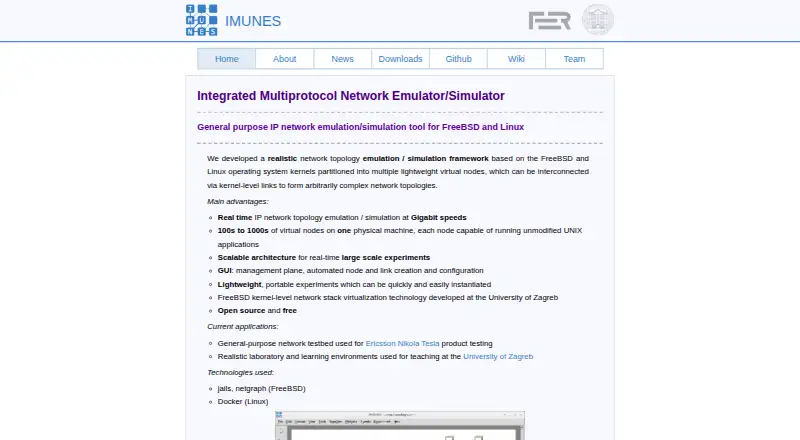
What IMUNES is
IMUNES is a network emulator and simulator for building general-purpose IP network experiments on FreeBSD and Linux. Its graphical interface manages experiments and creates and configures nodes and links. Each virtual node has separate IPv4, IPv6, IPsec, socket, firewall settings, and address space; links can add delay, bit errors, duplication, or bandwidth controls. The project says one physical machine can host hundreds to thousands of virtual nodes. Experiments use standard UNIX APIs, so BSD and Linux binaries can run unmodified, and the project describes experiments as starting in seconds. Linux uses Docker for virtual nodes, while FreeBSD uses jails and netgraph. The project also describes JSON configuration and live changes to nodes, interfaces, and links during a running experiment. Downloads include source repositories, examples, security scenarios, manuals, and virtual machine images. IMUNES is free, with desktop deployment and real-time emulation and hardware-in-the-loop support.
Who it suits
IMUNES suits network engineers, researchers, and educators who need to model IP networks or adjust traffic behavior. It may also suit teams running experiments on Linux or FreeBSD systems.
What it does well
- Supports hundreds to thousands of virtual nodes on one machine.
- Links can model delay, bit errors, duplication, and bandwidth.
- Supports live changes to running experiments.
- Free, with public source repositories and manuals.
What to know first
- Linux requires kernel 3.10 or newer and Docker daemon.
- The README instructs users to run experiments as root.
- Latest listed image is a 4GB beta OVA.
Plans
| Plan | Billed and limits | Price |
|---|---|---|
| Open source and free | — | Free |
As imunes.net lists them, read 1 Oct 2026. The maker's own page has the final word.
Getting started
- Visit the IMUNES website and choose Linux or FreeBSD.
- Use the download page to access source repositories, examples, manuals, or virtual machine images.
- On Linux, ensure the kernel is version 3.10 or newer and the Docker daemon is available.
- Run experiments as root, as instructed in the README.
- Use the GUI to create and configure nodes and links.
IMUNES is a free network emulator for building IP experiments from virtual nodes and links. It suits network engineers, researchers and educators who need configurable, realistic network behavior; its chief advantage is the reach of its emulation, while its dependence on host-level privileges narrows where it can be run.
Overview
IMUNES combines topology management, node configuration and network emulation in a GUI. The project says hundreds to thousands of virtual nodes can run on one physical machine, and that experiments start in seconds while using hardware resources efficiently. That makes it a strong fit for repeatable lab scenarios that would otherwise call for many separate devices, though the stated scale is an upper-range capability rather than a promise for every host.
Each virtual node has its own IPv4 and IPv6 configuration, IPsec, sockets, firewall settings and address space. Because standard UNIX APIs are preserved, BSD and Linux binaries can run unmodified. This makes IMUNES more suitable for experiments involving conventional system behavior than a simulator limited to abstract network models.
Key features
Topology and traffic control
The GUI supports automated node and link creation as well as management and configuration. Links can introduce delay, bit-error rate, duplication and bandwidth constraints, giving users direct control over network conditions. This is valuable for repeatable testing and teaching exercises; users who need a simple, privilege-free tool will find the setup demands heavier than the interface suggests.
Real-time experiments and live changes
IMUNES supports real-time emulation and hardware-in-the-loop experiments, so it can connect virtual network scenarios with physical equipment. JSON configuration and live mode allow nodes, interfaces and links to be changed while an experiment is running. Those capabilities favor iterative lab work, where changing a topology without restarting the whole scenario can save time.
Host architecture and materials
On Linux, virtual nodes use Docker; on FreeBSD, they use jails and netgraph. Public downloads include source repositories, examples, security scenarios, manuals and VMware or VirtualBox images. The security examples and teaching-lab use at the University of Zagreb point to an educational use as well as engineering work; Ericsson Nikola Tesla has used IMUNES for product testing.
Pricing
IMUNES is free and open source, with the plan priced at $0. There is no paid tier to unlock the core emulator. Its free price does not remove the operational costs of providing a suitable host or the requirement to run experiments with root privileges.
Platforms
IMUNES is associated with Linux, macOS, Windows, web and self-hosted environments, but its emulation architecture is specifically described for FreeBSD and Linux. Linux users need Docker daemon access and at least kernel version 3.10; the README instructs users to run experiments as root. FreeBSD uses jails and netgraph. The latest listed image is a 4GB amd64 OVA for IMUNES-FreeBSD-14.3-RELEASE (BETA), so users choosing that route should account for its beta status and image size.
Who it's for
IMUNES is a good choice for network engineers validating product behavior, researchers building controlled IP experiments, and instructors running network labs. Its independent node address spaces, traffic controls and hardware-in-the-loop support make it more compelling when realistic system behavior matters. It is a poor fit for managed machines where users cannot obtain root access, and Linux users must also be able to run Docker.
Pros and cons
- Pros: Hundreds to thousands of nodes can run on a single physical machine, reducing the need to assemble a large physical lab.
- Pros: Per-node IP, firewall and address-space configuration plus link-level traffic controls support detailed, repeatable experiments.
- Pros: Real-time emulation and hardware-in-the-loop support suit work that needs virtual and physical network components together.
- Cons: Linux experiments require Docker and root privileges, excluding many locked-down or shared environments.
- Cons: The stated emulation implementations are for Linux and FreeBSD, so the broader platform labels do not establish equivalent native experiment support on every listed platform.
Alternatives
Network Simulation Software is the broader category to explore when comparing other network lab tools.
- EVE-NG is worth considering if its freemium plan’s 7 nodes per instance and 63 nodes per lab suit your needs, or if you need its 1024-node EVE-NG Base plan.
- Containerlab is another free choice for Linux servers or VMs, with Docker required and sudo privileges needed for some operations.
- GNS3 is a free, open-source option if you want downloadable software without a monthly or yearly license.
- OMNeT++ may suit teaching and research under its free Academic Public License; commercial use requires a separate license.
- Kathará is a free open-source alternative with no paid plans or usage limits stated.
- ns-3 is free software under GNU GPLv2 for research, development and use.
- QuNetSim is a free MIT-licensed option installable through pip.
- Cloonix is a free AGPLv3 option for Linux hosts.
Verdict
Choose IMUNES if you need a free, configurable IP emulation lab that can scale to many virtual nodes and incorporate physical hardware. Its mix of per-node networking, traffic shaping and live changes is a strong reason to pick it for engineering, research or teaching; look elsewhere if root access or Docker cannot be provided on your host.
Verdict
IMUNES provides configurable network experiments with real-time emulation and hardware-in-the-loop support. Linux users need Docker and the stated kernel minimum, and experiments require root privileges per the README.
Questions
Is IMUNES free?
Yes. The listed plan is open source and free.
Which operating systems does it support?
IMUNES supports FreeBSD and Linux. Its listed platforms also include macOS, web, Windows, and self-hosted.
What does Linux require?
The stated minimum kernel requirement is Linux 3.10, and experiments require the Docker daemon. The README instructs users to run experiments as root.
Is IMUNES open source?
Yes. The download page provides public source repositories.
Can it run experiments in real time or use hardware in the loop?
Yes. The listed capabilities include real-time emulation and hardware-in-the-loop.
What is the latest listed image?
The listed image is IMUNES-FreeBSD-14.3-RELEASE (BETA), distributed as a 4GB amd64 OVA.
Facts from IMUNES's own pages
- Application compatibility
- Standard UNIX APIs are preserved, allowing BSD and Linux binaries to run unmodified. · imunes.net, 1 Oct 2026
- Downloads
- The download page provides public source repositories, examples, security examples, manuals, and VMware/VirtualBox images. · imunes.net, 1 Oct 2026
- Execution privilege
- The README instructs users to run experiments as root. · github.com, 1 Oct 2026
- Founded
- 2004 · imunes.net, 28 Sept 2026
- FreeBSD technology
- On FreeBSD, IMUNES uses jails and netgraph. · imunes.net, 1 Oct 2026
- GUI
- Its GUI provides management, automated node and link creation, and configuration. · imunes.net, 1 Oct 2026
- Latest image
- The listed latest release is IMUNES-FreeBSD-14.3-RELEASE (BETA), distributed as a 4GB amd64 OVA. · imunes.net, 1 Oct 2026
- Linux dependency
- Running IMUNES experiments on Linux requires the Docker daemon. · github.com, 1 Oct 2026
- Linux requirement
- The GitHub README states that Linux 3.10 is the minimum kernel requirement. · github.com, 1 Oct 2026
- Linux technology
- On Linux, IMUNES uses Docker for virtual nodes. · imunes.net, 1 Oct 2026
- Performance
- Experiments are instantiated in seconds and use hardware resources efficiently. · imunes.net, 1 Oct 2026
- Purpose
- IMUNES is an integrated multiprotocol network emulator/simulator for general-purpose IP network emulation on FreeBSD and Linux. · imunes.net, 1 Oct 2026
- Recent features
- The IMUNES blog describes JSON configuration and live mode for modifying nodes, interfaces, and links while an experiment runs. · imunes.github.io, 1 Oct 2026
- Security material
- The project publishes a public repository containing examples of security scenarios in IMUNES. · github.com, 1 Oct 2026
- Topology scale
- The project states that 100s to 1000s of virtual nodes can run on one physical machine. · imunes.net, 1 Oct 2026
- Traffic controls
- Links support traffic manipulation including delay, bit-error rate, duplication, and bandwidth. · imunes.net, 1 Oct 2026
- Use cases
- The project describes use in Ericsson Nikola Tesla product testing and University of Zagreb teaching laboratories. · imunes.net, 1 Oct 2026
- Virtual nodes
- Each virtual node has its own IPv4, IPv6, IPsec, socket, firewall configuration, and address space. · imunes.net, 1 Oct 2026
Where IMUNES stands on Freedom251
- Network Simulation Software#7 of 31