Freedom251 › Static site generators

Hugo
What Hugo is
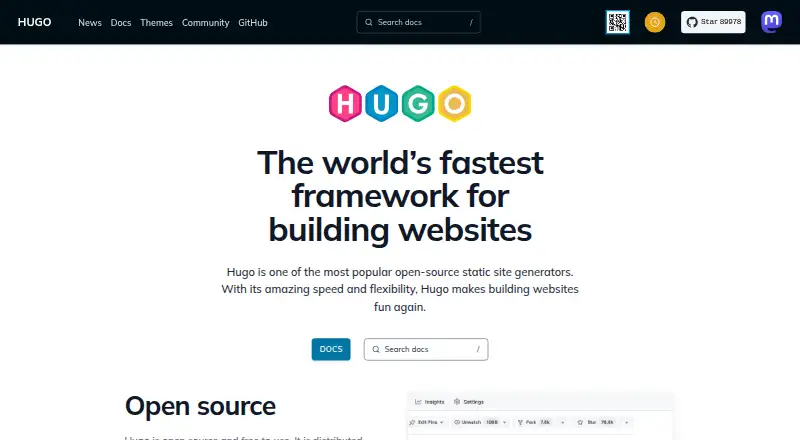
Hugo is an open-source static site generator for building websites from Markdown. Written in Go and distributed under the Apache 2.0 License, it runs on Windows, macOS, and Linux and supports multilingual sites. Its taxonomy system helps organize content, while its asset tools handle image processing, JavaScript bundling, and Sass. Hugo also supports TailwindCSS and includes an embedded server for local previews. It is used for documentation, corporate, government, nonprofit, education, news, event, and project sites. The project says large sites often render in seconds and that Hugo is actively maintained with a fast release cycle. Go, Ruby, and Python are listed as supported languages. Hugo is free to use, and a free plan is listed; no price is listed for the Hugo Open Source plan. The listed pricing page returns a 404 page-not-found response.
Who it suits
Hugo suits people building Markdown-based websites who want multilingual support and local previews. Its listed site types range from documentation and education to corporate and government sites.
What it does well
- Free to use and open source
- Supports multilingual sites
- Includes an embedded local preview server
- Processes images, JavaScript bundles, and Sass
- Runs on Windows, macOS, and Linux
What to know first
- The listed pricing page returns a 404
- No price is listed for the Hugo Open Source plan
Plans
| Plan | Billed and limits | Price |
|---|---|---|
| Hugo Open Source | — | On request |
As gohugo.io lists them, read 27 Sept 2026. The maker's own page has the final word.
Getting started
- Visit https://gohugo.io/.
- Use a Windows, macOS, or Linux system.
- Prepare site content in Markdown.
- Use Hugo's embedded web server for a local development preview.
Overview
Hugo is a free, open-source static site generator for people building content-led websites from Markdown. It suits teams and individuals who want multilingual publishing, structured taxonomies and asset processing without a software licence fee; its Go implementation often renders large sites in seconds.
It covers a wide range of site types, from documentation and news to corporate, government, nonprofit, education, event and project sites. Windows, macOS and Linux are supported, and the Apache 2.0 License makes its terms clear. A large, active community and fast release cycle are strengths for a tool intended to remain in ongoing use.
Key features
Content and organization
Markdown is Hugo’s content source, with multilingual support and a taxonomy system for organizing material into categories and other structured groupings. That combination is useful for sites with substantial or varied content; the available feature set does not establish a visual editing interface, so Hugo is less suited to teams seeking a no-code publishing workflow.
Rendering and previews
Hugo often renders large sites in seconds, an advantage when a project has enough content for build time to affect day-to-day publishing. Its embedded web server offers local previews during development, so creators can inspect changes before publishing.
Asset processing
Image processing, JavaScript bundling and Sass processing are supported, alongside TailwindCSS support. These capabilities make Hugo a credible fit for projects that want asset workflows alongside site generation, rather than a generator focused only on turning pages into output.
Pricing
Hugo is free to use and open source under the Apache 2.0 License. The “Hugo Open Source” plan has no published price; there are no paid tiers, seat charges, quotas, trial terms or renewal terms to compare. There is therefore no cheaper plan that trades away features: the core choice is whether Hugo’s generator-based workflow fits the project. Hugo is written in Go, but supported languages include Go, Ruby and Python.
Platforms
Hugo supports Windows, macOS and Linux. Its embedded web server provides local development previews, while the platform list identifies desktop operating systems rather than hosted web access.
Who it's for
Hugo is a strong fit for developers and technical publishing teams building documentation, corporate, government, nonprofit, education, news, event or project sites. It is particularly compelling where fast rendering, multilingual support, taxonomies and asset processing matter. Readers looking for a managed, visual site-building experience should consider a different kind of tool.
Pros and cons
Pros
- Free and open source: Hugo has no software fee and is distributed under the Apache 2.0 License.
- Fast rendering: Large sites are often rendered in seconds, a practical benefit as content grows.
- Broad publishing toolkit: Taxonomies, multilingual support, local previews and several asset-processing capabilities support varied site needs.
- Established project: Hugo has a large, active community and is actively maintained with a fast release cycle.
Cons
- Generator-centered workflow: Markdown is the stated content source, which makes Hugo a less natural choice for people who want to publish without working in a content-file workflow.
- No managed publishing plan: Hugo is free software, but the supplied plan information describes no hosted service or paid support tier.
Alternatives
Consider Gatsby if its free plans better match your needs: the open-source framework is always free, and another free plan includes a 300-credit monthly limit. Choose Cecil for a free, cross-platform option distributed under the EUPL-1.2 license, with no usage limits stated. Bridgetown is another free option, with Linux, macOS and Windows among its supported platforms.
Publii, Eleventy, Nanoc, Nikola and Zola are also free alternatives. Eleventy is a self-hosted static-site generator under the MIT license; Nanoc is provided free of charge as a passion project. For an overview of the category, see Static site generators.
Verdict
Choose Hugo if you want a free, actively maintained generator that combines fast rendering with Markdown publishing, multilingual support, taxonomies and asset processing. Its strongest case is for technical teams building substantial content sites; look elsewhere if you need a managed or visual publishing workflow rather than a static-site generator.
Verdict
Hugo combines Markdown publishing with taxonomy and asset-processing tools for several kinds of sites. It is free to use, though the listed pricing page is unavailable.
Questions
Is Hugo free?
Yes. Hugo is described as free to use, and its Hugo Open Source plan is open source.
What license does Hugo use?
Hugo is distributed under the Apache 2.0 License.
Which operating systems does Hugo support?
Hugo runs on Windows, macOS, and Linux.
What content source does Hugo use?
Hugo builds sites from Markdown content.
Does Hugo support multilingual sites?
Yes. Hugo supports multilingual publishing.
Who holds the Hugo logo copyright?
The Hugo logos are copyrighted by Steve Francia from 2013 to 2026.
Facts from Hugo's own pages
- Asset processing
- Hugo supports image processing, JavaScript bundling, and Sass processing. · gohugo.io, 27 Sept 2026
- Active community
- Hugo has a large and active community. · gohugo.io, 27 Sept 2026
- Content sources
- markdown · gohugo.io, 20 Sept 2026
- Copyright holder
- The Hugo logos are copyrighted by Steve Francia from 2013 to 2026. · gohugo.io, 27 Sept 2026
- Embedded web server
- Hugo includes an embedded web server for development previews. · gohugo.io, 27 Sept 2026
- Free plan
- Yes · gohugo.io, 20 Sept 2026
- GitHub stars
- Hugo had 89,969 GitHub stars as of September 27, 2026. · gohugo.io, 27 Sept 2026
- Implementation language
- Hugo is written in Go. · gohugo.io, 27 Sept 2026
- Software license
- Hugo is distributed under the Apache 2.0 License. · gohugo.io, 27 Sept 2026
- Multilingual support
- Hugo supports multilingual websites. · gohugo.io, 27 Sept 2026
- Open source
- Hugo is open source and free to use. · gohugo.io, 27 Sept 2026
- Local preview server
- Yes · gohugo.io, 20 Sept 2026
- Pricing page status
- The listed pricing page returns a 404 page not found. · gohugo.io, 27 Sept 2026
- Release cycle
- Hugo has a fast release cycle and is actively maintained. · gohugo.io, 27 Sept 2026
- Rendering speed
- Hugo often renders large sites in seconds. · gohugo.io, 27 Sept 2026
- Generator type
- Hugo is an open-source static site generator. · gohugo.io, 27 Sept 2026
- Supported site types
- Hugo is used for documentation, corporate, government, nonprofit, education, news, event, and project sites. · gohugo.io, 27 Sept 2026
- Supported languages
- Go,Ruby,Python · gohugo.io, 20 Sept 2026
- Tailwind support
- Hugo provides TailwindCSS support. · gohugo.io, 27 Sept 2026
- Taxonomy system
- Hugo includes a powerful taxonomy system. · gohugo.io, 27 Sept 2026
Where Hugo stands on Freedom251
- Static site generators#1 of 35