Freedom251 › AI Presentation Software
HTMLSlides
What HTMLSlides is
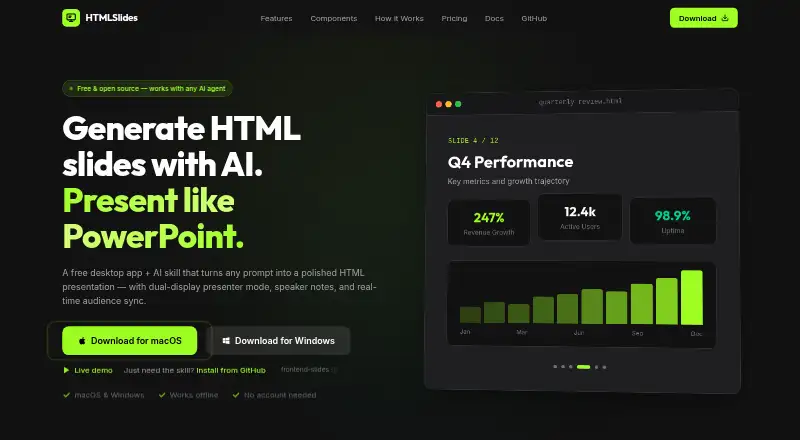
HTMLSlides combines a skill for creating HTML presentations with a desktop app for presenting them. The skill generates decks from prompts or documents, and can convert PowerPoint files to HTML as well as HTML presentations from formats such as reveal.js, Marp, Slidev and Google Slides exports. Presentations are delivered as single HTML files with inline CSS and JavaScript, without a build step or dependencies. The skill includes 12 interactive component types, including charts, timelines, flip cards, code blocks and image grids, and works with AI agents such as Claude Code, GitHub Copilot, Gemini CLI, Cursor, Windsurf, Codex and Aider. The desktop app opens and presents HTML slides, with dual-display mode, speaker notes, a timer, laser pointer, thumbnail navigation and a synchronized audience view. It is designed for screen-sharing through Zoom, Teams and Meet. The app is available for web, Windows and macOS. The maker says presentations and notes stay locally in the desktop app, which has no telemetry, analytics or tracking; its presenter works offline and syncs views over a local WebSocket connection. The skill and basic app are free. App Pro is shown as a one-time purchase, with the pricing page listing both a $9 launch offer and $14.99; Pro adds annotation and audio recording tools.
Who it suits
HTMLSlides suits people who want to make web presentations from prompts or documents, including non-designers who do not know CSS or JavaScript. Its presenter app is also aimed at people who present HTML slides on a second display or share them in Zoom, Teams or Meet.
What it does well
- Creates decks from prompts and documents.
- Free Skill plan includes 12 interactive component types.
- Converts PowerPoint and several HTML presentation formats.
- Presenter app includes speaker notes and dual-display mode.
- Desktop app works locally without internet, according to the maker.
- Maker says the desktop app stores files locally without tracking.
What to know first
- App Pro annotation and audio tools require a paid purchase.
- The pricing page shows both a $9 launch offer and $14.99.
- Pro pricing is presented with differing billing descriptions.
Plans
| Plan | Billed and limits | Price |
|---|---|---|
| Skill Free | Open source · All 12 component types · Unlimited presentations · PowerPoint and HTML conversion · MIT licensed | Free |
| App Free | Open and present HTML slides · Dual-display presenter mode · Speaker notes · Audience window synchronization · Timer · Laser pointer | Free |
| App Pro | One-time payment; page also shows a $9 launch offer · Everything in Free · Pen, highlighter, and eraser · Spotlight and zoom · Color picker · Clear annotations · Audio recording | $14.99 a month |
| html-slides Skill | Free; open source, forever free · All 12 component types · All visual presets and themes · Unlimited presentations · PowerPoint and HTML conversion · MIT licensed | Free |
| HTMLSlides App | Free · Open and present HTML slides · Speaker notes · Audience window sync · Timer · Laser pointer · Zen mode | Free |
| HTMLSlides App Pro | $9 one-time (launch offer; page also shows $14.99) · Everything in Free · Pen · Highlighter · Eraser · Spotlight · Zoom · Color picker · Audio recording · All future Pro features | $9, paid once |
As htmlslides.com lists them, read 22 Sept 2026. The maker's own page has the final word.
Getting started
- Open the HTMLSlides website.
- Use the free Skill plan to generate or convert presentations from prompts, documents, PowerPoint or supported HTML formats.
- Open the resulting HTML slides in the app to present them.
- Choose the web, Windows or macOS app platform.
- Select App Pro if you need its annotation or audio recording features.
Verdict
Choose HTMLSlides if you want a free way to generate or convert HTML presentations and a separate app for presenting them. The basic skill and presenter app are free; look to App Pro for annotation tools and audio recording, and check the displayed offer and billing terms before purchasing.
Questions
Is HTMLSlides free?
Yes. The Skill and basic App plans are free. Skill Free includes all 12 component types and unlimited presentations; App Free opens and presents HTML slides.
What does App Pro cost?
The page lists App Pro as a $14.99 per month plan billed as a one-time payment, and also shows a $9 one-time launch offer.
Which platforms are available?
HTMLSlides is listed for web, Windows and macOS.
Can it create presentations from prompts and documents?
Yes. The skill generates presentations from prompts and documents.
Can it convert PowerPoint files?
Yes. The skill converts PowerPoint files to HTML and also converts HTML presentations from formats including reveal.js, Marp, Slidev and Google Slides exports.
Is the skill open source?
Yes. The free skill plan is open source and MIT licensed.
Facts from HTMLSlides's own pages
- AI agents
- The skill supports Claude Code, GitHub Copilot, Gemini CLI, Cursor, Windsurf, Codex, and Aider. · htmlslides.com, 11 Oct 2026
- Conversion
- The skill can convert PowerPoint files to HTML and convert HTML from formats including reveal.js, Marp, Slidev, and Google Slides exports. · htmlslides.com, 11 Oct 2026
- Document-to-deck generation
- Yes · htmlslides.com, 22 Sept 2026
- Free plan
- Yes · htmlslides.com, 22 Sept 2026
- Intended users
- The maker describes the skill as helping non-designers create web presentations without knowing CSS or JavaScript. · htmlslides.com, 11 Oct 2026
- Interactive components
- The skill includes 12 interactive component types, including flip cards, charts, timelines, code blocks, and image grids. · htmlslides.com, 11 Oct 2026
- Meeting apps
- The app is designed for screen-sharing on Zoom, Teams, and Meet. · htmlslides.com, 11 Oct 2026
- Offline use
- The maker says the presenter app works locally without internet and syncs its views over a local WebSocket connection. · htmlslides.com, 11 Oct 2026
- Output
- Presentations are single HTML files with inline CSS and JavaScript and no build step or dependencies. · htmlslides.com, 11 Oct 2026
- PDF export
- Yes · htmlslides.com, 22 Sept 2026
- Platforms
- The app runs on macOS with Apple Silicon or Intel and on Windows; the download page lists ARM64, x64, and Windows x64 installers. · htmlslides.com, 11 Oct 2026
- Presenting
- The desktop app provides dual-display presenting with speaker notes, a timer, laser pointer, thumbnail navigation, and synchronized audience view. · htmlslides.com, 11 Oct 2026
- Privacy
- The maker says the desktop app has no telemetry, analytics, or tracking, stores presentations and notes locally, and sends no data to HTMLSlides servers. · htmlslides.com, 11 Oct 2026
- Prompt-to-deck generation
- Yes · htmlslides.com, 22 Sept 2026
- Purpose
- The html-slides skill generates HTML presentations from prompts, and the desktop app provides tools to present them. · htmlslides.com, 11 Oct 2026
- Refunds
- The pricing page says buyers can contact the maker within 14 days for a full refund. · htmlslides.com, 11 Oct 2026
- Sharing and export
- The feature page says presentations can be deployed to a live URL via Vercel and exported to PDF. · htmlslides.com, 11 Oct 2026
- Support
- The maker directs bug reports and feature requests to GitHub Issues and community questions to GitHub Discussions. · htmlslides.com, 11 Oct 2026
Where HTMLSlides stands on Freedom251
- AI Presentation Software#23 of 84
- AI Presentation Makers#38 of 109