Freedom251 › Time Tracking Software
Hours TimeLord
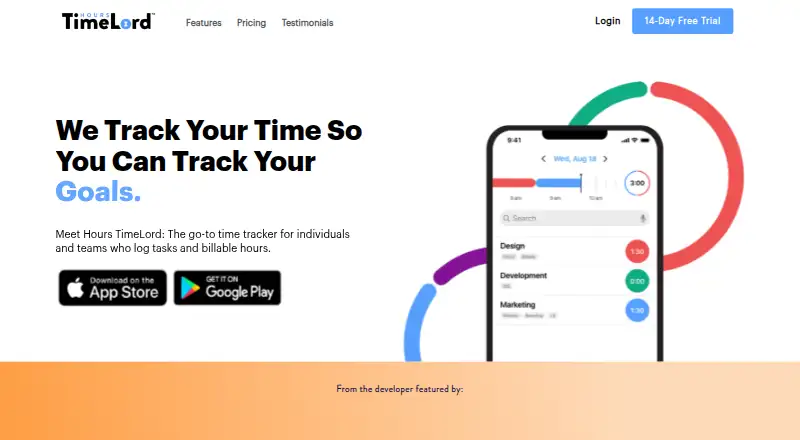
What Hours TimeLord is
Hours TimeLord is a time tracker for individuals and teams logging tasks and billable hours. Its timeline shows how much time was tracked, what work was done, and when. Users can title and tag entries and add notes, including labels for clients, projects, or tasks. Reports provide day, week, and month insights, with PDF or CSV export available on Personal and higher plans. The free plan includes five timers; Personal adds unlimited timers and tags. Pro includes invoicing, bill rates, advanced reporting, and TimeLord Web access. Teams is listed for five users and adds team timers, tags, reporting, and admin capabilities. Plans range from Forever Free to Teams at $199 a year for five users. A 14-day free trial is offered. The apps are listed for iOS and macOS, alongside web access. The App Store description also lists customizable reminders and team time forecasting against projects or clients. The maker is based in Frisco, Texas, United States.
Who it suits
Hours TimeLord suits individuals tracking tasks and billable time, as well as teams that need shared timers and team reporting. The plans also offer invoicing and bill rates for users who need billing tools.
What it does well
- Free plan includes five timers
- Personal supports unlimited timers and tags
- Reports can be exported as PDF or CSV
- Pro includes invoicing and bill rates
- Teams plan covers five users
What to know first
- Free plan is limited to five timers
- Teams plan is listed for five users
- Apple listing says the app may collect data linked to users
Limits
Forever Free allows five timers and includes visual timeline, summary reports, and widgets. Personal adds unlimited timers and tags, while invoicing, bill rates, advanced reporting, and TimeLord Web access begin with Pro.
Plans
| Plan | Billed and limits | Price |
|---|---|---|
| Forever Free | 5 timers · visual timeline · summary reports · widgets | Free |
| Personal | $9.99 / year · Custom color picker · full reporting · PDF/CSV export · unlimited timers and tags | $9.99 a year |
| Pro | $49 / year · Invoicing · bill rates · advanced reporting · TimeLord Web access | $49 a year |
| Teams | $199 / year (5 Users) · Includes Pro · team timers · team tags · team level reporting · team admin capabilities | $199 a year |
As hourstimelord.com lists them, read 11 Oct 2026. The maker's own page has the final word.
Getting started
- Open the Hours TimeLord website or install its iOS or macOS app
- Choose Forever Free, Personal, Pro, or Teams
- Start the available 14-day trial where offered
- Create timers for projects, clients, or tasks
- Add titles, tags, and notes to time entries
- Review or export reports as PDF or CSV
Verdict
Hours TimeLord offers a free starting point and paid plans that add reporting, billing, and team features. Check the timer allowance and plan scope against the way you track work.
Questions
Is there a free plan?
Yes. Forever Free costs nothing and includes five timers, a visual timeline, summary reports, and widgets.
What are the paid plan prices?
Personal costs $9.99 a year, Pro costs $49 a year, and Teams costs $199 a year for five users; each is billed annually.
Which platforms are supported?
Hours TimeLord supports iOS, macOS, and the web.
Does it track billable time?
Yes. The product supports billable time, and Pro includes invoicing and bill rates.
What does Teams include?
The Teams plan is for five users and includes Pro features, team timers, team tags, team-level reporting, and team administration.
Is there a free trial?
The maker’s site offers a 14-day free trial.
Facts from Hours TimeLord's own pages
- Billable time
- Yes · hourstimelord.com, 23 Sept 2026
- Data export
- Yes · hourstimelord.com, 23 Sept 2026
- Data practices
- Apple's listing says the developer indicated the app may collect data linked to users, including purchase, financial, contact, user content, identifier, and diagnostic data; Apple says this information is not verified by Apple. · apps.apple.com, 11 Oct 2026
- Forecasting
- The App Store description says team time can be forecast against projects or clients and progress tracked in real time. · apps.apple.com, 11 Oct 2026
- Free plan
- Yes · hourstimelord.com, 23 Sept 2026
- Headquarters
- Frisco, Texas, United States · hourstimelord.com, 4 Oct 2026
- Invoicing
- The Pro plan includes invoicing and bill rates. · hourstimelord.com, 11 Oct 2026
- Mobile apps
- both · hourstimelord.com, 23 Sept 2026
- Organization
- Users can title, tag, and add notes to time entries, including tags for clients, projects, or tasks. · hourstimelord.com, 11 Oct 2026
- Platforms
- The App Store listing identifies iPhone and Mac as supported platforms, and the maker advertises access to TimeLord Web with Pro. · hourstimelord.com, 11 Oct 2026
- Product
- Hours TimeLord is a time tracker for individuals and teams who log tasks and billable hours. · hourstimelord.com, 11 Oct 2026
- Project tracking
- Yes · hourstimelord.com, 23 Sept 2026
- Reminders
- The App Store description says customizable reminders can prompt users to track time and can support the Pomodoro technique. · apps.apple.com, 11 Oct 2026
- Reports
- Reports provide day, week, and month insights and can be exported as PDF or CSV. · hourstimelord.com, 11 Oct 2026
- Support
- The maker links to an Hours TimeLord FAQ and help center. · hourstimelord.com, 11 Oct 2026
- Team features
- The Teams plan is listed for five users and includes team timers, team tags, team level reporting, and team admin capabilities. · hourstimelord.com, 11 Oct 2026
- Timeline
- Its timeline shows total tracked time, what the user worked on, and when. · hourstimelord.com, 11 Oct 2026
- Timer limit
- The free plan includes five timers; Personal includes unlimited timers and tags. · hourstimelord.com, 11 Oct 2026
- Trial
- The maker's site offers a 14-day free trial. · hourstimelord.com, 11 Oct 2026
Where Hours TimeLord stands on Freedom251
- Time Tracking Software#14 of 77
- Time tracking apps#38 of 78