Freedom251 › Help Authoring Tools
HelpSmith
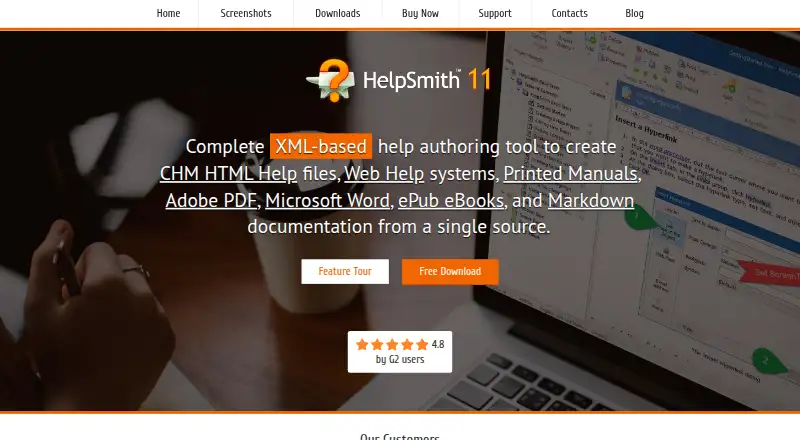
What HelpSmith is
HelpSmith is a Windows desktop tool for authoring help files and documentation from a single XML-based source. It can publish CHM Help, responsive Web Help, printed manuals, PDF, Microsoft Word, ePub, and Markdown. The Web Help layout adapts to desktop computers and mobile devices. Its built-in word processor offers dynamic styles, spell checking, and Unicode support, and it can import material from HTML, Word, CHM, and other formats. Build tags and conditional compilation let authors create different versions of a help file for different audiences. The Image Tool captures screenshots and supports annotations, clickable hotspots, and control annotations for interface elements. Help files and Web Help can integrate with applications or websites, while exported topic lists can be used in header files compatible with C#, VB.NET, Delphi, C++, and MS Office VBA. The Ultimate Edition supports an unpacked XML project format for use with version control systems such as GitHub and Subversion, and with external translation tools. Licenses are per seat for local PC installation and have one-time fees of 199.00 USD, 299.00 USD, or 399.00 USD by edition. A free evaluation download is available; purchased licenses remove its restrictions.
Who it suits
HelpSmith suits Windows users who need to create multiple help and documentation formats from one source. It is especially relevant to authors who need conditional versions, screenshot annotations, or, with Ultimate, XML projects for version control and external translation tools.
What it does well
- Publishes seven documentation formats from a single source.
- Imports content from HTML, Word, CHM, and other formats.
- Conditional publishing supports audience-specific versions.
- Screenshot tool includes annotations and clickable hotspots.
- Ultimate supports XML projects for version control and translation tools.
What to know first
- Runs on Windows only.
- Licenses are per seat for local PC installation.
- The listed license fees are one-time purchases, not subscriptions.
Limits
The free evaluation version has restrictions, which purchased licenses remove. Paid licenses are per seat for local PC installation.
Plans
| Plan | Billed and limits | Price |
|---|---|---|
| Standard | One-time license fee · Per-seat license for local PC installation · free minor version upgrades · free major upgrades within one year · unlimited technical support | $199, paid once |
| Professional | One-time license fee · Per-seat license for local PC installation · free minor version upgrades · free major upgrades within one year · unlimited technical support | $299, paid once |
| Ultimate | One-time license fee · Per-seat license for local PC installation · free minor version upgrades · free major upgrades within one year · unlimited technical support | $399, paid once |
As helpsmith.com lists them, read 5 Oct 2026. The maker's own page has the final word.
Getting started
- Visit the HelpSmith website.
- Download the free evaluation version for Windows.
- Choose Standard, Professional, or Ultimate if purchasing a license.
- Install it on a local Windows PC.
- Create or import content and publish to a supported output format.
Verdict
HelpSmith is a fit for Windows documentation authors who want one project to produce several help and document formats. Consider another option if you need a platform other than Windows or do not want a per-seat, one-time license.
Questions
How much does HelpSmith cost?
Standard costs $199, paid once, Professional costs $299, paid once, and Ultimate costs $399, paid once.
Is there a free plan or trial?
There is no free plan, but a free evaluation download is available. Purchased licenses eliminate the evaluation version's restrictions.
Which platforms does HelpSmith support?
The listed platform is Windows. The download page lists Windows 11/10/8/7 as system requirements.
What can HelpSmith publish?
It can publish CHM Help, Web Help, printed manuals, PDF, Microsoft Word, ePub, and Markdown.
Does it support version control and translation?
The Ultimate Edition supports an unpacked XML project format for use with version control systems such as GitHub and Subversion, and external translation tools.
What are the license terms?
Licenses are one-time, per-seat fees for local PC installation. Minor-version upgrades are free, and major-version upgrades are free within one year of the order date.
Facts from HelpSmith's own pages
- Conditional publishing
- Build tags and conditional compilation let authors produce different versions of the same help file for multiple audiences. · helpsmith.com, 5 Oct 2026
- Content editor
- The built-in word processor provides dynamic styles, a spell checker, and Unicode support. · helpsmith.com, 5 Oct 2026
- Evaluation
- The maker offers a free evaluation download and says purchased licenses eliminate the evaluation version's restrictions. · helpsmith.com, 5 Oct 2026
- Import
- HelpSmith can import content from HTML, Word, CHM, and other formats. · helpsmith.com, 5 Oct 2026
- Integrations
- Help files and Web Help can integrate with applications or websites, and exported topic lists can be used in header files compatible with C#, VB.NET, Delphi, C++, and MS Office VBA. · helpsmith.com, 5 Oct 2026
- License terms
- A purchased license has no time limit for use with the corresponding HelpSmith version; minor-version upgrades are free, and major-version upgrades are free within one year of the order date. · helpsmith.com, 5 Oct 2026
- Purpose
- HelpSmith is an XML-based help authoring tool for creating CHM Help, Web Help, printed manuals, PDF, Word, ePub, and Markdown documentation from a single source. · helpsmith.com, 5 Oct 2026
- Screenshots
- The built-in Image Tool captures screenshots and supports annotations, clickable hotspots, and control annotations for UI elements. · helpsmith.com, 5 Oct 2026
- Support
- Technical and ordering questions are handled through support tickets in the online Help Center. · helpsmith.com, 5 Oct 2026
- Teamwork
- The Ultimate Edition supports an unpacked XML project format that can be used with version control systems such as GitHub and Subversion and with external translation tools. · helpsmith.com, 5 Oct 2026
- Web Help
- Its Web Help output has a responsive layout for desktop computers and mobile devices. · helpsmith.com, 5 Oct 2026
- Windows requirements
- The download page lists Windows 11/10/8/7, a 1 GHz processor, 512 MB RAM, and 150 MB free disk space as system requirements. · helpsmith.com, 5 Oct 2026
Where HelpSmith stands on Freedom251
- Help Authoring Tools#12 of 29
- Technical Writing Platforms#25 of 27