Freedom251 › Photo Editing Software
Helicon Filter
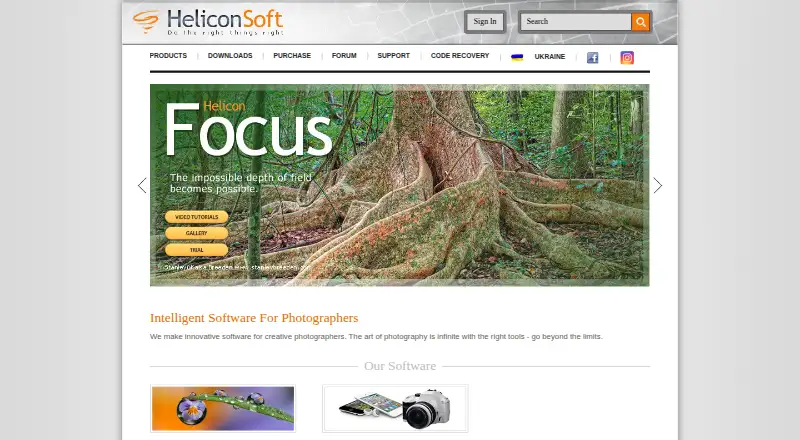
What Helicon Filter is
Helicon Filter is Windows desktop image-enhancement software for amateur and advanced photographers. It supports RAW files through embedded, DCRAW, and Adobe DNG converters, plus masking tools for selective edits. Adjustments include brightness, white balance, monochrome conversion, noise reduction, red-eye removal, cropping, rotation, resizing, framing, text, effects, retouching brushes, sharpening, and corrections for chromatic aberration, distortion, and vignetting. Users can create, use, or delete presets and apply them to image queues for batch processing. Color profiles can be set for saving, display, and printing. Quick Save copies the original image into an Originals subfolder before saving the edited result. The save dialog can encrypt an image with a password; viewing requires Helicon Filter and decryption requires Helicon Photo Safe. All features are available during a free 30-day evaluation. Afterward, unlicensed output is limited to 4 megapixels. Purchased licenses include free updates.
Who it suits
Helicon Filter suits amateur and advanced photographers using Windows who need RAW processing, corrections, masking, presets, and batch work. It is also relevant for users of supported Photoshop and Paint Shop plug-ins.
What it does well
- Supports RAW files and masking tools
- Provides extensive correction and retouching controls
- Presets can automate batch image queues
- Automatically registers listed Photoshop and Paint Shop plug-ins
- Purchased licenses include free updates
What to know first
- Windows desktop software only
- AI retouching is not available
- Evaluation lasts 30 days
- Unlicensed output is limited to 4 megapixels afterward
Plans
| Plan | Billed and limits | Price |
|---|---|---|
| Free mode | After 30-day evaluation, output image resolution limited to 4 Mpixels without a license | Free |
As heliconsoft.com lists them, read 12 Oct 2026. The maker's own page has the final word.
Verdict
Helicon Filter offers a broad set of photo corrections, RAW converters, masking, presets, and batch processing in a Windows desktop application. Its 30-day evaluation includes all features, then free mode limits unlicensed output to 4 megapixels.
Facts from Helicon Filter's own pages
- AI retouching
- No · heliconsoft.com, 22 Sept 2026
- Batch editing
- Yes · heliconsoft.com, 22 Sept 2026
- Batch processing
- Users can apply presets to image queues for batch processing. · heliconsoft.com, 12 Oct 2026
- Color management
- The software supports setting color profiles for saving, display, and printing images. · heliconsoft.com, 12 Oct 2026
- Free mode
- The help page describes the product as shareware that switches to a free mode with limited functionality after 30 days. · heliconsoft.com, 12 Oct 2026
- Free plan
- No · heliconsoft.com, 22 Sept 2026
- Image adjustments
- It offers brightness correction, white-balance adjustment, monochrome conversion, noise reduction, red-eye removal, cropping, rotation, resizing, framing, text and effects, retouching brushes, chromatic-aberration suppression, distortion and vignetting correction, and sharpening. · heliconsoft.com, 12 Oct 2026
- Image preservation
- Quick Save copies the original image to an Originals subfolder before saving the edited result. · heliconsoft.com, 12 Oct 2026
- License updates
- The licensing page says updates are free after purchasing a license. · heliconsoft.com, 12 Oct 2026
- Masking tools
- Yes · heliconsoft.com, 22 Sept 2026
- Photo sharing
- The integrated Helicon Web Gate utility is described as uploading images to Picasa, Facebook, and Flickr. · heliconsoft.com, 12 Oct 2026
- Photoshop compatible plug-ins
- The help page lists automatic plug-in registration for Adobe Photoshop, Photoshop Elements, Corel Paint Shop, and Jasc Paint Shop Pro. · heliconsoft.com, 12 Oct 2026
- Platform
- desktop · heliconsoft.com, 22 Sept 2026
- Plug-ins
- The help page says Helicon Filter automatically registers its plug-in with Adobe Photoshop 6.0+, Photoshop Elements 2.0+, Corel Paint Shop, and Jasc Paint Shop Pro 8.0+. · heliconsoft.com, 12 Oct 2026
- Presets
- Users can create their own presets as well as use or delete the supplied presets. · heliconsoft.com, 12 Oct 2026
- Presets and batch processing
- Presets can be applied to queues of images, and users can create their own presets. · heliconsoft.com, 12 Oct 2026
- Purpose
- Helicon Filter is image-enhancement software designed for amateur and advanced photographers. · heliconsoft.com, 12 Oct 2026
- RAW converters
- The program includes embedded, DCRAW, and Adobe DNG converters for processing RAW files. · heliconsoft.com, 12 Oct 2026
- RAW photo support
- Yes · heliconsoft.com, 22 Sept 2026
- Security
- The save dialog includes an option to encrypt an image with a password; the help says viewing it requires Helicon Filter and decryption requires Helicon Photo Safe. · heliconsoft.com, 12 Oct 2026
- Support
- The help page lists email and the Helicon Soft forum as support channels. · heliconsoft.com, 12 Oct 2026
- System requirements
- Minimum requirements listed are a 2 GHz processor, 1 GB RAM, and 1024 × 768 display resolution. · heliconsoft.com, 12 Oct 2026
- Trial
- All features are available during a free 30-day evaluation period; afterward, unlicensed output is limited to 4 megapixels. · heliconsoft.com, 12 Oct 2026
- Unlicensed limit
- After the trial, output image resolution is limited to 4 megapixels without a license. · heliconsoft.com, 12 Oct 2026
Where Helicon Filter stands on Freedom251
- Photo Editing Software#97 of 159