Freedom251 › Photo Editing Software
Image Toolbox
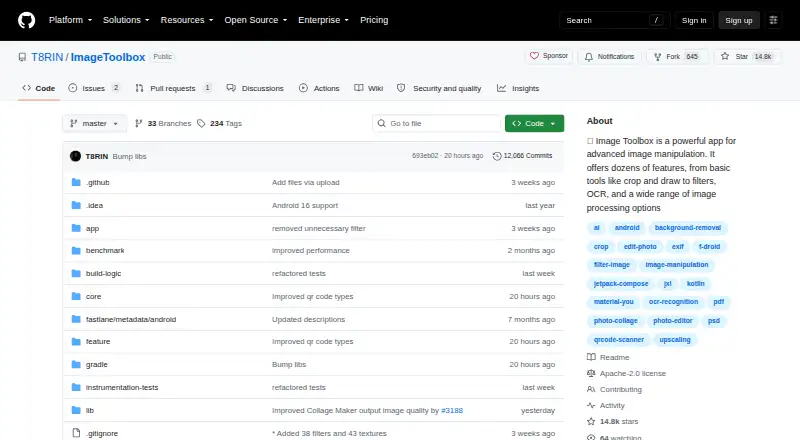
What Image Toolbox is
Image Toolbox is a free Android app for manipulating and converting images. It supports RAW photos, layers, masks, batch editing, and AI retouching. Its editing tools include cropping, filters, EXIF editing, background removal, resizing, drawing, image cutting, raster-to-SVG tracing, and image comparison. AI functions can erase backgrounds, enhance images, and provide generative inpainting through a downloadable model. The app converts HEIF, HEIC, AVIF, WEBP, JPEG, PNG, JXL, TIFF, PSD, and GIF files. Export profiles provide preset sizes for Instagram, Facebook, YouTube, TikTok, LinkedIn, Pinterest, Telegram, Discord, and Twitch. Archive tools create several archive formats, protect some ZIP and 7Z modes with passwords, and extract ZIP, 7Z, and RAR/CBR files. The FOSS version has no analytics, Crashlytics, or other Google dependencies. Image Toolbox is Apache 2.0 licensed, requires minimum SDK level 24, and offers its latest APK through GitHub Releases.
Who it suits
It suits Android photographers and developers who need photo editing, conversion, batch work, AI tools, and archive handling in one app. It is also relevant to users who prefer the listed FOSS privacy characteristics.
What it does well
- Supports RAW photos, layers, masks, and batch editing
- Includes AI background removal, enhancement, and inpainting
- Converts many listed image formats
- Provides social-platform export profiles
- FOSS version lists no Google dependencies
What to know first
- Android-only platform
- Minimum SDK level 24 required
- AI inpainting needs a downloadable model
- No free trial is listed
Plans
| Plan | Billed and limits | Price |
|---|---|---|
| Free | Application is completely free · optional donations support development | Free |
As github.com lists them, read 11 Oct 2026. The maker's own page has the final word.
Verdict
Image Toolbox combines broad image editing, conversion, AI, export, and archive functions in a free Android package. Its Android-only availability and minimum SDK requirement are the main compatibility considerations.
Facts from Image Toolbox's own pages
- AI features
- The project overview says the app can erase backgrounds and enhance images with AI, and its feature list includes generative inpainting via a downloadable AI model. · github.com, 11 Oct 2026
- AI retouching
- Yes · github.com, 22 Sept 2026
- Archive tools
- Archive tools support creating multiple archive formats, password protection for some ZIP and 7Z modes, and extraction of ZIP, 7Z, and RAR/CBR. · github.com, 11 Oct 2026
- Audience
- The project overview describes the app as ideal for photographers and developers. · github.com, 11 Oct 2026
- Batch editing
- The app supports batch processing and filter chains with more than 500 filters. · github.com, 11 Oct 2026
- Compatibility limit
- The README lists minimum SDK level 24. · github.com, 11 Oct 2026
- Downloads
- The README directs users to GitHub Releases to download the latest APK. · github.com, 11 Oct 2026
- Formats
- The listed conversion formats include HEIF, HEIC, AVIF, WEBP, JPEG, PNG, JXL, TIFF, PSD, and GIF. · github.com, 11 Oct 2026
- Free plan
- Yes · github.com, 22 Sept 2026
- Image tools
- Features include resizing, drawing, image cutting, raster-to-SVG tracing, and image comparison. · github.com, 11 Oct 2026
- Integrations
- Built-in export profiles include sizes for platforms such as Instagram, Facebook, YouTube, TikTok, LinkedIn, Pinterest, Telegram, Discord, and Twitch. · github.com, 11 Oct 2026
- Layer editing
- Yes · github.com, 22 Sept 2026
- License
- The repository states that the project is licensed under Apache License 2.0. · github.com, 11 Oct 2026
- Masking tools
- Yes · github.com, 22 Sept 2026
- Platform
- mobile · github.com, 22 Sept 2026
- Purpose
- Image Toolbox is an image editing app for photo manipulation, including cropping, filters, EXIF editing, background removal, and AI image enhancement. · github.com, 11 Oct 2026
- RAW photo support
- Yes · github.com, 22 Sept 2026
- Security and privacy
- The FOSS-versus-market table says the FOSS version has no analytics, Crashlytics, or other Google dependencies; the market version lists those dependencies. · github.com, 11 Oct 2026
- Support
- The project links a Telegram chat for discussion and a CI channel for beta releases and announcements, and offers optional donations. · github.com, 11 Oct 2026
Where Image Toolbox stands on Freedom251
- Photo Editing Software#93 of 159