Freedom251 › NAS Backup Software
HDP PC Agent (formerly NetBak PC Agent)
Visit HDP PC Agent (formerly NetBak PC Agent) Alternatives Pricing
What HDP PC Agent (formerly NetBak PC Agent) is
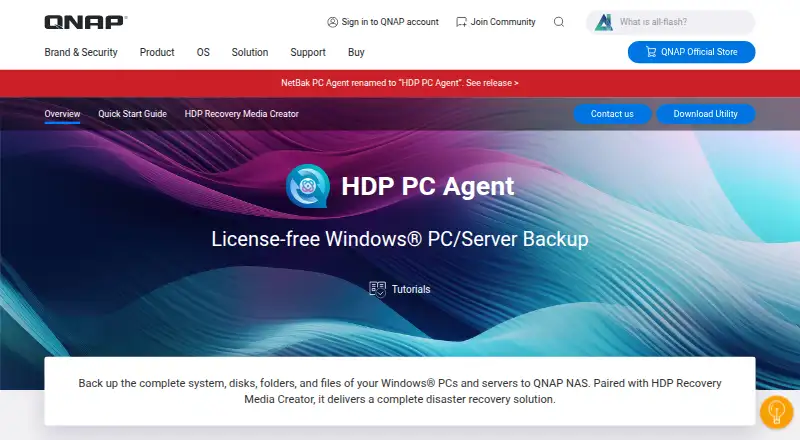
HDP PC Agent is QNAP software for backing up Windows PCs and servers to a QNAP NAS. It can protect an entire system, a disk, selected folders, or individual files. A system backup includes Windows, installed applications, and settings. Backups can run on a schedule and use global deduplication, compression, and synthetic incremental backup. For file recovery, HDP Backup Explorer in HDP for PC/VM can browse saved backups and restore chosen folders or files. Full-system recovery uses recovery media created with QNAP’s free HDP Recovery Media Creator, which can make a USB drive or ISO image. The agent is free, and its use requires HDP for PC/VM version 2.3.0 on a QNAP NAS. Supported systems include Windows 10 64-bit version 1607 or later, Windows 11, and Windows Server 2016, 2019, 2022, and 2025. QNAP renamed NetBak PC Agent to HDP PC Agent starting with version 1.3.0. The setup instructions call for a NAS administrator account. QNAP also advises disabling BitLocker before backup when restoring through Backup Explorer, then enabling it again after a full-system restore.
Who it suits
HDP PC Agent suits Windows PC and server users who want to back up systems, disks, folders, or files to a QNAP NAS. It is a fit for organizations that can install HDP for PC/VM and set up the agent with a NAS administrator account.
What it does well
- Free license for Windows PC and server backup.
- Backs up full systems, disks, folders, and files.
- Scheduled backups, global deduplication, and compression are supported.
- Backup Explorer can restore selected folders and files.
- Recovery Media Creator makes USB or ISO recovery media.
What to know first
- Requires HDP for PC/VM version 2.3.0 on a QNAP NAS.
- Supported operating systems are Windows 10, Windows 11, and listed Windows Server versions.
- A backed-up volume over 16 TB can exceed the QTS ext4 maximum file size.
Limits
The free agent requires HDP for PC/VM version 2.3.0 installed on a QNAP NAS. A single backed-up volume over 16 TB can exceed the QTS ext4 maximum file size; QNAP recommends splitting it into multiple volumes.
Plans
| Plan | Billed and limits | Price |
|---|---|---|
| HDP PC Agent | Free license · Windows PC/server backup · Requires HDP for PC/VM on a QNAP NAS | Free |
As qnap.com lists them, read 11 Oct 2026. The maker's own page has the final word.
Getting started
- Open the QNAP HDP PC Agent website.
- Install HDP for PC/VM version 2.3.0 on a QNAP NAS.
- Use a NAS administrator account to set up the agent.
- Install and use HDP PC Agent on a supported Windows PC or server.
- Configure backups to the QNAP NAS and use HDP Backup Explorer or recovery media when needed.
Verdict
Choose HDP PC Agent if you need free Windows PC or server backups stored on a QNAP NAS, with options for file recovery and full-system recovery media. It depends on HDP for PC/VM on the NAS, and QNAP recommends splitting volumes larger than 16 TB.
Questions
How much does HDP PC Agent cost?
The HDP PC Agent plan is free, billed as a free license.
What does it back up?
It can back up complete Windows PC and server systems, disks, folders, and files to a QNAP NAS.
What is required to use it?
HDP for PC/VM version 2.3.0 must be installed on a QNAP NAS. Setup instructions require a NAS administrator account.
Which Windows systems are supported?
The listed systems are Windows 10 64-bit version 1607 or later, Windows 11, and Windows Server 2016, 2019, 2022, and 2025.
Can I restore individual files?
Yes. HDP Backup Explorer in HDP for PC/VM can browse backups and restore selected folders or files.
How do I make recovery media for a full-system restore?
QNAP’s free HDP Recovery Media Creator makes USB or ISO recovery media for bare-metal recovery.
Facts from HDP PC Agent (formerly NetBak PC Agent)'s own pages
- Backup features
- The product supports scheduled backups, global deduplication, compression, and synthetic incremental backup. · qnap.com, 11 Oct 2026
- Backup size limit
- QNAP says a single backed-up volume over 16 TB can exceed the QTS ext4 maximum file size and recommends splitting it into multiple volumes. · qnap.com, 11 Oct 2026
- BitLocker caveat
- QNAP advises turning off BitLocker before backup to restore through Backup Explorer and re-enabling it after a full-system restore. · qnap.com, 11 Oct 2026
- Company support
- QNAP provides a service portal for submitting support tickets. · qnap.com, 11 Oct 2026
- File recovery
- HDP Backup Explorer in HDP for PC/VM can browse backups and restore selected folders or files. · qnap.com, 11 Oct 2026
- Former name
- QNAP says NetBak PC Agent was renamed HDP PC Agent starting with version 1.3.0. · qnap.com, 11 Oct 2026
- Intended users
- The product is for Windows PC and server users backing up to QNAP NAS, and setup instructions require a NAS administrator account. · qnap.com, 11 Oct 2026
- NAS requirement
- Using the agent requires HDP for PC/VM installed on a QNAP NAS; the product page specifies version 2.3.0. · qnap.com, 11 Oct 2026
- Purpose
- HDP PC Agent backs up complete Windows PC and server systems, disks, folders, and files to a QNAP NAS. · qnap.com, 11 Oct 2026
- Supported systems
- The page lists Windows 10 64-bit version 1607 or later, Windows 11, and Windows Server 2016, 2019, 2022, and 2025. · qnap.com, 11 Oct 2026
- System backup
- System backup includes the operating system, applications, and settings. · qnap.com, 11 Oct 2026
- System recovery
- For bare-metal recovery, QNAP pairs HDP PC Agent with the free HDP Recovery Media Creator, which creates USB or ISO recovery media. · qnap.com, 11 Oct 2026
Where HDP PC Agent (formerly NetBak PC Agent) stands on Freedom251
- NAS Backup Software#16 of 45