Freedom251 › No-code app builders
HCL Volt MX
by HCL Volt MX
What HCL Volt MX is
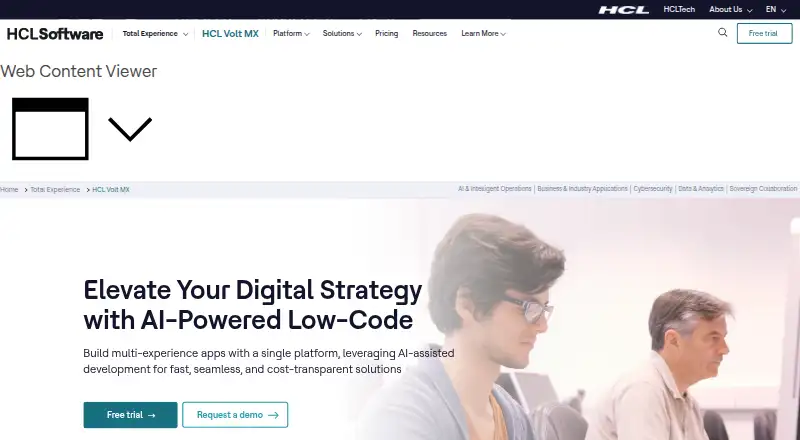
HCL Volt MX is a low-code platform for building multiexperience applications, with tools for citizen and professional developers. Its development environment combines Leap, a browser-based no-code IDE, Volt Iris for professional development, and Volt Foundry backend services. Volt IQ provides context-aware assistance and code suggestions, and the platform can generate user interfaces from Figma designs. A single codebase can deliver native, responsive web, and progressive web apps across mobile, tablet, desktop, kiosk, wearable, and car channels. Apps can work offline and sync automatically when connectivity returns. Volt Foundry supports backend integrations and authentication, while the Volt MX Marketplace offers hundreds of connectors, integrations, and components. Visual workflow tools cover synchronous, asynchronous, parallel, and conditional processes. Governance features include role-based access, audit trails, and compliant frameworks, with administrator controls over app creation, file types and sizes, permitted services and integrations, and JavaScript use. The free plan includes one environment and forum support; paid plans list three environments and 24x7 support. Development options for paid plans include on-premises, customer-cloud, and HCL Volt MX Cloud. HCL Volt MX was founded in 2020 and supports Android, iOS, macOS, Windows, web, API, and self-hosted deployments.
Who it suits
HCL Volt MX suits teams that want to build apps for several device types from a shared codebase, including organizations with both citizen and professional developers. Its governance controls, integration options, and offline operation may fit teams with managed access and connectivity requirements.
What it does well
- One codebase can deliver native, responsive web, and progressive web apps.
- Works across mobile, tablet, desktop, kiosk, wearable, and car channels.
- Offline apps sync automatically when connectivity returns.
- Volt IQ offers code suggestions and context-aware development assistance.
- Marketplace includes hundreds of connectors, integrations, and components.
What to know first
- Free applications are removed after 30 consecutive days without use.
- Free plan includes one environment and forum-based support.
- Pricing notes server-side throttling on the free plan.
Limits
The free plan provides one environment, forum-based support, and free software, IaaS, and managed service. Free applications are removed after 30 consecutive days without use, and the pricing page notes server-side throttling.
Plans
| Plan | Billed and limits | Price |
|---|---|---|
| Free | Free software, IaaS, and managed service · 1 environment · forum-based support · apps removed after 30 consecutive days without use | Free |
| Unlimited Per Session | billed annually; B2E/B2C starting at $0.02/session/month · Unlimited apps · 24x7 support · 3 environments · IaaS starting at $1,600/month · managed service starting at $500/month | $0.02 a month |
| One App Per User | billed annually; B2E starting at $18/user/month and B2C starting at $1.80/user/month · Single-app projects · 24x7 support · 3 environments · IaaS starting at $1,600/month · managed service starting at $500/month | $18 a month |
| Unlimited Per User | billed annually; B2E starting at $24/user/month and B2C starting at $2.40/user/month · Unlimited apps · 24x7 support · 3 environments · IaaS starting at $1,600/month · managed service starting at $500/month | $24 a month |
As hcl-software.com lists them, read 12 Oct 2026. The maker's own page has the final word.
Getting started
- Visit the HCL Volt MX website.
- Start with the free plan or review the paid plans.
- Use Leap, Volt Iris, and Volt Foundry for the relevant development work.
- Choose an available deployment option for a paid plan: on-premises, customer cloud, or HCL Volt MX Cloud.
- Build and publish apps for the supported targets.
Verdict
Choose HCL Volt MX if you need a low-code environment serving citizen and professional developers across many app channels. Its shared-codebase reach, offline support, and governance tools are central strengths. Look elsewhere if a free app must remain available after 30 days of inactivity or you require more than one free environment.
Questions
Is HCL Volt MX free?
A free plan is available free of charge. A free trial is also listed.
What do the paid plans cost?
Unlimited Per Session is $0.02 a month, billed annually, with B2E/B2C starting at $0.02/session/month. One App Per User is $18 a month, billed annually, with B2E starting at $18/user/month and B2C at $1.80/user/month. Unlimited Per User is $24 a month, billed annually, with B2E starting at $24/user/month and B2C at $2.40/user/month.
Which platforms does it support?
Listed platforms are Android, API, iOS, macOS, self-hosted, web, and Windows.
Can it publish mobile apps and connect APIs?
Yes. Mobile publishing, user authentication, and API integrations are listed.
What support comes with the plans?
The free plan includes forum-based customer support. Paid plans list 24x7 customer support.
Facts from HCL Volt MX's own pages
- AI development
- Volt IQ provides context-aware development assistance and code suggestions, and the platform can generate user interfaces from Figma designs. · hcl-software.com, 12 Oct 2026
- API integrations
- Yes · help.hcl-software.com, 22 Sept 2026
- App targets
- A single codebase can deliver native, responsive web, and progressive web apps across mobile, tablet, desktop, kiosk, wearable, and car channels. · hcl-software.com, 12 Oct 2026
- App types
- both · help.hcl-software.com, 22 Sept 2026
- Citizen developer controls
- IT administrators can control who creates and uses apps, file types and sizes, permitted services and integrations, and JavaScript use. · hcl-software.com, 12 Oct 2026
- Deployment options
- Pricing lists on-premises, customer-cloud, and HCL Volt MX Cloud development options for paid plans. · hcl-software.com, 12 Oct 2026
- Development tools
- The platform combines Leap, a browser-based no-code IDE, Volt Iris for professional developers, and Volt Foundry backend services. · hcl-software.com, 12 Oct 2026
- Founded
- 2020 · hcl-software.com, 28 Sept 2026
- Free plan
- Yes · help.hcl-software.com, 22 Sept 2026
- Free plan limit
- Applications developed for free are removed after 30 consecutive days without use, and the pricing page notes server-side throttling. · hcl-software.com, 12 Oct 2026
- Integrations
- Volt Foundry supports backend integrations and authentication, and the Volt MX Marketplace offers hundreds of pre-built connectors, integrations, and components. · hcl-software.com, 12 Oct 2026
- Maker
- HCLSoftware describes its software portfolio as serving more than 20,000 organizations worldwide. · hcl-software.com, 12 Oct 2026
- Mobile publishing
- Yes · help.hcl-software.com, 22 Sept 2026
- Offline support
- Apps can work without connectivity and automatically sync when connectivity returns. · hcl-software.com, 12 Oct 2026
- Product
- HCL Volt MX is a low-code platform for building multiexperience applications for citizen and professional developers. · hcl-software.com, 12 Oct 2026
- Security and governance
- The platform lists out-of-the-box governance, role-based access, audit trails, and compliant frameworks. · hcl-software.com, 12 Oct 2026
- Support
- The free plan includes forum-based customer support, while paid plans list 24x7 customer support. · hcl-software.com, 12 Oct 2026
- User authentication
- Yes · help.hcl-software.com, 22 Sept 2026
- Workflows
- Visual tools support synchronous, asynchronous, parallel, and conditional workflows. · hcl-software.com, 12 Oct 2026
Where HCL Volt MX stands on Freedom251
- No-code app builders#16 of 177