Freedom251 › Pitch Correction Software
GVST GSnap
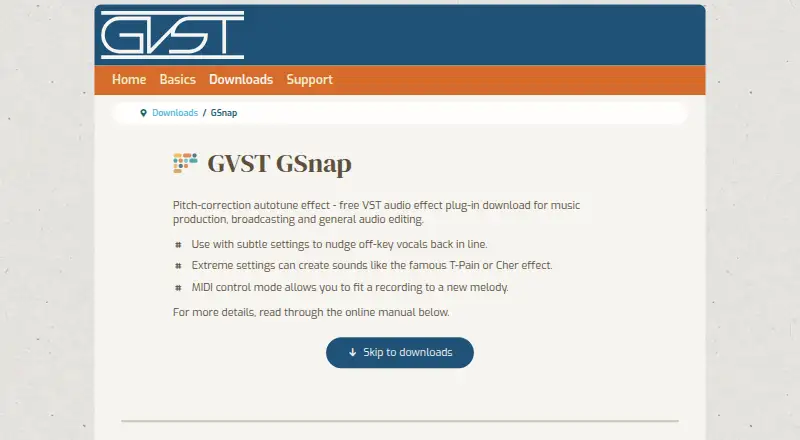
What GVST GSnap is
GVST GSnap is a free pitch-correction effect that runs inside a VST host for music production, broadcasting, and audio editing. It offers two ways to tune a monophonic vocal or instrument line: fixed-scale correction based on selected notes, or real-time MIDI control that follows the nearest note held by a controller or included in a sequence. Its display marks the incoming pitch in red and the corrected pitch in green. Controls cover pitch detection range and gate, correction amount and timing, pitch bend, vibrato, and tuning calibration. GSnap is available for Linux, macOS, and Windows. It is not a standalone application, so you need a VST host; Audacity is one possible option. Installation means extracting the ZIP archive and placing the plug-in file in a folder the host scans, rather than using an automated installer. GVST allows use at no cost in private or commercial audio work, but offers no warranty or guarantee.
Who it suits
It suits musicians, broadcasters, and audio editors who want pitch correction for a single melodic line and already use a VST host. MIDI control may suit users who want correction to follow held or sequenced notes.
What it does well
- Free for private or commercial audio work
- Fixed-scale and real-time MIDI correction
- Visual display distinguishes source and tuned pitch
- Available for Linux, macOS, and Windows
What to know first
- Requires a VST host; it is not standalone
- Designed for monophonic input, not chords or rhythm
- Installation requires manual ZIP extraction and copying
- The maker offers no warranty or guarantee
Plans
| Plan | Billed and limits | Price |
|---|---|---|
| GSnap | Free VST audio effect plug-in | Free |
As gvst.uk lists them, read 4 Oct 2026. The maker's own page has the final word.
Getting started
- Download the GSnap ZIP archive from the GVST website
- Extract the archive
- Copy the plug-in file into a folder scanned by your VST host
- Load GSnap in a VST host such as Audacity
- Choose fixed-scale correction or MIDI control and adjust the tuning controls
Overview
GVST GSnap is a pitch-correction effect for music production, broadcasting and audio editing. It is best suited to people correcting a single vocal or instrument melody inside a VST host. Its fixed-scale and MIDI-controlled modes make it a capable free starting point, but it cannot run by itself.
Key features
Fixed-scale mode tunes toward notes you select; MIDI mode instead follows live or pre-programmed MIDI, snapping the input to the nearest note currently held. That makes MIDI mode useful when a controller or sequence should determine the target pitch, while fixed-scale correction is the simpler fit for a defined set of allowed notes.
A pitch display draws the source in red and the tuned result in green, so you can see how the correction is moving the line. Detection range and gate, correction amount and timing, pitch bend, vibrato and tuning calibration offer meaningful control over the process. The central constraint is the material: GSnap is designed for monophonic input, such as a melodic vocal or instrument part, not chords or rhythm.
GSnap requires a VST host and is not a standalone application; the maker suggests Audacity as one possible host. Installation typically means extracting the ZIP and copying the plug-in file to a folder the host scans, rather than using an automated installer. The maker documents plug-in files and installation locations for Windows, Mac and Linux; Windows and Linux versions come in 32-bit and 64-bit variants.
Pricing
GSnap costs nothing for the free VST audio effect plug-in. It has no paid tier or trial, and GVST permits its plug-ins to be used to create and process audio for private or commercial works. That makes it a straightforward choice when the host requirement and monophonic focus suit the job; there is no subscription or license fee to weigh against those limitations.
The maker says the plug-ins are tested to the best of the developer’s ability, but offers no warranty or guarantee and disclaims responsibility for damage or difficulty from use. Users can donate or email GVST for support.
Platforms
GSnap is documented for Linux, macOS and Windows. Windows and Linux users can choose 32-bit or 64-bit plug-in files; installation depends on placing the file where the chosen host scans for VST plug-ins.
Who it's for
GSnap fits producers, broadcasters and audio editors who need free real-time or scale-based correction on one melodic line and already work in a VST host. It is a poor fit if you need a standalone tool or correction for chords and rhythm.
Pros and cons
- Pros: Two correction modes cover selected-note tuning and MIDI-directed pitch control, allowing targets to be fixed in advance or changed in real time.
- Pros: A source-and-tuned pitch display plus several tuning controls gives users visibility and adjustment over correction behavior.
- Pros: The plug-in is free for private and commercial audio work.
- Cons: A VST host is mandatory, and setup involves copying a plug-in file into a scanned folder.
- Cons: Its monophonic design rules it out for chordal or rhythmic material.
- Cons: The maker provides no warranty or guarantee and disclaims responsibility for use-related damage or difficulty.
Alternatives
Voloco is worth considering if you want a free mobile starting point: its free app is available for iPhone and Android and includes five effects; it also offers a $14.99 a month Producer Monthly plan.
Auburn Sounds Graillon 3 is another free option on Linux, macOS and Windows, with pitch shifting, formant shifting, pitch correction, three pitch engines and built-in effects in its Free Edition. Choose it if those additional capabilities matter more than GSnap’s focused correction workflow.
MeldaProduction MAutoPitch is a free effect for macOS and Windows, included in MFreeFXBundle. Its paid bundle upgrade costs $55, paid once and unlocks extended bundle features.
OpenVoxTuner is a free Linux, macOS and Windows alternative for readers considering another no-cost option.
OpenTune is permanently free on macOS and Windows and combines a standalone app with a VST3 plug-in and ARA2 support. Pick it if standalone operation or that plug-in format matters.
AutoTune Pro 11 is a paid macOS and Windows alternative with a free trial; consider it if you are willing to evaluate a paid product instead.
Brainworx bx_masterdesk is a paid macOS and Windows product with a free trial, offered through monthly plans starting at $14.99 a month. Its published plans include access to 200+ plugins, rather than a free standalone effect.
Devious Machines Infiltrator 2 is a paid macOS and Windows alternative with a 14-day demo that adds occasional white noise to the output.
Browse more options in Pitch Correction Software.
Verdict
Choose GSnap if you want free, adjustable pitch correction for a monophonic line and already have a VST host. Its MIDI mode and visual pitch display give it useful control without a fee; look elsewhere if you need standalone operation, chord handling or a workflow beyond its focused correction role.
Verdict
GSnap provides two correction modes and a visual pitch display at no cost. Its host requirement and focus on monophonic material are important constraints to consider.
Questions
How much does GVST GSnap cost?
The listed plan is free. The plug-in may be used for private or commercial audio work.
Is there a free plan or trial?
GSnap is free, and no free trial is offered.
Which platforms does GSnap support?
It is available for Linux, macOS, and Windows. Windows and Linux versions have 32-bit and 64-bit variants.
Can GSnap run on its own?
No. It requires a VST host; the maker suggests Audacity as one possible host.
Can it correct chords?
GSnap is designed for monophonic material, such as a vocal or instrument melody, rather than chords or rhythm.
How is GSnap installed?
Extract the ZIP archive and copy the plug-in file into a folder the host scans. There is no automated installer.
Facts from GVST GSnap's own pages
- Correction modes
- It offers fixed-scale correction using selected notes and MIDI correction controlled in real time by MIDI data. · gvst.uk, 4 Oct 2026
- Host requirement
- GSnap requires a VST host and does not run as a standalone application; the maker suggests Audacity as one possible host. · gvst.uk, 4 Oct 2026
- Installation
- Installation generally involves extracting the ZIP archive and copying the plug-in file into a folder the host scans, with no automated installer. · gvst.uk, 4 Oct 2026
- License
- GVST plug-ins are provided at no cost and may be used to create and process audio for private or commercial works. · gvst.uk, 4 Oct 2026
- MIDI control
- In MIDI mode, notes snap to the nearest currently depressed MIDI note, supplied by a live controller or pre-programmed sequence. · gvst.uk, 4 Oct 2026
- Operating systems
- The maker documents Windows, Mac, and Linux plug-in files and installation locations; Windows and Linux versions are available in 32-bit and 64-bit variants. · gvst.uk, 4 Oct 2026
- Pitch display
- A visual display shows source pitch as a red line and tuned pitch as a green line. · gvst.uk, 4 Oct 2026
- Purpose
- GSnap is a free pitch-correction autotune effect for VST hosts, intended for music production, broadcasting, and general audio editing. · gvst.uk, 4 Oct 2026
- Security and warranty
- The maker says the plug-ins are tested to the best of the developer’s ability but offers no warranty or guarantee and disclaims responsibility for damage or difficulty caused by use. · gvst.uk, 4 Oct 2026
- Signal limitation
- GSnap is designed to work on monophonic input, such as a melodic vocal or instrument line, rather than rhythm or chords. · gvst.uk, 4 Oct 2026
- Support
- The maker invites users to donate or send a message by email to support GVST. · gvst.uk, 4 Oct 2026
- Tuning controls
- Controls include pitch detection range and gate, correction amount and timing, pitch bend, vibrato, and tuning calibration. · gvst.uk, 4 Oct 2026
Where GVST GSnap stands on Freedom251
- Pitch Correction Software#3 of 25