Freedom251 › User Onboarding Software
Guide.js
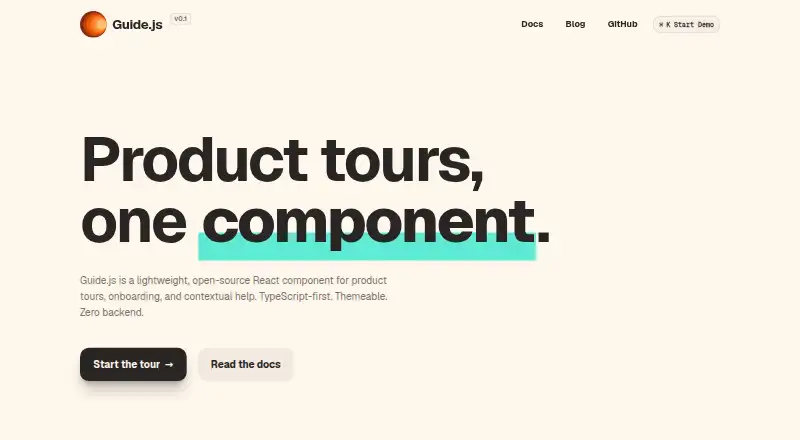
What Guide.js is
Guide.js is a free, open-source React component for adding guided experiences to a web app. It supports product tours, onboarding flows, and contextual help, with step formats for dialogs, pointers, banners, and announcements. Each step can be aimed at a page element with a CSS selector, which lets a tour draw attention to specific parts of an interface. You pass the tour steps into the React component as props; it does not require provider setup or a backend. Progress can be saved wherever you prefer, including localStorage, your own API, or parent component state.
The component’s appearance can be changed with CSS variables, theme tokens for individual steps, or custom CSS. It works with any bundler and includes ESM and CJS builds. The MIT license allows the project to be used as open-source software. Guide.js is suited to introducing new users, highlighting features, offering help in context, and orienting people in complex interfaces. Its introduction points to Userorbit Tours for needs such as analytics, A/B testing, or a hosted dashboard.
Who it suits
Guide.js suits React developers who want to build onboarding, feature tours, or contextual help directly into a web app. It can also fit teams that want to decide where tour progress is stored and customize each step’s presentation.
What it does well
- Free and open source under the MIT license.
- Runs without backend requirements.
- Offers dialog, pointer, banner, and announcement steps.
- Targets page elements with CSS selectors.
- Customizes appearance with CSS variables, tokens, or CSS.
- Works with any bundler and ships ESM and CJS builds.
What to know first
- Analytics, A/B testing, and a hosted dashboard are needs the introduction directs to Userorbit Tours.
Getting started
- Visit the Guide.js website.
- Add the React component to your web app.
- Pass tour steps to the component as props.
- Choose step types and target DOM elements with CSS selectors.
- Customize the appearance and decide where to persist progress.
Verdict
Choose Guide.js if you want an open-source React component for tours and contextual guidance that runs inside your app without a backend. It offers flexible step types, targeting, and styling. Look elsewhere if analytics, A/B testing, or a hosted dashboard are central requirements.
Questions
Is Guide.js free?
Yes. It is offered free and is open source under the MIT license.
What can I use Guide.js for?
It supports product tours, onboarding flows, contextual help, new-user walkthroughs, feature spotlights, and tours of complex interfaces.
What step types does it support?
The listed types are dialog, pointer, banner, and announcement.
Does it need a backend or provider setup?
No. It runs inside your app without backend requirements and accepts tour steps as React props without provider setup.
How can I save tour progress?
You choose where to persist it; examples include localStorage, your API, or parent component state.
Does it provide analytics or A/B testing?
The introduction recommends Userorbit Tours for needs such as analytics, A/B testing, and a hosted dashboard.
Facts from Guide.js's own pages
- Analytics limit
- The introduction recommends Userorbit Tours for needs such as analytics, A/B testing, and a hosted dashboard. · guidejs.com, 4 Oct 2026
- Backend
- The component is designed to run inside your app with no backend requirements. · guidejs.com, 4 Oct 2026
- Best-fit use cases
- The documentation describes new-user walkthroughs, feature spotlights, contextual help, and tours of complex interfaces as use cases. · guidejs.com, 11 Oct 2026
- Build support
- The homepage says Guide.js works with any bundler and ships ESM and CJS builds. · guidejs.com, 4 Oct 2026
- Customization
- The component supports render-prop slots, CSS variables, per-step theme tokens, and custom CSS. · guidejs.com, 11 Oct 2026
- Distribution
- The homepage says it works with any bundler and ships ESM and CJS; it gives `npm install guide.js` as the install command. · guidejs.com, 11 Oct 2026
- Element targeting
- Steps can target elements with CSS selectors, and Guide.js handles positioning and repositioning. · guidejs.com, 11 Oct 2026
- Intended users
- The documentation describes it as a fit for new-user walkthroughs, feature spotlights, contextual help, and showing users around complex interfaces. · guidejs.com, 4 Oct 2026
- License
- The Guide.js site identifies the project as MIT licensed. · guidejs.com, 11 Oct 2026
- Limitations
- The documentation says teams needing analytics, A/B testing, and a hosted dashboard should consider Userorbit Tours. · guidejs.com, 11 Oct 2026
- Maintainer
- The Guide.js homepage says it is built by Userorbit. · guidejs.com, 11 Oct 2026
- Maker details
- The Guide.js pages opened identify Userorbit as the maker but do not state its headquarters or founding year. · guidejs.com, 11 Oct 2026
- Progress storage
- The quick start says you can persist tour progress wherever you choose, including localStorage, your API, or parent component state. · guidejs.com, 4 Oct 2026
- React integration
- Guide.js is rendered as a React component and accepts tour steps as props, without requiring provider setup. · guidejs.com, 4 Oct 2026
- Security and data
- The maker describes Guide.js as having zero backend requirements; the opened product pages do not state security certifications or compliance claims. · guidejs.com, 4 Oct 2026
- Step types
- The homepage lists dialog, pointer, banner, and announcement step types. · guidejs.com, 11 Oct 2026
- Targeting
- Steps can target DOM elements using CSS selectors. · guidejs.com, 4 Oct 2026
- TypeScript
- The homepage says Guide.js includes type definitions for tours, steps, configuration, and lifecycle callbacks. · guidejs.com, 11 Oct 2026
- What it does
- Guide.js is a lightweight, open-source React component for product tours, onboarding, and contextual help, designed to embed in an app without a backend. · guidejs.com, 11 Oct 2026
Where Guide.js stands on Freedom251
- User Onboarding Software#9 of 30
- Customer Onboarding Software#13 of 31