Freedom251 › Terminal Emulators
Guake
by Guake
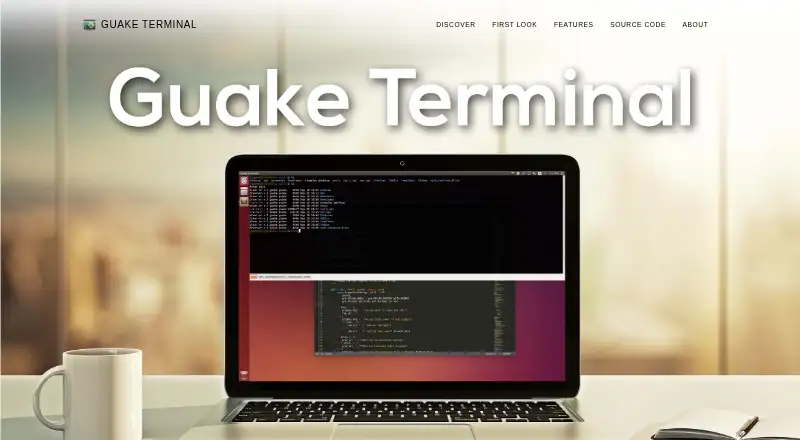
What Guake is
Guake is a free, multilingual terminal for GNOME on Linux, with a top-down layout inspired by the terminal in Quake. A hotkey can show or hide it, so users can run commands and return to their previous task. It supports split panes and multiple named tabs; names can follow the current command or be set by the user. Guake can open on the monitor beneath the mouse or on a dedicated screen. It can launch at login and run a startup script to configure tabs. The homepage lists more than 130 built-in color palettes. File names in terminal output can open in editors such as Visual Studio Code, Atom, or Sublime Text, with line and column targeting where an editor supports it. Guake can parse compiler and test output to locate a line, detect URLs for Ctrl-click opening, and offer context-menu actions to open links or search selected text. Major features are available through D-Bus, and command-line control is supported. On Wayland, the hotkey may need to be configured in the window manager’s global settings.
Who it suits
Guake suits Linux users who want quick access to a GNOME terminal with tabs, panes, and startup configuration. It may also suit users who want terminal output linked to editors or command-line automation.
What it does well
- Free to use with no paid plans stated.
- Supports split panes and named tabs.
- Can run a startup script to configure tabs.
- Offers more than 130 color palettes.
- Major features are available over D-Bus.
What to know first
- Available for Linux only.
- Wayland users may need to configure the hotkey globally.
Limits
On Wayland, the documentation says the hotkey may need to be configured in the window manager’s global settings.
Plans
| Plan | Billed and limits | Price |
|---|---|---|
| Guake | No paid plans stated | Free |
As guake.github.io lists them, read 9 Oct 2026. The maker's own page has the final word.
Getting started
- Open the Guake website
- Install Guake on Linux
- Configure the predefined show-and-hide hotkey
- Create or rename terminal tabs and split panes
- Optionally enable login startup and a tab-configuration script
- On Wayland, configure the hotkey in the window manager if needed
Verdict
Guake combines a quick-toggle terminal with tabs, split panes, and links from terminal output to editors. Wayland users should note that the hotkey may require a separate window-manager setting.
Questions
Is Guake free?
Yes. Guake has a free plan listed as free, with no paid plans stated.
Which platforms does Guake support?
Guake supports Linux and is described as a terminal for GNOME.
Does Guake support tabs and split panes?
Yes. It supports split panes and multiple named tabs, with names generated from commands or customized.
Can Guake open files from terminal output?
Yes. Detected file names can open in editors such as Visual Studio Code, Atom, or Sublime Text, including a line and column when supported.
Can Guake be automated?
Yes. It can run a script at launch, exposes major features over D-Bus, and supports command-line control.
Facts from Guake's own pages
- Automation
- The documentation says Guake makes its major features available over D-Bus and supports command-line control. · guake.readthedocs.io, 9 Oct 2026
- Color palettes
- The homepage says Guake includes more than 130 predefined color palettes. · guake.github.io, 9 Oct 2026
- Founded
- 2007 · guake.github.io, 28 Sept 2026
- Free plan
- Yes · guake.github.io, 20 Sept 2026
- Integrations
- Guake can open detected file names in editors such as Visual Studio Code, Atom, or Sublime Text, including parsing compiler and test output to locate a line. · guake.readthedocs.io, 9 Oct 2026
- Links and search
- Guake can detect URLs in terminal output for Ctrl-click opening and offers context-menu actions to open links or search selected text on the web. · guake.readthedocs.io, 9 Oct 2026
- Multi-monitor
- Guake can open on the monitor under the mouse or on a dedicated screen. · guake.github.io, 9 Oct 2026
- Notable limitation
- On Wayland, the documentation says the hotkey may need to be configured in the window manager’s global settings. · guake.readthedocs.io, 9 Oct 2026
- Platforms
- The project describes Guake as made for the GNOME desktop environment and lists installation instructions for Debian, Ubuntu, Fedora, Arch Linux, and Manjaro. · guake.readthedocs.io, 9 Oct 2026
- Product
- Guake is a multilingual, top-down terminal for GNOME, inspired by the terminal used in Quake. · guake.github.io, 9 Oct 2026
- Project history
- The homepage says Guake was originally written by Gabriel Falcão in 2007 and has since become an open source project with many contributors. · guake.github.io, 9 Oct 2026
- Quick access
- A predefined hotkey shows or hides the terminal so users can run commands and return to their previous task. · guake.github.io, 9 Oct 2026
- Quick Open
- Clicking a file name in terminal output can open it in a text editor, including at a specific line and column when the editor supports it. · guake.github.io, 9 Oct 2026
- Scripting API
- Yes · guake.github.io, 20 Sept 2026
- Split panes
- Yes · guake.github.io, 20 Sept 2026
- Startup configuration
- Guake can start automatically at login and run a script on launch to configure tabs. · guake.github.io, 9 Oct 2026
- Support
- The homepage directs users to the GitHub Issues page to report bugs and welcomes code and translation contributions. · guake.github.io, 9 Oct 2026
- Supported platforms
- linux · guake.github.io, 20 Sept 2026
- Tabs
- It supports multiple named tabs, with names set automatically from the running command or customized by the user. · guake.github.io, 9 Oct 2026
Where Guake stands on Freedom251
- Terminal Emulators#15 of 40
- Terminal apps#32 of 41