Freedom251 › AI Slideshow Makers
GreenOnion Video
What GreenOnion Video is
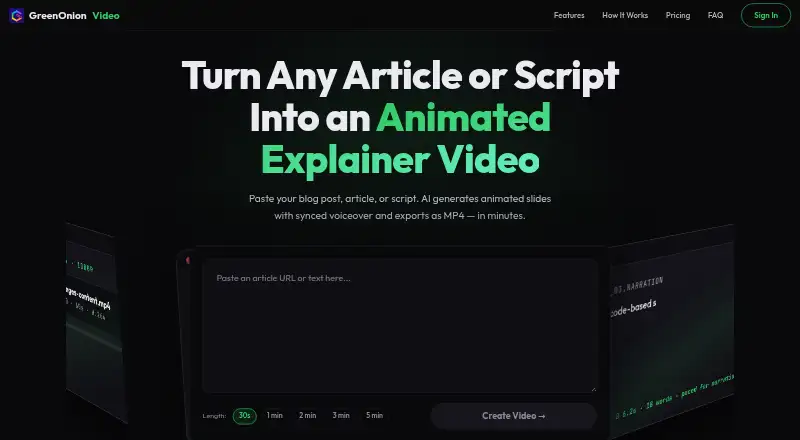
GreenOnion Video turns written material—articles, blog posts, or scripts—into animated explainer videos. Its AI divides the text into slides and prepares a voiceover script and visual layout for each one. You can review, edit, and reorder that plan, then refine individual slides before exporting. For the look of a video, choose from 12 presentation themes or use stickman animation for a whiteboard-style explainer. Visuals can be sourced from free photo and icon libraries, generated as custom assets, or supplied as uploaded brand visuals. AI narration is timed to animation beats and supports multiple languages, including English and Chinese. Target lengths range from 30 seconds to five minutes, and the maximum video length is five minutes. Videos export as MP4 for destinations such as YouTube, LinkedIn, websites, and social media. The web app provides 20 free credits, using one credit per slide generation. Preview is free, while exporting and downloading MP4 files require a paid plan. Monthly plans begin with Starter at $19 a month, billed monthly; Pro is $49 a month, and Business is $149 a month. All three plans include unlimited exports and audio.
Who it suits
GreenOnion Video suits creators, marketers, educators, small business owners, social media managers, and agencies turning written content into narrated video. It is also relevant if you need to revise slide order or visuals before exporting an MP4 for online channels.
What it does well
- Converts articles, blog posts, and scripts into animated slides.
- Offers 12 presentation themes and a stickman mode.
- Supports custom assets and uploaded brand visuals.
- AI narration syncs with animation beats and supports multiple languages.
- Allows slide review, editing, and reordering before export.
- Exports MP4 video up to five minutes long.
What to know first
- MP4 export and downloads require a paid plan.
- Free access is limited to 20 credits.
- The product is available on the web.
Limits
Free access includes 20 credits, with one credit used per slide generation. Preview is free, but exporting and downloading MP4 files require a paid plan; the maximum video length is five minutes.
Plans
| Plan | Billed and limits | Price |
|---|---|---|
| Business | monthly · 1200 credits/month · ~120 videos · ~2–3 hrs of video · Unlimited exports & audio | $149 a month |
| Starter | monthly · 100 credits/month · ~10 videos · ~10–15 min of video · Unlimited exports & audio | $19 a month |
| Pro | monthly · 300 credits/month · ~30 videos · ~30–45 min of video · Unlimited exports & audio | $49 a month |
As video.greenonion.ai lists them, read 8 Oct 2026. The maker's own page has the final word.
Getting started
- Open https://video.greenonion.ai/ in a web browser.
- Use the free access with its 20 credits, or choose a paid plan.
- Provide an article, blog post, or script for slide generation.
- Review, edit, and reorder the generated slide plan.
- Refine individual slides, then export as MP4 on a paid plan.
Verdict
Choose GreenOnion Video if you want to turn text into animated, narrated explainers and retain control over slide sequencing and revisions. Look elsewhere if you need to export MP4 videos without a paid plan or use a platform other than the web.
Questions
Does GreenOnion Video have a free plan?
Yes. Free access includes 20 credits, and one credit is used per slide generation. Preview is free, but MP4 export and downloads require a paid plan.
How much do the paid plans cost?
Starter costs $19 a month, billed monthly; Pro costs $49 a month, billed monthly; and Business costs $149 a month, billed monthly.
What do the plans include?
Starter lists 100 credits per month, approximately 10 videos and 10–15 minutes of video. Pro lists 300 credits, approximately 30 videos and 30–45 minutes; Business lists 1,200 credits, approximately 120 videos and 2–3 hours. All list unlimited exports and audio.
Which platforms does it support?
GreenOnion Video is web based.
What export format and video lengths are available?
It exports MP4 videos, with target lengths from 30 seconds to five minutes.
Can I use my own visuals?
Yes. You can upload brand visuals; the AI can also source photos and icons from free libraries or generate custom assets.
Facts from GreenOnion Video's own pages
- Assets
- The AI can source photos and icons from free libraries or generate custom assets, and users can upload their own brand visuals. · video.greenonion.ai, 8 Oct 2026
- Editing control
- Users can review, edit, and reorder the generated plan and iterate on individual slides before export. · video.greenonion.ai, 8 Oct 2026
- Export
- The product exports videos as MP4 for destinations including YouTube, LinkedIn, websites, and social media. · video.greenonion.ai, 8 Oct 2026
- Free usage
- The page offers 20 free credits, says one credit is used per slide generation, and says preview is free while export and MP4 downloads require a paid plan. · video.greenonion.ai, 8 Oct 2026
- Intended users
- The page describes the product as built for creators, marketers, educators, small business owners, social media managers, and agencies. · video.greenonion.ai, 8 Oct 2026
- Slide generation
- Its AI breaks text into animated slides and plans a voiceover script and visual layout for each slide. · video.greenonion.ai, 8 Oct 2026
- Video length
- The page offers target lengths from 30 seconds to 5 minutes. · video.greenonion.ai, 8 Oct 2026
- Visual styles
- The product offers 12 presentation themes and a stickman animation mode for whiteboard-style explainers. · video.greenonion.ai, 8 Oct 2026
- Voiceover
- AI narration syncs to animation beats, and the page says voiceover supports multiple languages including English and Chinese. · video.greenonion.ai, 8 Oct 2026
- What it does
- GreenOnion Video turns articles, blog posts, and scripts into animated explainer videos with AI narration and MP4 export. · video.greenonion.ai, 8 Oct 2026
Where GreenOnion Video stands on Freedom251
- AI Slideshow Makers#10 of 22
- Explainer Video Software#19 of 40