Freedom251 › Color Palette Generators
Gpick
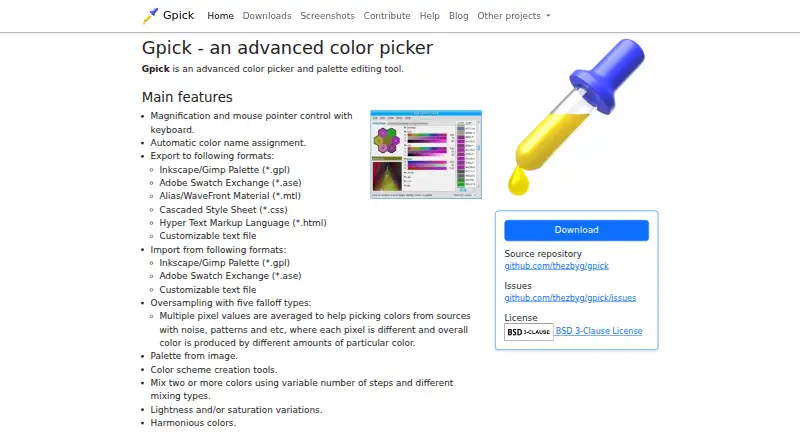
What Gpick is
Gpick is a free, open-source color picker and palette editor for Linux. It can sample desktop colors with magnification and keyboard control of the pointer, and can create palettes from images. Palette tools include generating color schemes, mixing colors, varying lightness or saturation, and making harmonious colors. Oversampling averages multiple pixel values and offers five falloff types for sampling noisy or patterned sources. Gpick imports and exports Inkscape/GIMP palettes and Adobe Swatch Exchange files; exports also include MTL, CSS, HTML, and customizable text files. Exported HTML pages let people preview and share palettes without using palette-editing software. A floating picker mode has a pointer-following window and notification-area icon for basic picking, but does not provide palette editing or color adjustment. Command-line arguments allow use from other programs or scripts. The project repository identifies the license as BSD-3-Clause. Downloads include Debian and Ubuntu packages for amd64, plus source archives; the downloads page lists version 0.4.0-1 packages dated 2025-11-29.
Who it suits
It suits Linux users who want to sample desktop colors, build palettes for graphic design applications, and export palettes in several formats. The floating mode is for basic picking rather than palette editing or color adjustment.
What it does well
- Samples colors with magnification and keyboard pointer control.
- Creates palettes from images and includes color scheme tools.
- Exports palettes as CSS, HTML, MTL, and other formats.
- Command-line arguments support use from programs or scripts.
What to know first
- Linux is the only listed platform.
- Floating mode lacks palette editing and color adjustment.
- No free trial is listed.
Plans
| Plan | Billed and limits | Price |
|---|---|---|
| Gpick | No paid plans or usage limits stated | Free |
As gpick.org lists them, read 11 Oct 2026. The maker's own page has the final word.
Getting started
- Visit https://www.gpick.org/ and open the downloads page.
- Choose a Debian or Ubuntu package for amd64, or download a source archive.
- Install and open Gpick on Linux.
- Sample a desktop color or create a palette from an image.
- Import or export a supported palette format, or export an HTML page to share a preview.
Verdict
Gpick combines desktop color sampling, image-based palette creation, and several import and export formats in a free Linux tool. Its floating mode is limited to basic picking, so users needing palette editing should use its other workflows.
Questions
Is Gpick free?
Yes. The Gpick plan is free, and the project is open source under the BSD-3-Clause license.
Which platforms does it support?
The listed platform is Linux. The downloads page lists Debian and Ubuntu packages for amd64, plus source archives.
What palette formats can it import?
It imports Inkscape/GIMP palette files, Adobe Swatch Exchange files, and customizable text files.
What can it export?
Exports include Inkscape/GIMP palettes, Adobe Swatch Exchange, MTL, CSS, HTML, and customizable text files.
Can it create palettes from images?
Yes. Gpick can create palettes from images and includes color scheme, mixing, lightness, saturation, and harmony tools.
Can I use it without its palette editor?
Its floating picker mode supports basic color picking with a pointer-following window and notification-area icon, but not palette editing or color adjustment.
Facts from Gpick's own pages
- Color names
- It can assign color names automatically. · gpick.org, 11 Oct 2026
- Color sampling
- It supports magnification and keyboard control of the mouse pointer. · gpick.org, 11 Oct 2026
- Command line
- Command-line arguments allow Gpick to be used from other programs or scripts. · gpick.org, 11 Oct 2026
- Export formats
- It exports Inkscape/GIMP palettes, Adobe Swatch Exchange, Alias/WaveFront Material, CSS, HTML, and customizable text files. · gpick.org, 11 Oct 2026
- Floating mode
- Floating picker mode uses a pointer-following window and notification-area icon, and is intended for basic color picking without palette editing or color adjustment. · gpick.org, 11 Oct 2026
- Floating picker
- Its floating picker mode provides a pointer-following window and notification area icon for basic color picking. · gpick.org, 11 Oct 2026
- Import formats
- It imports Inkscape/GIMP palette files, Adobe Swatch Exchange files, and customizable text files. · gpick.org, 11 Oct 2026
- Intended users
- The repository says Gpick can sample desktop colors and create palettes for graphic design applications. · github.com, 11 Oct 2026
- Latest listed release
- The downloads page lists version 0.4.0-1 packages dated 2025-11-29. · gpick.org, 11 Oct 2026
- License
- The project repository identifies its license as BSD-3-Clause. · github.com, 11 Oct 2026
- Linux downloads
- The official downloads page lists Debian and Ubuntu packages for amd64, plus source archives. · gpick.org, 11 Oct 2026
- Noisy image sampling
- Oversampling averages multiple pixel values and offers five falloff types to help pick colors from noisy or patterned sources. · gpick.org, 11 Oct 2026
- Oversampling
- Its oversampling feature averages multiple pixel values and offers five falloff types. · gpick.org, 11 Oct 2026
- Palette creation
- It can create a palette from an image and includes color scheme tools, color mixing, lightness and saturation variations, and harmonious colors. · gpick.org, 11 Oct 2026
- Palette formats
- It imports and exports Inkscape/Gimp palettes and Adobe Swatch Exchange files; it also exports MTL, CSS, HTML, and customizable text files. · gpick.org, 11 Oct 2026
- Palette sharing
- Exported HTML pages can be used to preview and share palettes with people who do not use Gpick or other palette editing software. · gpick.org, 11 Oct 2026
- Palette tools
- It can create palettes from images, generate color schemes, mix colors, vary lightness or saturation, and create harmonious colors. · gpick.org, 11 Oct 2026
- Product
- Gpick is an advanced color picker and palette editing tool. · gpick.org, 11 Oct 2026
- Sharing
- Gpick can export HTML pages for previewing and sharing palettes with people who do not use Gpick or other palette editing software. · gpick.org, 11 Oct 2026
- Source license
- The maker's linked source repository identifies the project as BSD 3-Clause licensed. · github.com, 11 Oct 2026
- Support and feedback
- The maker's contribution page directs users to GitHub issues to report bugs or request features. · gpick.org, 11 Oct 2026
Where Gpick stands on Freedom251
- Color Palette Generators#18 of 34