Freedom251 › ZX Spectrum Emulators
GoSpeccy
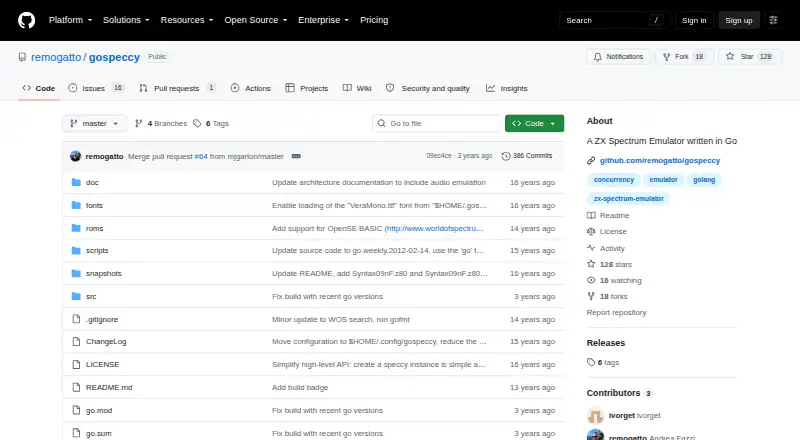
What GoSpeccy is
GoSpeccy is a free ZX Spectrum 48K emulator for Linux, written in Go. It is intended for loading Spectrum 48K games and demos in Z80 and TAP formats. The emulator includes almost complete Zilog Z80 CPU emulation, tested against the FUSE test suite, and uses a concurrent architecture. It reads TAP tape files, accelerates tape loading, and opens ZIP files. It also supports 48K SNA and Z80 snapshots, though tape files are read-only and tape saving is not available.
For sound and controls, GoSpeccy provides a beeper and initial support for Kempston joysticks. Its SDL display backend includes a 2x scaler and fullscreen mode. An interactive on-screen console is based on clingon, and a command-line option can search World of Spectrum for a program and start it. The freely distributable Spectrum 48K system ROM is included, while copyrighted games and programs are not. The project is open source under an MIT-style license that permits use, modification, and distribution subject to its conditions; the software comes without warranty. The README identifies memory and I/O contention bugs and limited file-format support among the project’s outstanding items.
Who it suits
GoSpeccy suits Linux users who want to load ZX Spectrum 48K games or demos from TAP files or snapshots in SNA and Z80 formats. It may also suit users who want a free, open-source emulator with a beeper and initial Kempston joystick support.
What it does well
- Free and open source under an MIT-style license.
- Includes the freely distributable Spectrum 48K system ROM.
- Reads TAP files, ZIP files, and 48K SNA and Z80 snapshots.
- Offers a 2x scaler and fullscreen mode through SDL.
- Can accelerate tape loading and search World of Spectrum from the command line.
What to know first
- Available platform is Linux.
- TAP tape files are read-only, with no tape saving.
- The project lists memory and I/O contention bugs.
- File-format support is listed as limited; copyrighted games and programs are not included.
Limits
GoSpeccy is free. Its listed limitations include read-only TAP files with no tape saving, limited file-format support, and memory and I/O contention bugs; copyrighted games and programs are not included.
Plans
| Plan | Billed and limits | Price |
|---|---|---|
| Free | Free ZX Spectrum emulator | Free |
As github.com lists them, read 8 Oct 2026. The maker's own page has the final word.
Getting started
- Install GoSpeccy using the Go command-line installation route in the README.
- Start the emulator with the gospeccy command.
- Load a TAP program or use a supported 48K SNA or Z80 snapshot.
- Use the included Spectrum 48K system ROM; source any games or programs separately.
Verdict
Choose GoSpeccy if you want a free Linux emulator for Spectrum 48K programs in TAP, SNA, or Z80 formats and are comfortable with its listed project limitations. Look elsewhere if you need tape saving, broader file-format support, or included copyrighted games and programs.
Questions
How much does GoSpeccy cost?
The Free plan costs nothing.
Which platforms does GoSpeccy support?
Linux is the listed platform.
Which Spectrum formats can it load?
It supports 48K SNA and Z80 snapshots, TAP tape files, and ZIP files. TAP files are read-only.
Is GoSpeccy open source?
Yes. It is distributed under an MIT-style license, subject to its stated conditions.
Are games included?
Copyrighted games and programs are not included. The freely distributable Spectrum 48K system ROM is included.
How do I start using GoSpeccy?
The README gives a Go command-line installation route and starts the program with the gospeccy command.
Facts from GoSpeccy's own pages
- Architecture
- The emulator uses a concurrent architecture. · github.com, 8 Oct 2026
- Audio and controls
- Features include beeper support and initial support for Kempston joysticks. · github.com, 8 Oct 2026
- Audio and input
- It supports a beeper and initial support for Kempston joysticks. · github.com, 8 Oct 2026
- Console
- An interactive on-screen console interface is based on clingon. · github.com, 8 Oct 2026
- CPU emulation
- It includes almost complete Zilog Z80 emulation, tested against the FUSE test suite. · github.com, 8 Oct 2026
- Display
- It provides an SDL backend, a 2x scaler, and fullscreen mode. · github.com, 8 Oct 2026
- Files
- It supports 48k SNA and Z80 snapshots, read-only TAP tape files, and ZIP files. · github.com, 8 Oct 2026
- Games and ROM
- Copyrighted games are not included, while the README says the freely distributable Spectrum 48K system ROM is included. · github.com, 8 Oct 2026
- Installation
- The README gives a Go command-line installation using go get and starts the program with the gospeccy command. · github.com, 8 Oct 2026
- Intended users
- The README describes using it to load ZX Spectrum 48k games and demos in Z80 and TAP formats. · github.com, 8 Oct 2026
- License
- The software is distributed under an MIT-style license that permits use, copying, modification, distribution, sublicensing, and sale subject to its stated conditions. · github.com, 8 Oct 2026
- License and warranty
- The repository includes an MIT-style license granting free use, modification, and distribution, and provides the software without warranty. · github.com, 8 Oct 2026
- Limits
- The README lists memory and I/O contention bugs, limited file format support, and no tape saving among its to-do items. · github.com, 8 Oct 2026
- Notable limits
- The project lists memory and I/O contention bugs, limited file-format support, and missing tape saving among its to-do items. · github.com, 8 Oct 2026
- Program loading
- It can load a program from a TAP file and can accelerate tape loading. · github.com, 8 Oct 2026
- Purpose
- GoSpeccy is a free ZX Spectrum 48K emulator written in Go. · github.com, 8 Oct 2026
- ROM and games
- The Spectrum 48k system ROM is included, while copyrighted games and programs are not included. · github.com, 8 Oct 2026
- Snapshots
- It supports SNA and Z80 snapshot formats for 48K. · github.com, 8 Oct 2026
- Support
- The maker invites bug reports, testing, forks, and patches through the project repository. · github.com, 8 Oct 2026
- Tape and archives
- It reads TAP tape files, accelerates tape loading, and supports ZIP files. · github.com, 8 Oct 2026
- World of Spectrum
- A command-line option can search World of Spectrum for a program and start it. · github.com, 8 Oct 2026
Where GoSpeccy stands on Freedom251
- ZX Spectrum Emulators#8 of 23