Freedom251 › Task Management Software
Google Tasks
What Google Tasks is
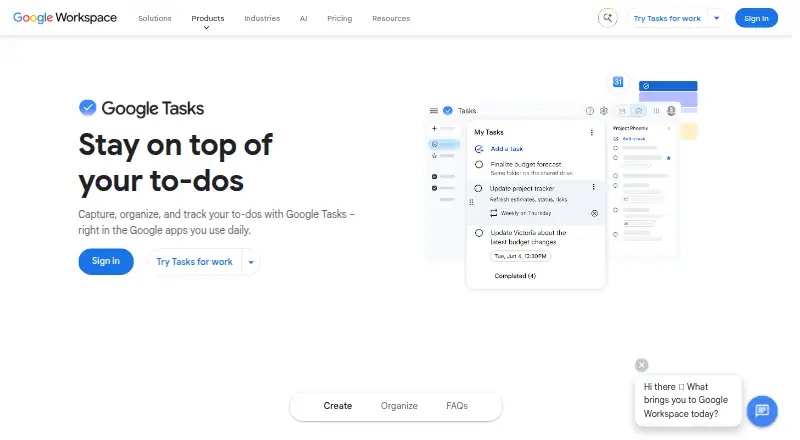
Google Tasks is a free task manager for capturing, organising, and tracking to-dos across the web, iOS, and Android. Tasks can contain details, dates, times, deadlines, reminders, repeating schedules, and subtasks. Separate lists, reordering, and stars help organise priorities. Dated tasks appear in Google Calendar, where you can schedule time for them, and Gmail messages can become tasks that link back to the original email. Tasks can also be created or managed through Calendar, Keep, ChromeOS, and side panels in Gmail, Chat, Drive, Docs, Sheets, and Slides. Google Chat spaces support assigned group tasks, while eligible Workspace accounts can assign tasks in Docs. Lists sync across devices when signed into the same Google Account. An account can hold up to 100,000 tasks, with up to 20,000 uncompleted tasks in one list. Tasks with subtasks cannot repeat, and administrators control access for work or school accounts.
Who it suits
Google Tasks suits people who want a free to-do list connected to Google services and calendars. It also supports users sharing assigned tasks in Chat spaces or eligible Workspace documents.
What it does well
- Works on web, iOS, and Android
- Supports subtasks, reminders, deadlines, and repeats
- Syncs lists across devices with one Google Account
- Connects dated tasks with Google Calendar
- Turns Gmail messages into linked tasks
What to know first
- Subtask-containing tasks cannot repeat
- Recurring tasks cannot move to another list
- Work and school access depends on an administrator
- One list allows 20,000 uncompleted tasks
Verdict
Google Tasks provides core task planning with reminders, subtasks, recurring schedules, and broad Google Workspace connections. Its documented repetition and account-management limits matter for specialised workflows.
Facts from Google Tasks's own pages
- Account administration
- For work or school accounts, an administrator controls access to Google Tasks. · support.google.com, 11 Oct 2026
- Calendar
- Tasks with dates appear in Google Calendar, and users can schedule time for tasks there. · workspace.google.com, 11 Oct 2026
- Collaboration
- In Chat, you can create a task from a direct message or create and assign group tasks in a space. · support.google.com, 11 Oct 2026
- Cross-device sync
- Tasks and task lists sync across devices when users sign in to the same Google Account. · workspace.google.com, 11 Oct 2026
- Email tasks
- You can create a task from a Gmail message and return to the original message from the task. · play.google.com, 11 Oct 2026
- Gmail
- Users can turn an email into a task and return to the original message from that task. · support.google.com, 11 Oct 2026
- Headquarters
- 1600 Amphitheatre Parkway, Mountain View, California, United States · tasks.google.com, 28 Sept 2026
- Integrations
- Tasks can be created and managed in Google Calendar, Keep, ChromeOS, and the side panels in Gmail, Calendar, Chat, Drive, and Google Docs, Sheets, or Slides. · support.google.com, 11 Oct 2026
- Lists and priorities
- You can create separate task lists, reorder tasks, and star important tasks. · play.google.com, 11 Oct 2026
- Organisation
- Users can create separate lists, reorder tasks and star important tasks. · workspace.google.com, 11 Oct 2026
- Privacy
- Google's Privacy Policy describes information collection and controls for reviewing, updating, exporting and deleting information. · policies.google.com, 11 Oct 2026
- Purpose
- Google Tasks helps users capture, organise and track to-dos across devices. · workspace.google.com, 11 Oct 2026
- Recurring task limits
- Shared tasks and subtasks cannot repeat, and recurring tasks cannot be moved to another task list. · support.google.com, 11 Oct 2026
- Recurring tasks
- Tasks can repeat daily, weekly, monthly, or yearly. · support.google.com, 11 Oct 2026
- Repeat limitation
- Tasks with subtasks cannot be repeated. · support.google.com, 11 Oct 2026
- Security
- The Google Play listing says data is encrypted in transit and that users can request deletion of their data. · play.google.com, 11 Oct 2026
- Support
- Google provides a Tasks Help Center with setup, task management, notification and other help topics. · support.google.com, 11 Oct 2026
- Task details
- Tasks can include details, due dates, notifications, and subtasks. · support.google.com, 11 Oct 2026
- Task limits
- You can create up to 100,000 tasks across all lists and up to 20,000 uncompleted tasks in any one list. · support.google.com, 11 Oct 2026
- Team tasks
- Google Chat spaces support group tasks that can be assigned to members, and eligible Google Workspace accounts can assign tasks in Docs. · support.google.com, 11 Oct 2026
- Workspace access
- For work or school accounts, an administrator controls access to Tasks. · support.google.com, 11 Oct 2026
- Workspace integrations
- Tasks can be created and managed through Google Calendar, ChromeOS, Keep, and the side panels in Gmail, Calendar, Chat, Drive, Docs, Sheets and Slides. · support.google.com, 11 Oct 2026
Where Google Tasks stands on Freedom251
- Task Management Software#31 of 59
- To-do list apps#131 of 150