Freedom251 › AI Video Effects Generators

Google Flow
by Google Flow
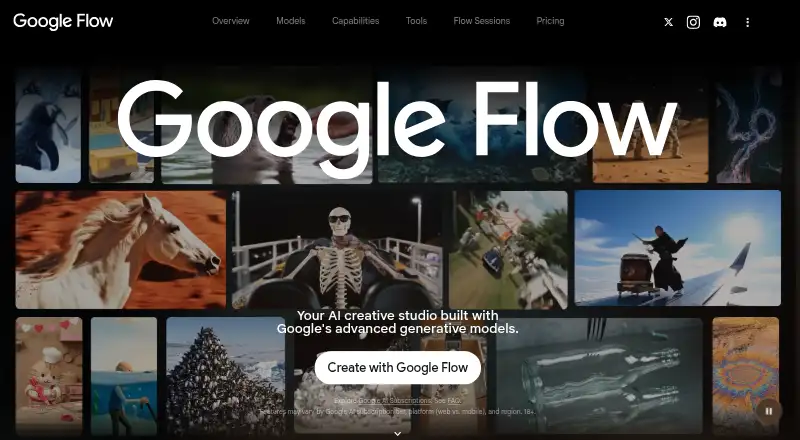
What Google Flow is
Google Flow is an AI filmmaking tool for creating cinematic clips, scenes, and stories. It supports text-to-video, image-to-video, and AI avatars, using Google’s Veo, Imagen, and Gemini models. Camera controls, Scenebuilder for editing and extending shots, asset management, and Flow TV help shape projects. Generated audio works across Ingredients to Video, Frames to Video, and Extend. The mobile app creates and refines images and videos on phones, syncing projects and assets with the desktop experience. Google recommends a desktop computer with a Chromium-based browser; other browsers and mobile devices may not be fully optimized. Users must be at least 18 and in a supported region, generally with Google AI Plus, Pro, or Ultra, while qualifying Workspace subscribers receive 50 daily credits. Credits are charged per generation and depend on the model. The free plan provides 50 daily credits, which do not roll over, and projects can be exported with media, prompts, settings, and edit history.
Who it suits
It suits adults creating AI-generated video projects who can use a supported region and eligible Google subscription. Mobile users can work with synchronized projects, though Google recommends desktop Chromium browsers.
What it does well
- Text-to-video and image-to-video
- AI avatars and generated audio
- Camera controls and Scenebuilder
- Projects and assets sync across devices
- Project data can be exported
What to know first
- Access requires age and region eligibility
- Credits are charged per generation
- Daily free credits do not roll over
- Mobile and non-Chromium experiences may not be optimized
Plans
| Plan | Billed and limits | Price |
|---|---|---|
| Without a Google AI Subscription | 50 daily Google Flow credits | On request |
| Google AI Ultra | 50 daily Google Flow credits · 10,000 monthly Google Flow credits · 20 TB total storage | On request |
| Google Flow free daily credits | 50 Google Flow credits per day · unused daily credits do not roll over | Free |
| Google AI Pro | $19.99/mo · 1,000 Google Flow credits per month · unused monthly credits do not roll over | $19.99 a month |
| Google AI Plus | $9.99/mo · 200 Google Flow credits per month · unused monthly credits do not roll over | $9.99 a month |
| Google AI Ultra $100 | Google AI Ultra $100 · 10,000 Google Flow credits per month · unused monthly credits do not roll over | On request |
| Google AI Ultra $200 | Google AI Ultra $200 · 25,000 Google Flow credits per month · unused monthly credits do not roll over | On request |
As flow.google.com lists them, read 22 Sept 2026. The maker's own page has the final word.
Verdict
Google Flow combines generative video models with editing, audio, asset management, and project export tools. Access and generation capacity depend on eligibility, subscription type, and credit rules.
Facts from Google Flow's own pages
- AI avatars
- Yes · labs.google, 22 Sept 2026
- Audio
- Flow supports generated audio across features including Ingredients to Video, Frames to Video, and Extend. · blog.google, 12 Oct 2026
- Creative controls
- Flow includes camera controls, Scenebuilder for editing and extending shots, asset management, and Flow TV. · blog.google, 12 Oct 2026
- Credit costs
- Credit costs depend on the model and are charged per generation; a single request may create multiple generations. · support.google.com, 12 Oct 2026
- Data use
- When “Help improve Google Flow” is enabled, Google may use interactions, uploads, generated output, feature usage information, and feedback to improve Google products and machine-learning technologies. · support.google.com, 12 Oct 2026
- Eligibility
- Users must be at least 18, be in a supported region, and have a Google AI Plus, Pro, or Ultra subscription; qualifying Workspace subscribers also get access with 50 daily credits. · support.google.com, 12 Oct 2026
- Free plan
- Yes · labs.google, 22 Sept 2026
- Headquarters
- Mountain View, California, United States · flow.google.com, 28 Sept 2026
- Image-to-video
- Yes · labs.google, 22 Sept 2026
- Maximum resolution
- 4k · labs.google, 22 Sept 2026
- Maximum video length
- 0.1667 · labs.google, 22 Sept 2026
- Mobile app
- The Google Flow app supports creating and refining images and videos on phones, with projects and assets synced with the desktop experience. · play.google.com, 12 Oct 2026
- Mobile requirements
- The Android app requires Android 12 or later and at least 2 GB of RAM. · support.google.com, 12 Oct 2026
- Models
- Flow uses Google generative models, including Veo, Imagen, and Gemini. · blog.google, 12 Oct 2026
- Platform guidance
- Google recommends a desktop computer with a Chromium-based browser for the best experience; other browsers and mobile devices may not be fully optimized. · support.google.com, 12 Oct 2026
- Project portability
- Users can export and download a copy of Google Flow data, including generated and uploaded media, prompts, settings, project organization, characters, scenes, and edit history. · support.google.com, 12 Oct 2026
- Purpose
- Google Flow is an AI filmmaking tool for creating cinematic clips, scenes, and stories. · support.google.com, 12 Oct 2026
- Support
- Google Flow Help directs users who cannot access Flow in a supported region to Google One support. · support.google.com, 12 Oct 2026
- Text-to-video
- Yes · labs.google, 22 Sept 2026
Where Google Flow stands on Freedom251
- AI Video Effects Generators#2 of 27
- AI Cinematic Video Generators (camera control)#2 of 26
- Text-to-Video Generators#3 of 23
- AI Filmmaking Tools#3 of 21
- AI video generators#37 of 242
- AI Video Generation & Editing Software#8 of 30