Freedom251 › AI Content Moderation Software
Google Cloud Vision API
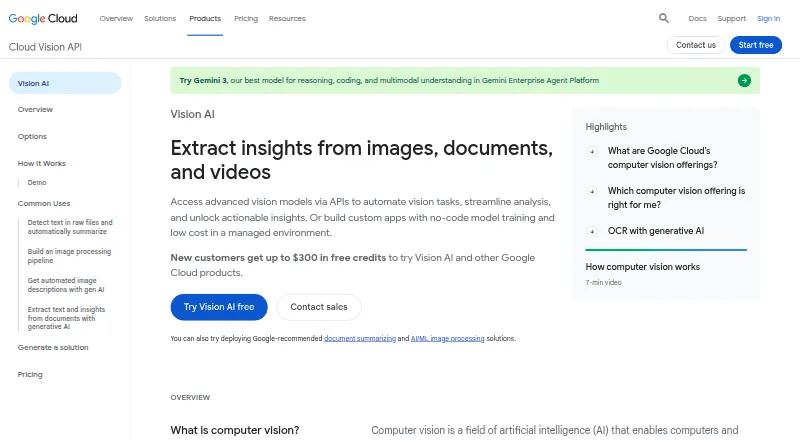
What Google Cloud Vision API is
Google Cloud Vision API gives developers image-analysis capabilities to add to applications through REST or RPC. It can label images, detect faces and landmarks, read text, locate objects and tag explicit content. Text Detection handles text in images, while Document Text Detection is designed for dense text, handwriting and PDF or TIFF files. Object Localization returns labels and bounding boxes for recognized items. Web Detection can return related web entities, matching image URLs and pages, visually similar images, and a best-guess label. Face Detection locates faces and facial landmarks and provides likelihood ratings, but does not identify specific people. Google documents workflows involving Cloud Storage, Cloud Functions, Pub/Sub and Cloud Translation API. For Android and iOS development using its cloud vision services, Google recommends ML Kit for Firebase. Limits include 20 MB per image, 10 MB per JSON request, 16 images in a synchronous annotate request and 2,000 images in an asynchronous batch request. The free plan includes the first 1,000 units per feature each month; billing is per image feature applied, with listed tiers that include $1.50 per 1,000 units for some features.
Who it suits
The API suits developers who want prebuilt image-analysis functions in an application. It may be useful where text extraction, object localization or image labeling is needed, with limits checked against the workload.
What it does well
- Available through REST and RPC.
- Document Text Detection supports handwriting and PDF or TIFF.
- Object Localization returns labels and bounding boxes.
- First 1,000 units per feature each month are free.
- Documented workflows include Cloud Storage and Pub/Sub.
What to know first
- Face Detection does not identify specific individuals.
- Images are limited to 20 MB each.
- Synchronous annotate requests allow up to 16 images.
Limits
The free plan covers the first 1,000 units per feature each month. Listed request limits are 20 MB per image, 10 MB per JSON request, 16 images per synchronous annotate request, and 2,000 images per asynchronous batch request.
Plans
| Plan | Billed and limits | Price |
|---|---|---|
| Cloud Vision API pay-as-you-go | Per image; each feature applied to an image is a billable unit, billed in monthly usage tiers. · First 1,000 units per feature each month free · Label Detection: $1.50 per 1,000 units for 1,001–5,000,000; $1.00 thereafter · Text and Document Text Detection: $1.50 per 1,000 units for 1,001–5,000,000; $0.60 thereafter · Web Detection: $3.50 per 1,000 units for 1,001–5,000,000; contact Google for higher tier | Free |
| First 1,000 units | usage based · Label, text, document text, Safe Search, face, celebrity, landmark, logo, image properties and crop-hint detection | Free |
| Units above 5,000,000 | usage based · Vision API feature units | $0.60 a month |
| Units 1,001 to 5,000,000 | usage based · Vision API feature units | $1.50 a month |
As cloud.google.com lists them, read 28 Sept 2026. The maker's own page has the final word.
Getting started
- Visit the Google Cloud Vision API website.
- Choose the free plan or review the listed paid pricing from $1.50.
- Connect to the API through REST or RPC.
- Use the documented Cloud Storage, Cloud Functions, Pub/Sub, or Cloud Translation API workflows as needed.
- For Android or iOS development using Google Cloud Vision services, consider Google’s recommended ML Kit for Firebase.
Overview
Google Cloud Vision API gives developers prebuilt image-analysis tools they can call through REST or RPC. It suits application teams that need several vision capabilities in one cloud service, especially OCR, object detection, and image classification. Its range is useful, but feature-by-feature billing and the lack of individual face recognition shape where it fits.
Key features
Image labeling, object localization, face and landmark detection, OCR, explicit-content tagging, and Web Detection cover a broad set of image tasks. Object Localization returns labels and bounding boxes for multiple recognized objects, helping applications identify where items appear as well as what they are.
Text Detection recognizes text in images, while Document Text Detection is designed for dense text and handwriting and supports PDF and TIFF files. This distinction makes the API useful for both ordinary image text and document-oriented workflows, though applications should match the feature to their input rather than assume one OCR mode covers every case.
Web Detection can return related entities, matching image URLs, pages containing matching images, visually similar images, and a best-guess label. That breadth can add context to image-driven products, while explicit-content tagging supports image moderation. There is no text moderation feature.
Face Detection finds faces and facial landmarks and returns likelihood ratings; it does not identify specific people. It is suitable for face presence or landmark-related tasks, but not identity verification or individual recognition.
Google documents workflows connecting Vision API with Cloud Storage, Cloud Functions, Pub/Sub, and Cloud Translation API. The service is cloud deployed, with documented limits of 20 MB per image, 10 MB per JSON request, 16 images per synchronous annotate request, and 2,000 images per asynchronous batch request. These caps matter when designing bulk or large-file processing.
Pricing
The Cloud Vision API pay-as-you-go plan has a free monthly allowance of the first 1,000 units per feature. Each feature applied to an image counts as a billable unit, so using several features on the same image can consume the allowance faster than counting images alone suggests.
After the free units, Label Detection costs $1.50 per 1,000 units for monthly usage from 1,001 to 5,000,000, then $1.00 per 1,000 thereafter. Text and Document Text Detection cost $1.50 per 1,000 units in the supplied tier. This usage-based structure suits variable workloads and lets developers start without a paid minimum, but teams need to account for the number of features run and monitor volume as usage grows.
Platforms
Cloud Vision API is offered through an API for cloud deployment and is listed for Linux, macOS, web, and Windows environments. Google recommends ML Kit for Firebase for Android and iOS SDKs that use Cloud Vision services, along with on-device vision APIs and custom-model inference; mobile developers should consider that route for native app work.
Who it's for
This API is aimed at developers who want to integrate prebuilt vision features quickly rather than build custom image models for each task. It is a strong fit for products combining OCR, labeling, object localization, and image moderation, particularly when request volumes are manageable or benefit from the monthly free units. It is a poorer fit when individual face recognition or text moderation is a core requirement.
Google Cloud states that customers own their data and that it processes data under customer agreements. Its compliance center provides certifications, attestations, and audit reports. Standard Support includes unlimited individual access to technical and billing support through multiple channels, which may matter to teams operating production workflows.
Pros and cons
- Broad prebuilt coverage: OCR, image labeling, object localization, face detection, and explicit-content tagging can serve multiple image tasks through one API.
- Useful document OCR: Document Text Detection supports dense text, handwriting, PDF, and TIFF inputs.
- Free monthly units: The first 1,000 units per feature each month provide a way to start and evaluate usage without an upfront plan charge.
- Costs follow feature use: Every feature applied to an image is a billable unit, so per-image costs rise when workflows run multiple features.
- No identity recognition: Face Detection provides locations, landmarks, and likelihood ratings but cannot recognize specific individuals.
- Payload and batch caps: Image, request, synchronous, and asynchronous limits may constrain large-file or high-volume processing designs.
Alternatives
For a broader selection of tools, compare AI Image Recognition Software. If the main task is moderation, AI Content Moderation Software is a more focused category to explore.
Tisane API is a freemium option with a 50,000-request monthly Community plan and a 10-hit-per-minute limit; consider it when text moderation is central and those request terms suit your workload. WebPurify is a paid moderation option with a free trial and an image plan billed per image, so it may fit teams seeking a dedicated moderation service.
Amazon Rekognition Content Moderation offers a free tier lasting 12 months from account creation, including 60 free video-analysis minutes per month for content moderation; it is worth comparing for video moderation workloads. Detoxify is a free, self-hosted open-source library for toxic-comment classification, making it a distinct option when self-hosting and text classification are priorities.
Hive Moderation offers developers $50 or more in free credits after adding a payment method and access to 10 or more models; it may suit teams evaluating multiple moderation models. PicPurify has a free tier of 2,000 units and a $19 a month Starter plan with 10,000 units, offering a more explicitly capped moderation allowance.
Sightengine has a free tier capped at 1 request per second and a $29 a month Starter plan with 10,000 operations; it is an alternative for teams comparing fixed monthly moderation capacity. Llama Guard is a free, self-hosted option requiring model weights, suited to users who want a self-hosted model-based approach.
Verdict
Choose Google Cloud Vision API if you are building an application that needs several prebuilt image-analysis functions, especially OCR and object localization, and can manage usage-based billing. Its free monthly units and broad task coverage make it a practical starting point, but teams needing individual face recognition, text moderation, or looser payload constraints should look elsewhere.
Verdict
Cloud Vision API offers several image-analysis functions, with a free monthly allowance and usage-based billing afterward. Its face detection is not individual recognition, and request and image-size limits are worth checking before use.
Questions
Is Google Cloud Vision API free?
A free plan is available, with the first 1,000 units per feature each month free. Paid pricing is listed from $1.50.
How is Vision API billed?
Billing is per image feature applied, with monthly usage tiers. The listed starting price is $1.50.
Which platforms are listed?
The platforms are API, Linux, macOS, web, and Windows. Deployment is cloud-based.
Can it recognize a specific person?
No. Face Detection locates faces and landmarks and provides likelihood ratings, but individual facial recognition is not supported.
Which integrations are documented?
Google documents workflows with Cloud Storage, Cloud Functions, Pub/Sub, and Cloud Translation API.
Facts from Google Cloud Vision API's own pages
- Access
- The API is available through REST and RPC. · cloud.google.com, 28 Sept 2026
- API access
- Programmatic access is offered through client libraries and REST, with RPC also documented as an API reference. · docs.cloud.google.com, 21 Oct 2026
- Authentication
- Google Cloud IAM and Application Default Credentials are supported, with service-account and workload-identity options described for different environments. · docs.cloud.google.com, 21 Oct 2026
- Client languages
- Official quickstarts and samples cover C#, Go, Java, Node.js, PHP, Python and Ruby. · docs.cloud.google.com, 21 Oct 2026
- Company founding
- Gartner lists Google's year founded as 1998. · gartner.com, 21 Oct 2026
- Company headquarters
- LinkedIn lists Google's headquarters in Mountain View, California. · linkedin.com, 21 Oct 2026
- Company size
- LinkedIn lists Google as a public software-development company with 10,001+ employees. · linkedin.com, 21 Oct 2026
- Crop hints
- Crop-hint detection can return salient-region polygons and supports up to 16 requested aspect ratios. · docs.cloud.google.com, 21 Oct 2026
- Documentation depth
- Documentation includes setup guides, quickstarts, OCR and handwriting guides, REST/RPC references, quotas, languages, samples and release notes. · docs.cloud.google.com, 21 Oct 2026
- Encryption
- Google Cloud encrypts data at rest by default; asynchronous Vision processing uses ephemeral encryption keys and supports CMEK compliance. · docs.cloud.google.com, 21 Oct 2026
- Face detection limit
- Face Detection locates faces and facial landmarks and provides likelihood ratings, but specific individual facial recognition is not supported. · docs.cloud.google.com, 28 Sept 2026
- File limits
- Uploaded image files should not exceed 20 MB and base64 JSON requests are limited to 10 MB. · docs.cloud.google.com, 21 Oct 2026
- Image features
- Features include image labeling, face and landmark detection, OCR, and explicit-content tagging. · cloud.google.com, 28 Sept 2026
- Image labeling
- Label detection returns generalized image labels with descriptions, confidence scores and topicality ratings. · docs.cloud.google.com, 21 Oct 2026
- Image properties
- Image-properties analysis reports dominant RGBA colors, confidence and pixel fractions. · docs.cloud.google.com, 21 Oct 2026
- Image search
- Web Detection can return related web entities, matching image URLs, pages containing matching images, visually similar images, and a best-guess label. · docs.cloud.google.com, 28 Sept 2026
- Integrations
- Google documentation demonstrates workflows connecting Vision with Cloud Storage, Cloud Functions, Pub/Sub, Translation, Text-to-Speech and DLP. · docs.cloud.google.com, 21 Oct 2026
- Intended users
- The API is presented for developers seeking quick integration of prebuilt vision features into applications. · cloud.google.com, 28 Sept 2026
- Landmark detection
- Landmark detection returns a landmark name, confidence score, bounding box and coordinates. · docs.cloud.google.com, 21 Oct 2026
- Limit: console and onboarding
- Gartner reviewers include a complaint that the console is unclear and the quickstart is slow. · gartner.com, 21 Oct 2026
- Limit: cost predictability
- G2 reviewers repeatedly report that costs rise quickly or become difficult to predict when multiple features and high image volumes are used. · g2.com, 21 Oct 2026
- Limit: customization cost
- A TrustRadius reviewer says highly specialized fine-tuning may be better handled with local open-source libraries to avoid API costs. · trustradius.com, 21 Oct 2026
- Limit: image quality and customization
- G2 reviewers report weaker results on blurry or complex images and request more model customization and debugging controls. · g2.com, 21 Oct 2026
- Logo detection
- Logo detection supplies an identified entity, confidence score and bounding polygon. · docs.cloud.google.com, 21 Oct 2026
Where Google Cloud Vision API stands on Freedom251
- AI Content Moderation Software#2 of 27
- Content Moderation Tools Software#2 of 22
- Image Recognition Software#5 of 28
- AI Image Recognition Software#8 of 37