Freedom251 › Anti-Detect Browser Software

GoLogin
by SCALEHAT LLC
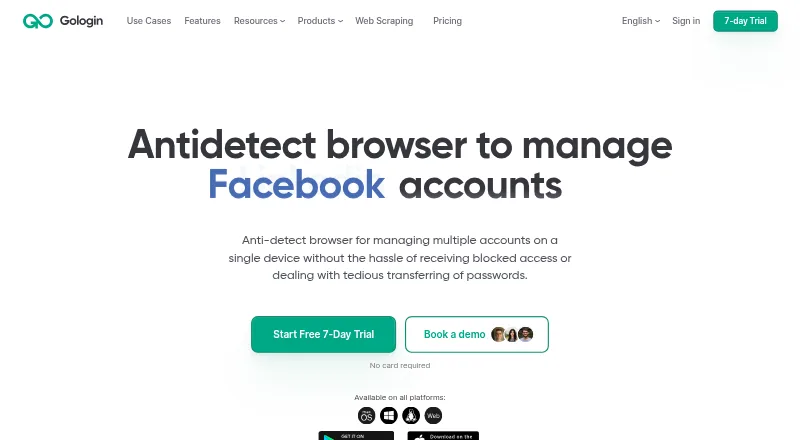
What GoLogin is
GoLogin manages separate browser profiles, each with its own fingerprint, cookies, sessions, and extensions. Users can assign proxies, including built-in residential, mobile, and datacenter options, and share profiles, folders, or workspaces with permissions. Profiles can launch in the cloud and be accessed through the web app. GoLogin uses Chromium and lists integrations with Puppeteer, Selenium, Node.js SDK, Python, and MCP, as well as REST API access. It supports cloud profile sync and team collaboration, and is available on the web, Windows, macOS, Linux, and Android. Deployment options include cloud, desktop, and mobile. The Forever Free plan has three profiles with no time limit. The Professional plan is $4.50 a month billed annually and includes 10 profiles and 2 GB of residential proxy traffic. A seven-day trial is listed, and support options include email, chat, and documentation.
Who it suits
GoLogin suits people who need separate browser identities or shared profiles and workspaces. It also fits users who want API access or integrations with browser automation tools.
What it does well
- Profiles keep fingerprints, cookies, sessions, and extensions separate.
- Built-in residential, mobile, and datacenter proxies are listed.
- Profiles, folders, and workspaces support permission-based sharing.
- Free plan includes three profiles with no time limit.
What to know first
- Professional pricing is billed annually.
- Professional entry tier includes 10 profiles.
- Professional entry tier includes 2 GB of residential proxy traffic.
Limits
Forever Free includes three profiles. Professional starts at $4.50 a month with annual billing and includes 10 profiles and 2 GB of residential proxy traffic at the entry tier.
Plans
| Plan | Billed and limits | Price |
|---|---|---|
| Forever Free | Custom price · 3 profiles | On request |
| Professional | billed annual · 10 profiles at entry tier · 300 RPM REST API at entry tier · 2 GB residential proxy traffic | $4.50 a month |
| Business | billed annual · 300 profiles at entry tier · 500 RPM REST API · 2 GB residential proxy traffic | $49.50 a month |
| Enterprise | annually; shown instead of $179/mo · up to 1,000 profiles · 2 GB residential proxy data · 120 Cloud Android minutes/month · Cloud Android · agentic workflow (AI) | $89.50 a month |
| Custom | annually; shown instead of $279/mo · 2,000+ profiles · 2 GB residential proxy data · 120 Cloud Android minutes/month · advanced team management · custom API support | $139.50 a month |
| Free | forever · up to 3 profiles · unique fingerprints · no credit card required | Free |
| Professional 50 | annually; shown instead of $29/mo · up to 50 profiles · 2 GB residential proxy data · cloud browser via web · cookie import/export · bulk actions | $14.50 a month |
| Professional 100 | annually; shown instead of $39/mo · up to 100 profiles · synchronizer · Cookie Bot · custom extensions · REST API and SDKs · MCP server | $19.50 a month |
The first 8 of 12 plans, as gologin.com lists them, read 20 Sept 2026. The maker's own page has the final word. Every plan
Getting started
- Visit https://gologin.com/
- Choose the Forever Free plan, Professional plan, or another listed plan
- Use GoLogin on the web, Windows, macOS, Linux, or Android
- Create profiles and assign proxies as needed
- Use cloud launching through the web app or connect through a listed automation integration
Overview
GoLogin is an anti-detect browser for managing separate browser identities. It suits individuals and teams who need profile isolation alongside proxy and automation support. Its broad feature set is balanced by a three-profile free tier and annual billing for paid plans.
Key features
Isolated profiles and sharing
Each Chromium profile keeps its fingerprint, cookies, sessions and extensions separate. That makes GoLogin a fit for workflows that need distinct browser states, while folders, workspaces and permission-based sharing help organize and distribute profiles. Team collaboration is supported, but the plans’ entry tiers are defined by profile counts, not seats, so profile capacity is the clearest basis for comparing them.
Proxies and cloud access
Users can assign proxies and choose from built-in residential, mobile and datacenter options. Cloud launching, browser access through the web app and cloud profile sync add flexibility across desktop and mobile deployments. Each paid plan starts with 2 GB of residential proxy traffic, a quota worth weighing if proxy use is central to the workflow.
Automation and security
GoLogin provides REST API access and integrations for Puppeteer, Selenium, Node.js SDK, Python and MCP. Entry-tier API limits scale with the plans, from 300 RPM on Professional to 1,200 RPM on Custom. Two-factor authentication is a useful account-security measure; it does not, by itself, establish broader compliance.
Pricing
GoLogin is freemium, with a no-time-limit Forever Free plan capped at three profiles. That is enough to try a small set of separated profiles, but it leaves little room for a larger operation.
| Plan | Price and entry-tier limits |
|---|---|
| Forever Free | Custom pricing; no time limit; 3 profiles |
| Professional | $4.50 a month, billed annually; 10 profiles; 300 RPM REST API; 2 GB residential proxy traffic |
| Business | $49.50 a month, billed annually; 300 profiles; 500 RPM REST API; 2 GB residential proxy traffic |
| Enterprise | $89.50 a month, billed annually; 1,000 profiles; 800 RPM REST API; 2 GB residential proxy traffic |
| Custom | $139.50 a month, billed annually; 2,000 profiles; 1,200 RPM REST API; 2 GB residential proxy traffic |
Professional is the entry point for paid use, with ten profiles and a 300 RPM API ceiling; its low monthly equivalent comes with an annual commitment. Business raises the entry profile count to 300 for a substantial price increase, making it more appropriate when profile volume justifies the spend. Enterprise and Custom expand capacity further, but their entry tiers retain the same 2 GB residential proxy allowance, so additional profiles do not mean more included traffic. A 7-day trial is also offered. The published paid prices show a 50% discount and annual billing; weigh the annual term before choosing a plan.
Platforms
GoLogin supports web, Windows, macOS, Linux and Android, with cloud, desktop and mobile deployment. The browser engine is Chromium. That range suits users switching among supported device types, though no iOS platform is included.
Who it's for
GoLogin is best suited to people who need many distinct Chromium profiles, proxy assignment and a route into browser automation, especially when profiles need to be shared with permissions. It is less compelling for someone who needs only a handful of profiles long term, or for a team that needs a clearly stated seat allowance before committing.
Pros and cons
- Pros: Separate fingerprints, cookies, sessions and extensions keep profile state distinct.
- Pros: Profile sharing, folders and workspaces support collaborative organization.
- Pros: API access, named automation integrations and rising RPM limits accommodate automated workflows.
- Cons: The free plan stops at three profiles, limiting its use for larger setups.
- Cons: Paid prices are tied to annual billing, and the residential proxy allowance is 2 GB at each paid plan’s entry tier.
- Cons: Entry plan details specify profile counts but not seat counts, leaving team sizing less clear.
Alternatives
For a broader comparison, browse the Anti-Detect Browser Software list.
- Kameleo is worth comparing if its Android, iOS and extension support or its free plan’s 100 cloud profiles and 300 minutes of browser use better fit your setup.
- MoreLogin may suit someone who wants a free tier with two profiles and two users, Chrome and Firefox, and local API plus Selenium/Puppeteer automation.
- 1Browser offers a free plan with ten profiles, but it comes with limited proxy countries and basic browser speed; choose it if profile count matters more than those limits.
- AntiProfiles is an alternative with a free three-profile plan that includes basic proxy and standard fingerprint controls, but no API.
- GeeLark offers a free plan with two profiles, 30 bonus minutes and one seat, which may suit a smaller setup with a stated seat allowance.
- Hidemium has a free plan with five profiles and one device, but zero accounts per profile and zero team members.
- Multilogin has a free plan with five profiles, one-time 200 MB premium proxy traffic and 30 mobile minutes; it is a comparison option for someone prioritizing those free allowances.
- AdsPower offers a free plan with two profiles and no members, and may suit a user comparing a smaller profile allowance.
Verdict
Choose GoLogin if you need isolated Chromium profiles combined with proxy assignment, sharing and automation access. Its strongest case is the breadth of those capabilities across supported platforms; its main drawback is the annual commitment for paid plans, with only 2 GB of residential proxy traffic at each paid entry tier. For a small number of profiles, the free plan is a practical starting point; for higher-volume work, compare the profile and API limits against the annual cost before moving up.
Verdict
GoLogin combines isolated Chromium profiles, proxy assignment, and sharing across supported devices. Its free plan is limited to three profiles, while paid pricing is billed annually.
Questions
Is GoLogin free?
Yes. Forever Free has no time limit and includes three profiles.
How much does GoLogin cost?
Professional starts at $4.50 a month, billed annually. Business is $49.50 a month, Enterprise is $89.50 a month, and Custom is $139.50 a month; each is listed with annual billing.
Is there a free trial?
Yes. GoLogin offers a seven-day trial.
Which platforms does GoLogin support?
GoLogin is available on the web, Windows, macOS, Linux, and Android.
Which automation integrations are available?
GoLogin lists Puppeteer, Selenium, Node.js SDK, Python, and MCP integrations.
Does GoLogin support teams and proxies?
Yes. Profiles, folders, and workspaces can be shared with permissions, and profiles can be assigned built-in residential, mobile, and datacenter proxies.
Facts from SCALEHAT LLC's own pages
- API automation
- The API can create, launch, stop and control local or cloud profiles, manage fingerprints, proxies, cookies, workspaces and extensions, and run headless or headful sessions. · api.gologin.com, 21 Oct 2026
- Automation integrations
- GoLogin documents integrations with Puppeteer, Selenium and Playwright and provides an MCP framework for AI agents. · gologin.com, 21 Oct 2026
- Cloud Android
- Cloud Android is offered as a separate beta capability for running isolated Android environments in the cloud. · gologin.com, 21 Oct 2026
- Cloud browser
- The web app can launch profiles on GoLogin cloud servers from any browser, with concurrent-session limits determined by plan. · gologin.com, 21 Oct 2026
- Company database fact
- Crunchbase lists the legal name as GoLogin LLC and classifies it as a private Brooklyn, New York software company with 11–50 employees. · crunchbase.com, 21 Oct 2026
- Company profile
- LinkedIn lists GoLogin as a privately held software-development company founded in 2019, headquartered in New York, with 11–50 employees. · linkedin.com, 21 Oct 2026
- Compliance
- two factor · gologin.com, 20 Sept 2026
- Deployment
- cloud, desktop, mobile · gologin.com, 20 Sept 2026
- Documentation depth
- The public OpenAPI reference lists profile, fingerprint, workspace, proxy, sharing, cloud-usage, tags, folders and proxy-device endpoints with schemas. · api.gologin.com, 21 Oct 2026
- Download and updates
- GoLogin directs users to download desktop installers from its own website and recommends keeping the app updated through in-app releases. · support.gologin.com, 21 Oct 2026
- Fingerprint protection
- The product emulates more than 50 hardware and software parameters, including user agent, device model, IP, timezone and operating-system details. · gologin.com, 21 Oct 2026
- Founded
- 2019 · gologin.com, 23 Sept 2026
- Free trial
- 7 days · gologin.com, 20 Sept 2026
- Integrations
- Puppeteer, Selenium, Node.js SDK, Python, MCP · gologin.com, 20 Sept 2026
- Key features
- Isolated browser profiles with separate fingerprints, cookies, sessions, and extensions · Proxy assignment and built-in residential, mobile, and datacenter proxies · Profile, folder, and workspace sharing with permissions · Cloud launching and browser access through the web app · REST API for profile creation, launching, proxy attachment, and automation · Puppeteer and Selenium automation support · Bulk profile operations and profile import/export · Two-factor authentication and session tracking · support.gologin.com, 20 Sept 2026
- Legal operator
- The terms identify GoLogin LLC as provider and list its Venice, Florida address, with Scalehat LLC and GOLESS S.à r.l. as operating affiliates. · gologin.com, 21 Oct 2026
- Licence
- The terms describe GoLogin as proprietary computer software supplied as a subscription service, rather than open-source software. · gologin.com, 21 Oct 2026
- Limit: browser and profile behavior
- Reviewers report Orbita being flagged on some platforms, profile-cloning friction and occasional lag when many profiles run together. · g2.com, 21 Oct 2026
- Limit: pricing
- G2 reviewers criticize premium pricing and coarse tiers that can force small users to pay for more profiles than they need. · g2.com, 21 Oct 2026
- Limit: proxy resources
- TrustRadius reviewers say proxy-management resources are limited and some users would prefer more proxy traffic included. · trustradius.com, 21 Oct 2026
- Limit: reliability and support complaints
- Trustpilot's review summary mentions crashes, profile data-saving problems and reports of slow or generic support responses. · trustpilot.com, 21 Oct 2026
- Notable news: October 1, 2026
- The company reported an Android Chromium 151 update, fingerprinting work, AI Assistant improvements and fixes for everyday workflows. · gologin.com, 21 Oct 2026
- Praise: support
- Reviewers on TrustRadius and G2 frequently describe customer support as responsive, timely and helpful. · trustradius.com, 21 Oct 2026
- Praise: usability
- TrustRadius reviewers repeatedly praise the user-friendly interface, straightforward setup and efficient multi-account management. · trustradius.com, 21 Oct 2026
Where GoLogin stands on Freedom251
- Anti-Detect Browser Software#8 of 27
- Headless Browser APIs#10 of 33