Freedom251 › Anti-Detect Browser Software

BitBrowser
What BitBrowser is
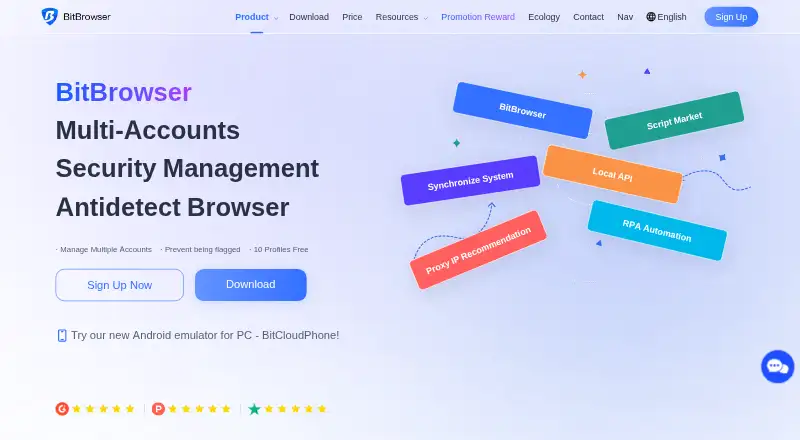
BitBrowser is a browser for managing multiple account logins on one device through separate profiles and customizable browser fingerprint settings. Each profile can have its own digital identity, helping keep accounts across Facebook, TikTok, Amazon, Shopee, and Google Ads independent. The maker lists market research, marketing, SEO optimization, e-commerce, and multi-account management among its intended uses. For automation, BitBrowser RPA lets users build workflows with drag-and-drop tools and templates; its Local API supports Selenium, Puppeteer, and other automation frameworks. The Extension Center supports Chrome Web Store extensions and local uploads for all or selected profiles. Team features include role and access permissions, login and operation records, proxy settings, and RPA activity tracking. The maker describes encryption, two-factor authentication, and tools for deleting profiles and associated local data. Its privacy policy says personal information is not stored on the maker’s servers unless needed for continuous service operation. BitBrowser is available for Windows 10 or later and macOS 12 Monterey or later on Apple Silicon and Intel, with API access also listed as a platform. The free plan includes 10 profiles, one member, and 50 opens per day; paid plans start at $10.00 per month.
Who it suits
BitBrowser suits people managing multiple accounts for research, marketing, SEO, or e-commerce, especially when separate browser profiles and fingerprint settings are useful. Teams can use its role controls, activity records, proxy settings, and RPA tracking.
What it does well
- Separate profiles support accounts across Facebook, TikTok, Amazon, Shopee, and Google Ads.
- Fingerprint parameters can be customized for each profile.
- RPA offers drag-and-drop workflows and ready-to-use templates.
- Local API supports Selenium, Puppeteer, and other automation frameworks.
- Team tools include permissions, activity records, proxy settings, and RPA tracking.
What to know first
- The free plan allows one member and 50 opens per day.
- The free plan allows up to 10 profiles, with 20 created per day.
- Existing BitBrowser accounts cannot be invited to join another team.
- Windows downloads require a 4-core CPU, 8 GB memory, and over 50 GB free disk space.
Limits
The free plan includes 10 profiles, one member, 50 opens per day, and a maximum of 20 profiles created per day. The listed paid plans start at $10.00 per month for 50 profiles and two users.
Plans
| Plan | Billed and limits | Price |
|---|---|---|
| Free | 10 profiles · 1 member · 50 opens/day · 20 profiles created/day · Local API · RPA · extensions/scripts · team permissions | Free |
| 50 Profiles, 2 Users | Monthly · 50 profiles · 2 users | $10 a month |
| 100 Profiles, 4 Users | Monthly · 100 profiles · 4 users | $15 a month |
| 200 Profiles, 8 Users | Monthly · 200 profiles · 8 users | $25 a month |
| Base | monthly · 200 profiles · 8 users | $25 a month |
| Custom | Customized profiles · customized team · professional service | On request |
| Base / Monthly | Monthly · 0 profiles · 0 members | On request |
As bitbrowser.net lists them, read 21 Oct 2026. The maker's own page has the final word.
Getting started
- Visit the BitBrowser website.
- Choose the free plan or a paid plan.
- Download the Windows or macOS app for a supported system.
- Create separate profiles for the accounts you manage.
- Use RPA templates or connect through the Local API if needed.
Verdict
Choose BitBrowser if you need separate profiles for multiple accounts alongside fingerprint controls, automation, and team tools. The free plan has daily-use and profile limits, while the listed paid plans begin at $10.00 per month for 50 profiles and two users.
Questions
Is there a free plan?
Yes. It includes 10 profiles, one member, 50 opens per day, and up to 20 profiles created per day.
How much do paid plans cost?
The listed paid plans start at $10.00 per month, billed monthly, for 50 profiles and two users. Other listed options are $15.00 per month for 100 profiles and four users, and $25.00 per month for 200 profiles and eight users.
Which platforms are supported?
Downloads are offered for 64-bit Windows 10 or later and macOS 12 Monterey or later on Apple Silicon and Intel. API access is also listed.
Which automation frameworks does it support?
The Local API page says it supports Selenium, Puppeteer, and other automation frameworks. BitBrowser RPA also provides drag-and-drop workflow creation and templates.
Can profiles use extensions?
Yes. The Extension Center supports Chrome Web Store extensions and local uploads for all or selected profiles.
Can an existing BitBrowser account join another team?
The team management FAQ says existing BitBrowser accounts cannot be invited to join another team.
Facts from BitBrowser's own pages
- API endpoints
- The API documentation includes profile creation and update, proxy checks, opened-profile ports and random fingerprint endpoints. · doc.bitbrowser.net, 21 Oct 2026
- API integrations
- The Local API page says BitBrowser supports Selenium, Puppeteer, and other automation frameworks. · bitbrowser.net, 3 Oct 2026
- API key limitation
- Changing the API key requires stopping and restarting the Local API service, and resetting invalidates the old key. · bitbrowser.net, 21 Oct 2026
- API permissions
- Only the main account can enable Local API unless sub-accounts receive permission. · bitbrowser.net, 21 Oct 2026
- Automatic proxy matching
- BitBrowser can match proxy location with timezone, language and device-fingerprint parameters. · bitbrowser.net, 21 Oct 2026
- Automation
- The product offers RPA automation, synchronized browser actions and an extension or script marketplace. · bitbrowser.net, 21 Oct 2026
- Cloud products
- The product listing describes BitCloudPhone Android and native iOS instances plus BitCloudPC Windows 10/11 virtual desktops. · g2.com, 21 Oct 2026
- Company headquarters
- A Hong Kong trademark filing lists the applicant address at Unit 9, Block D, 6/F, Fuk Sing Factory Building, 2 Walnut Street, Tai Kok Tsui, Hong Kong. · ipd.gov.hk, 21 Oct 2026
- Company legal name
- The maker identifies itself as HongKong Bit-Internet Technology Limited. · bitbrowser.net, 21 Oct 2026
- Company size
- GetLatka says it has no available employee or team-size information. · getlatka.com, 21 Oct 2026
- Documentation
- The help center contains getting-started guides, profile configuration instructions, API documentation, extension guidance and release notes. · doc.bitbrowser.net, 21 Oct 2026
- Downloads
- Downloads are offered for 64-bit Windows 10 or later and macOS 12 Monterey or later on Apple Silicon and Intel. · bitbrowser.net, 3 Oct 2026
- Extensions
- Users can add Chrome Web Store extensions or local extensions, but custom extensions do not sync to BitBrowser servers or other accounts. · doc.bitbrowser.net, 21 Oct 2026
- Fingerprint controls
- The product supports configurable fingerprint fields including user agent, timezone, DNS, canvas, fonts, WebRTC, WebGL, cookies and geolocation. · bitbrowser.net, 21 Oct 2026
- Firefox availability
- The release notes say the Firefox-engine build was initially supported only on Windows. · doc.bitbrowser.net, 21 Oct 2026
- Funding
- GetLatka reports no funding information and says no outside funding has been reported. · getlatka.com, 21 Oct 2026
- Intended users
- The maker describes use cases including market research, marketing, SEO optimization, e-commerce, and multi-account management. · bitbrowser.net, 3 Oct 2026
- Kernel basis and licence
- BitBrowser says it deeply develops open-source Chrome and Firefox kernels, but the pages reviewed do not state an open-source licence for BitBrowser itself. · bitbrowser.net, 21 Oct 2026
- Limit: cloud performance and access
- Trustpilot complaints mention slow loading, cloud-phone refreshes, limited desktop features, computing costs and restrictions on using accounts across devices. · trustpilot.com, 21 Oct 2026
- Limit: large-profile performance
- A G2 review says performance can vary when many profiles are managed simultaneously. · g2.com, 21 Oct 2026
- Limit: learning curve
- G2 reviewers report that the many configuration choices and advanced proxy settings can overwhelm beginners and need better tutorials. · g2.com, 21 Oct 2026
- Local API
- The local API supports browser windows, tabs, groups and headless mode and integrates with Selenium and Puppeteer. · bitbrowser.net, 21 Oct 2026
- Notable news
- The 7.1.0 release dated December 9, 2025 added safer WebRTC replacement, a UDP SOCKS5 option, an opened-profile IDs API and stability fixes. · doc.bitbrowser.net, 21 Oct 2026
- Notable team limit
- The team management FAQ says existing BitBrowser accounts cannot be invited to join another team. · bitbrowser.net, 3 Oct 2026
Where BitBrowser stands on Freedom251
- Anti-Detect Browser Software#5 of 27