Freedom251 › Email Cleanup Software
GMClean
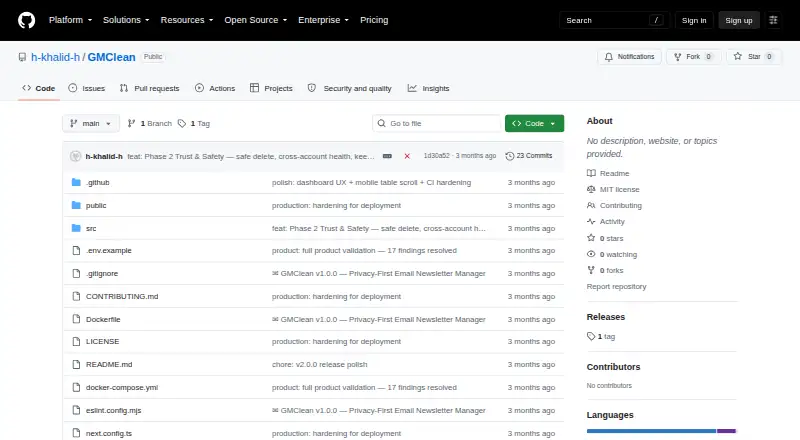
What GMClean is
GMClean is a self-hosted web tool for scanning email headers, classifying messages, unsubscribing in bulk, deleting email, and exporting data. It reads header details such as subject, sender, and List-Unsubscribe without downloading message bodies. The tool can handle up to 10 Gmail, Outlook, or custom IMAP mailboxes at once, and scan INBOX, Spam, Promotions, Trash, and other IMAP folders. Inbox analysis includes a health score from 0 to 100 based on five weighted factors, along with sender insights and email age distribution. Classification uses heuristic rules, with optional Gemini assistance for ambiguous cases. Users can unsubscribe with one click using RFC 8058 support or process bulk unsubscribes; bulk deletion runs in batches of 500 messages. Exports include selected subscriptions with resubscribe links and scanned email in CSV. The project documents installation with npm, Docker, or Docker Compose. GMClean stores app data in browser IndexedDB and says it has no cloud database or telemetry. Its MIT-licensed Open source plan is free and self-hosted.
Who it suits
It suits people who want to manage several Gmail, Outlook, or custom IMAP inboxes from a self-hosted tool. It may fit users who prefer header-only scanning and local browser storage, and who can deploy the project with its documented options.
What it does well
- Supports up to 10 mailboxes at once.
- Scans headers without downloading message bodies.
- One-click and bulk unsubscribe are supported.
- Exports subscriptions and scanned email to CSV.
- MIT-licensed and listed as free.
What to know first
- Bulk deletion runs in batches of 500 messages.
- Gemini classification is optional and for ambiguous cases.
- Requires self-hosted deployment.
Limits
GMClean supports up to 10 mailboxes simultaneously. Bulk deletion is batched at 500 messages per action.
Plans
| Plan | Billed and limits | Price |
|---|---|---|
| Open source | MIT licensed · self-hosted | Free |
As github.com lists them, read 11 Oct 2026. The maker's own page has the final word.
Getting started
- Open the project at https://github.com/h-khalid-h/GMClean.
- Run GMClean using npm, Docker, or Docker Compose.
- Provide the required ENCRYPTION_SECRET described as an AES-256 key.
- Connect Gmail, Outlook, or custom IMAP mailboxes using app passwords or OAuth2 for Google and Microsoft.
Verdict
GMClean combines header-based inbox analysis with unsubscribe, deletion, and export tools across several mailbox types. Its self-hosted setup and 500-message deletion batches are key details to consider.
Questions
How much does GMClean cost?
The Open source plan costs nothing and is MIT-licensed and self-hosted.
Which email providers does GMClean support?
It supports Gmail, Outlook, and custom IMAP servers.
Does GMClean download email bodies?
No. It fetches email headers and does not download email bodies.
How many mailboxes can I connect?
GMClean supports up to 10 mailboxes at once.
How is email classification handled?
Classification uses heuristic rules, with optional Gemini processing for ambiguous cases.
How can I authenticate email accounts?
GMClean supports app passwords and OAuth2 for Google and Microsoft.
Facts from GMClean's own pages
- Account limit
- The README says users can connect up to 10 mailboxes simultaneously. · github.com, 11 Oct 2026
- AI integration
- Optional Gemini-powered classification is available for ambiguous cases. · github.com, 11 Oct 2026
- Authentication
- It supports app passwords and OAuth2 for Google and Microsoft. · github.com, 11 Oct 2026
- Bulk delete limit
- Bulk email deletion is batched at 500 messages per batch. · github.com, 11 Oct 2026
- Classification
- Email classification uses heuristic rules and can optionally use Gemini for ambiguous cases. · github.com, 4 Oct 2026
- Credential security
- The README says credentials are encrypted with AES-256-CBC before storage and requires an ENCRYPTION_SECRET. · github.com, 11 Oct 2026
- Deployment
- The README provides npm development, Docker, and Docker Compose setup instructions. · github.com, 11 Oct 2026
- Email providers
- It supports Gmail, Outlook, and custom IMAP mailboxes. · github.com, 11 Oct 2026
- Email providers and authentication
- The README lists Gmail, Outlook, and custom IMAP support, with app passwords or OAuth2 for Google and Microsoft. · github.com, 4 Oct 2026
- Exports
- It can export selected subscriptions and scanned emails to CSV. · github.com, 11 Oct 2026
- Folder scanning
- It can scan INBOX, Spam, Promotions, Trash, and other IMAP folders. · github.com, 11 Oct 2026
- Header-only scanning
- GMClean says it fetches email headers such as subject, sender, and List-Unsubscribe, and does not download email bodies. · github.com, 4 Oct 2026
- Inbox analysis
- It provides a 0–100 inbox health score based on five weighted factors, plus sender insights and email age distribution. · github.com, 4 Oct 2026
- Inbox insights
- It provides a 0–100 inbox health score, sender insights, email age distribution, and inbox analytics. · github.com, 11 Oct 2026
- License
- The repository says GMClean is licensed under the MIT License. · github.com, 11 Oct 2026
- License and support
- The repository is MIT-licensed and invites contributions through GitHub pull requests. · github.com, 4 Oct 2026
- Local data
- The README says app data is stored in browser IndexedDB and the app has no cloud database or telemetry. · github.com, 11 Oct 2026
- Local storage
- GMClean says data is stored in browser IndexedDB and that it has no cloud database, telemetry, tracking cookies, or analytics scripts. · github.com, 4 Oct 2026
- Mailboxes
- It supports up to 10 Gmail, Outlook, or custom IMAP mailboxes at once. · github.com, 4 Oct 2026
- Maker location
- The GitHub profile for Hussein Khalid lists Estonia. · github.com, 4 Oct 2026
- Privacy
- The README says GMClean fetches email headers only and does not download email bodies. · github.com, 11 Oct 2026
- Product
- GMClean is a self-hosted tool for scanning inboxes, classifying email, unsubscribing in bulk, deleting messages, and exporting data. · github.com, 4 Oct 2026
- Purpose
- GMClean scans email headers, classifies messages, and supports mass unsubscribe, bulk deletion, and export. · github.com, 11 Oct 2026
- Unsubscribe
- It supports one-click unsubscribe with RFC 8058 List-Unsubscribe-Post support and bulk unsubscribe. · github.com, 11 Oct 2026
Where GMClean stands on Freedom251
- Email Cleanup Software#11 of 31