Freedom251 › Email Cleanup Software
GoodByEmail
What GoodByEmail is
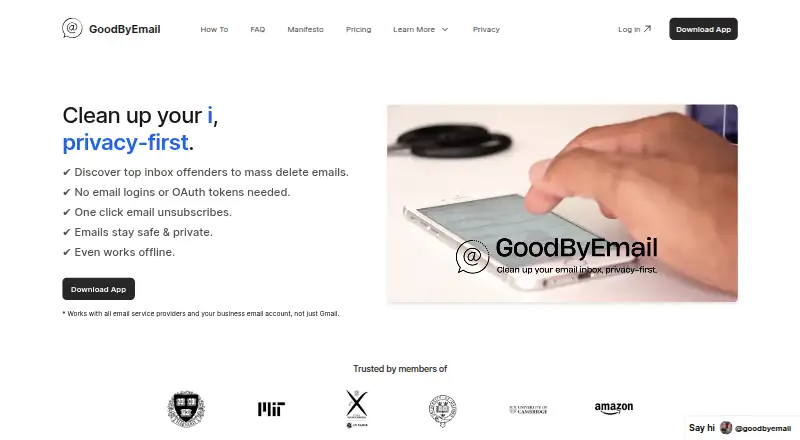
GoodByEmail helps people review an exported inbox and find which senders account for storage use. Import a mailbox in MBOX or Outlook PST format, then use its dashboard to sort or filter senders by storage, email count, or the date they last sent a message. It can identify mailing-list senders and provides one-click unsubscribing. GoodByEmail does not scan or delete messages automatically: users export their inbox and remove selected emails in their usual email client. The maker lists support for providers such as Google, Microsoft Exchange, Microsoft 365, Fastmail, Yahoo Mail, iCloud, Outlook, Zoho, and Proton Mail. The maker says mailbox processing takes place locally, and that email content, metadata, and mailbox statistics are not uploaded or stored on its servers. Scanning can also work offline after an online login unlocks the app. GoodByEmail is available for macOS, Windows, and self-hosted use. It has a free plan and trial; the free version shows unordered results, while actionable cleanup insights require a license. Paid plans start at $9.99/user/mo, with device allowances varying by plan.
Who it suits
GoodByEmail suits people who want to identify high-storage senders or mailing lists in an exported inbox and choose what to remove themselves. The maker positions Lite for people overwhelmed by incoming email, Plus for those who want a record of past senders, and Pro for people using many devices.
What it does well
- Filters and sorts senders by storage, email count, and last received date.
- Identifies mailing-list senders and supports one-click unsubscribing.
- Imports MBOX and Outlook PST inbox exports.
- Mailbox processing is local, according to the maker.
- Can scan offline after an online login unlocks the app.
What to know first
- The free version shows unordered results; actionable cleanup insights require a license.
- Users must delete selected messages in their email client.
- No automatic scanning, bulk deletion, or archive feature.
- Device installation allowances vary by paid plan.
Limits
The free version displays unordered results for everyone who has emailed you; actionable cleanup insights require a license. Paid licenses allow unlimited inboxes per user, but device installation counts vary by plan.
Plans
| Plan | Billed and limits | Price |
|---|---|---|
| Plus | $14.99$69.99/month · Unlimited inboxes · Unlimited unsubscribes · Unlimited inbox size · Entire email history · PDF/CSV sender export · 2 devices | $14.99 a month |
| Perpetual | $199 one-off payment · Everything in Lite · Use forever · 3 years of app updates · Optional update renewal at 40% discount | $199, paid once |
| Pro | $19.99$89.99/month · Unlimited inboxes · Unlimited unsubscribes · Unlimited inbox size · Entire email history · PDF/CSV sender export with unsubscribe links · 3 devices | $19.99 a month |
| Lite | $9.99$49.99/month · Unlimited inboxes · Unlimited unsubscribes · Unlimited inbox size · Entire email history · 1 device | $9.99 a month |
| White-Label | Contact us for pricing · Fully rebrandable OEM platform · Bespoke agreements | On request |
| Enterprise | Contact us for pricing · On-premises/self-hosted · Unlimited installations · App virtualization support · Custom contracts · Invoice/PO payment | On request |
As goodbyemail.com lists them, read 4 Oct 2026. The maker's own page has the final word.
Getting started
- Visit https://www.goodbyemail.com/ to get started.
- Use the free plan or try the listed free trial; a license is required for actionable cleanup insights.
- Log in online once to unlock offline scanning.
- Export an inbox from a supported provider in MBOX or Outlook PST format.
- Import the exported inbox and review senders in the dashboard.
- Unsubscribe from mailing lists or delete selected messages in your email client.
Verdict
Choose GoodByEmail if you want to review sender-level storage and unsubscribe from mailing lists while keeping deletion under your control. Look elsewhere if you need automatic scanning or bulk deletion and archiving.
Questions
Is GoodByEmail free?
It has a free plan and a free trial. The free version shows unordered results; actionable cleanup insights require a license.
How much do paid plans cost?
Lite is $9.99 per month, Plus is $14.99 per month, and Pro is $19.99 per month. Perpetual costs $199, paid once.
Which platforms does it support?
GoodByEmail is available for macOS, Windows, and self-hosted use.
Which email providers are supported?
The maker lists providers including Google, Microsoft Exchange, Microsoft 365, Fastmail, Yahoo Mail, iCloud, Outlook, Zoho, and Proton Mail, among others.
Does GoodByEmail delete emails automatically?
No. Users export their inbox and delete selected messages in their own email client; the app does not automatically scan or delete messages.
Who makes GoodByEmail?
The site identifies its makers as Pat and Alex, privacy-focused developers who built the app after seeking a private way to clean their inboxes.
Facts from GoodByEmail's own pages
- Account data
- The maker says it stores anonymous usage statistics such as app openings and logins, but not email content. · goodbyemail.com, 4 Oct 2026
- Free version limit
- The free version shows unordered results of everyone who has emailed the user, while actionable cleanup insights require a license. · goodbyemail.com, 4 Oct 2026
- Input formats
- Users import an exported inbox in MBOX or Outlook PST format. · goodbyemail.com, 4 Oct 2026
- License limit
- Paid licenses can analyze unlimited inboxes per user, while device installation counts differ by plan. · goodbyemail.com, 4 Oct 2026
- Makers
- The site identifies its makers as Pat and Alex, privacy-focused developers who built the app after looking for a private way to clean their inboxes. · goodbyemail.com, 4 Oct 2026
- Manual workflow
- GoodByEmail does not automatically scan or delete messages; users export the inbox and delete selected emails in their own email client. · goodbyemail.com, 4 Oct 2026
- Offline use
- The app can scan a mailbox offline after the user has first logged in online to unlock it. · goodbyemail.com, 4 Oct 2026
- Platforms
- The desktop app is available for Windows and macOS; the maker says there is no iOS or Android version. · goodbyemail.com, 4 Oct 2026
- Privacy
- The maker says mailbox processing happens locally and email content, metadata, and statistics about the mailbox are not uploaded or stored on its servers. · goodbyemail.com, 4 Oct 2026
- Provider compatibility
- The maker lists support for providers including Google, Microsoft Exchange, Microsoft 365, Fastmail, Yahoo Mail, iCloud, Outlook, Zoho, and Proton Mail. · goodbyemail.com, 4 Oct 2026
- Purpose
- GoodByEmail analyzes exported email inboxes to identify senders consuming storage and help users clean up their inboxes. · goodbyemail.com, 4 Oct 2026
- Sender analytics
- Its dashboard can filter and sort senders by storage, email count, and last received date. · goodbyemail.com, 4 Oct 2026
- Support
- The maker invites users with questions to contact its team through its contact link. · goodbyemail.com, 4 Oct 2026
- Unsubscribes
- The app identifies mailing-list senders and supports one-click unsubscribing. · goodbyemail.com, 4 Oct 2026
- Who it is for
- The maker positions Lite for users overwhelmed by incoming email, Plus for users wanting a record of past senders, and Pro for users with many devices. · goodbyemail.com, 4 Oct 2026
Where GoodByEmail stands on Freedom251
- Email Cleanup Software#9 of 31