
Glean Agent Builder
What Glean Agent Builder is
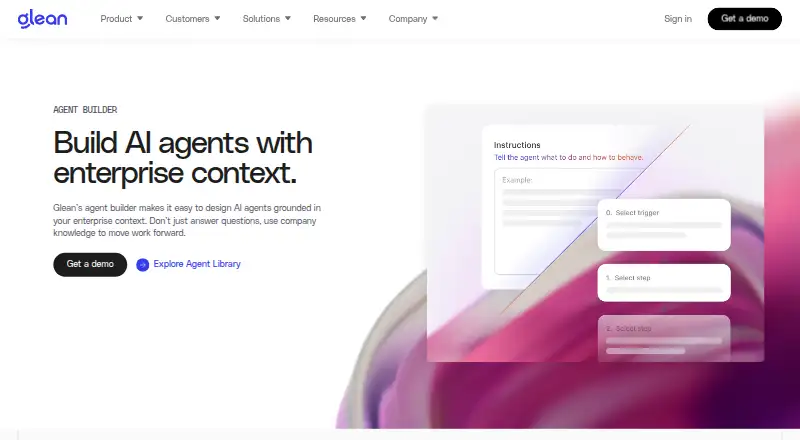
Glean Agent Builder is a web tool for teams creating AI agents grounded in enterprise context. Users can start with natural-language instructions or a template, then build with a drag-and-drop interface. Workflow agents support branching and looping, and creators can choose models for individual steps; Glean also describes autonomous agents for complex enterprise work. Creators can test outputs, adjust instructions and creativity settings, and deploy drafts with versioning and rollback options. Glean says it has more than 275 app connectors for enterprise search and can connect agents to company data, systems, and third-party APIs. Agents use live company knowledge while respecting organizational permissions. The Model Hub supports commercial and open-source models from providers including OpenAI, Google, Anthropic, and Amazon, subject to deployment and provider availability. With Enterprise Flex pricing, agent runs use FlexCredits based on factors such as connectors searched, steps, memory, tools, and models. Builder tools depend on admin settings and access scope; natural-language creation requires an agentic model configured for the organization. Workflow-agent import and export are generally available, while Auto mode import and export have limited availability. Pricing is on request.
Who it suits
Glean presents Agent Builder for enterprise teams across departments, including engineering, sales, support, and HR. It may suit organizations that want to create agents using company knowledge and systems within their permissions.
What it does well
- Builds agents with a drag-and-drop interface
- Supports branching and looping workflows
- Offers versioning and rollback for deployed drafts
- Connects to more than 275 app connectors
- Agents respect organizational permissions
What to know first
- Builder tools depend on admin settings and access scope
- Natural-language creation requires a configured agentic model
- Auto mode import and export are limited availability
- FlexCredits may apply to agent runs
Limits
Builder tools depend on administrator settings and access scope; natural-language creation also requires an organization-configured agentic model. Under Enterprise Flex, agent runs use FlexCredits based on factors including connectors searched, steps, memory, tools, and models. Auto mode import and export are limited availability.
Plans
| Plan | Billed and limits | Price |
|---|---|---|
| Glean Agent Builder | Enterprise product; usage-based FlexCredits may apply to agent runs | On request |
As glean.com lists them, read 4 Oct 2026. The maker's own page has the final word.
Getting started
- Open the Glean Agent Builder website.
- Confirm your organization has enabled the builder tools and the needed access scope.
- For natural-language creation, use an agentic model configured for your organization.
- Start from a template or provide natural-language instructions, then shape the agent in the drag-and-drop builder.
- Connect the agent to available company data, systems, or third-party APIs.
- Test and refine the agent, then deploy a draft with versioning and rollback options.
Verdict
Glean Agent Builder offers visual workflow creation, model choices, and connections to enterprise data under organizational permissions. Access depends on company settings, and usage-based FlexCredits may apply to runs.
Questions
How much does Glean Agent Builder cost?
Pricing is on request. Enterprise Flex usage may apply, with runs consuming FlexCredits based on factors such as connectors searched, steps, memory, tools, and models.
Does it have a free plan?
No free plan is listed; the product is described as an enterprise product with pricing on request.
What platform does it support?
Glean Agent Builder is available on the web.
Which AI models can builders use?
The Model Hub supports commercial and open-source models from providers including OpenAI, Google, Anthropic, and Amazon, subject to deployment and provider availability.
Can agents use company data and systems?
Yes. Agents can connect to live company knowledge, systems, data sources, and third-party APIs, with permissions enforced.
Can workflow agents be imported or exported?
Workflow-agent import and export are generally available. Auto mode import and export are limited availability.
Facts from Glean Agent Builder's own pages
- Agent modes
- Glean describes workflow agents and autonomous agents that interpret plain-language instructions to address complex enterprise use cases. · glean.com, 4 Oct 2026
- Build and refine
- Creators can test outputs, adjust instructions and creativity settings, and deploy drafts with versioning and rollback options. · glean.com, 4 Oct 2026
- Builder access limits
- Available tools depend on admin settings and access scope, and natural-language creation requires an agentic model configured for the organization. · docs.glean.com, 4 Oct 2026
- Export limits
- Workflow-agent import and export are generally available, while Auto mode import and export are limited availability and not generally available. · docs.glean.com, 4 Oct 2026
- Founded
- 2019 · glean.com, 28 Sept 2026
- Integrations
- Glean says it has more than 275 app connectors for enterprise search and connects agents to data sources, systems, and third-party APIs. · glean.com, 4 Oct 2026
- Intended audience
- Glean presents the product as an enterprise AI platform for teams across departments, including engineering, sales, support, and HR. · glean.com, 4 Oct 2026
- Model choices
- The Model Hub supports commercial and open-source models from providers including OpenAI, Google, Anthropic, and Amazon, subject to deployment and provider availability. · docs.glean.com, 4 Oct 2026
- No-code creation
- Users can start with natural-language instructions or a template and build with a drag-and-drop interface. · glean.com, 4 Oct 2026
- Permissions
- Agents connect to live company knowledge and systems with permissions enforced. · glean.com, 4 Oct 2026
- Purpose
- Glean’s agent builder lets teams design AI agents grounded in enterprise context to move work forward. · glean.com, 4 Oct 2026
- Security
- Glean says its platform protects sensitive data and AI interactions and keeps agents within organizational permissions and policies. · glean.com, 4 Oct 2026
- Usage pricing
- With Enterprise Flex pricing, each agent run uses FlexCredits based on factors including connectors searched, steps, memory, tools, and models used. · docs.glean.com, 4 Oct 2026
- Workflow logic
- The builder supports branching and looping for complex processes and lets users choose models for individual steps. · glean.com, 4 Oct 2026
Where Glean Agent Builder stands on Freedom251
- Insight Engines#14 of 20
- AI Search and Discovery Platforms Software#21 of 28
- AI Enterprise Search Software#20 of 26
- AI Agent Builders#28 of 36
- No Code Ai Agent Builder#23 of 29
- Business Ai Tools#22 of 27
- AI Agent Platforms#61 of 73
- Search Databases#27 of 30
- Enterprise Search Software#18 of 20
- Ai Search Tools#19 of 21