Freedom251 › Container Monitoring
Glances
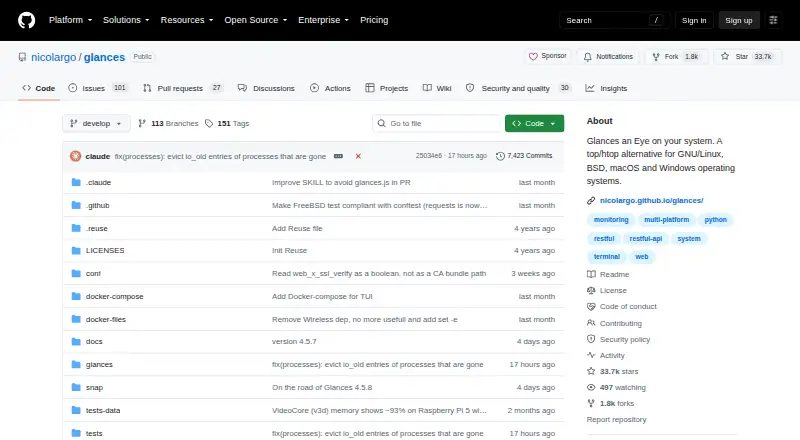
What Glances is
Glances is a free, open-source system monitor for viewing live CPU, memory, disk, network, process, user, and sensor information. It presents data in a terminal or web interface, with the terminal layout adapting to its available size. Client/server mode lets users monitor remote systems through a terminal, web interface, XML-RPC, or RESTful APIs. Glances also monitors Docker and LXC containers. Statistics can be exported to CSV or JSON files, databases such as InfluxDB, Elasticsearch, PostgreSQL/Timescale, Cassandra, and Prometheus, or brokers including RabbitMQ, NATS, ZeroMQ, and Kafka. An open architecture supports added plugins and export modules. From version 4.5.1, its built-in MCP server lets AI assistants such as Claude and Cursor query Glances. It is available for Linux, BSD, macOS, Windows, Android, web, API, and self-hosted use. The listed plan costs nothing. Version 4 requires Python 3.10 or later; web interface dependencies are optional in a standard pip installation.
Who it suits
Glances suits people who need live system information locally or remotely, including users monitoring Docker or LXC containers. Its export options and extensible architecture also suit developers integrating monitoring data with other systems.
What it does well
- Displays CPU, memory, disk, network, and sensor data.
- Remote monitoring supports terminal, web, and APIs.
- Monitors Docker and LXC containers.
- Exports statistics to files, databases, and brokers.
- Free and open source.
What to know first
- Version 4 requires Python 3.10 or later.
- Standard pip installation omits web dependencies.
- XML-RPC accepts any HTTP Host header by default.
Limits
Glances 4 requires Python 3.10 or later. A standard pip installation excludes web-interface dependencies, which require the web extra; the all extra installs dependencies for all features.
Plans
| Plan | Billed and limits | Price |
|---|---|---|
| Glances | Free open-source software · Python 3.10+ required · Web interface dependencies are optional | Free |
As github.com lists them, read 4 Oct 2026. The maker's own page has the final word.
Getting started
- Open the Glances project website on GitHub.
- Choose an installation route such as pip, uvx, pipx, Docker, a package manager, or a source build.
- Use Python 3.10 or later for Glances 4.
- Add the web extra to a standard pip installation if you need web-interface dependencies.
- Use client/server mode for remote monitoring, or enable an export route for statistics.
Verdict
Glances combines live system monitoring with remote access, container monitoring, and a wide range of data exports. Check the Python requirement and XML-RPC host guidance when setting it up.
Questions
How much does Glances cost?
Glances is free open-source software, listed as free.
Is Glances open source?
Yes. It is distributed under the GNU Lesser General Public License version 3.
Which platforms does Glances support?
Supported platforms include Linux, BSD, macOS, Windows, Android, web, API, and self-hosted use.
What does Glances monitor?
It reports CPU, memory, disk, network, process, user, and sensor information, and supports Docker and LXC container monitoring.
Does Glances have a web interface?
Yes. It provides a web interface, but the standard pip installation does not include its dependencies; add the web extra.
What is required for Glances 4?
Glances 4 requires Python 3.10 or later. Python 2 and Python 3 releases below 3.10 are unsupported.
Facts from Glances's own pages
- AI integration
- The built-in MCP server lets AI assistants such as Claude and Cursor query Glances; the feature is available from Glances 4.5.1. · github.com, 4 Oct 2026
- Containers
- Glances supports container monitoring, including Docker and LXC. · github.com, 4 Oct 2026
- Exports and integrations
- Stats can be exported to CSV and JSON files, databases including InfluxDB, Elasticsearch, PostgreSQL/Timescale, Cassandra and Prometheus, and brokers including RabbitMQ, NATS, ZeroMQ and Kafka. · github.com, 4 Oct 2026
- Extensibility
- The project describes an open architecture that lets developers add plugins and export modules. · github.com, 4 Oct 2026
- Installation options
- The project documents installation using pip, uvx, pipx, Docker, Docker Compose, Linux package managers, FreeBSD packages, Homebrew, MacPorts, and source builds. · github.com, 4 Oct 2026
- Interfaces
- It presents system information through a terminal interface or a web interface and adapts displayed information to terminal size. · glances.readthedocs.io, 4 Oct 2026
- License
- Glances is distributed under the GNU Lesser General Public License version 3. · github.com, 4 Oct 2026
- Network security guidance
- The documentation warns that XML-RPC accepts any HTTP Host header by default and advises setting xmlrpc_allowed_hosts when listening on a non-loopback interface. · glances.readthedocs.io, 4 Oct 2026
- Optional components
- A standard pip installation excludes Web interface dependencies, which can be added with the web extra; the all extra installs dependencies for all features. · github.com, 4 Oct 2026
- Platform requirement
- Glances 4 requires Python 3.10 or later; Python 2 and Python 3 versions below 3.10 are unsupported. · github.com, 4 Oct 2026
- Remote monitoring
- Client/server mode supports remote monitoring through a terminal, web interface, or XML-RPC and RESTful APIs. · glances.readthedocs.io, 4 Oct 2026
- Security policy
- The project marks version 4.x as eligible for security updates and versions below 4.0 as unsupported for security updates. · github.com, 4 Oct 2026
- Support
- The project points users to its FAQ, official Reddit forum, and GitHub Discussions for questions. · github.com, 4 Oct 2026
- System monitoring
- Glances is an open-source, cross-platform system monitoring tool for real-time CPU, memory, disk, network, process, user, and sensor information. · github.com, 4 Oct 2026
Where Glances stands on Freedom251
- Container Monitoring#12 of 49