Freedom251 › Knowledge base software

GitBook
by GitBook
What GitBook is
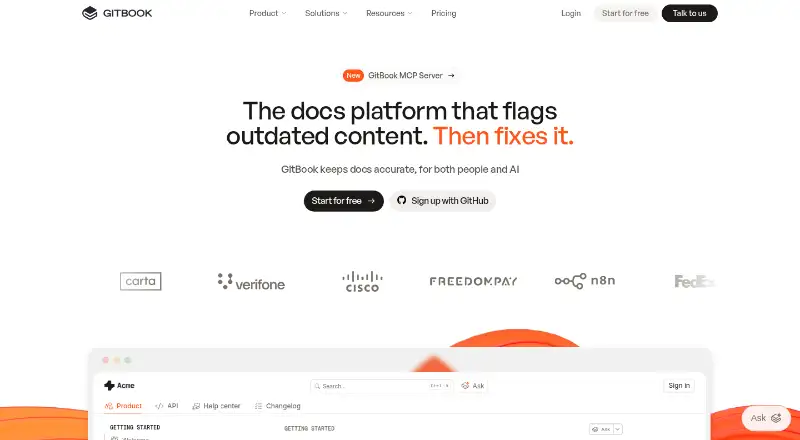
GitBook is a collaborative platform for creating, reviewing and publishing branded documentation websites. Teams can write with a block-based visual editor or Markdown, work through branches, or synchronize documentation with GitHub and GitLab. Published sites support custom domains, responsive layouts, built-in SEO, preview deployments and site variants. GitBook Agent can identify documentation gaps, draft updates and review changes; GitBook Assistant answers questions using documentation and connected sources. Tiered roles and permissions control viewing and editing, and authenticated access can restrict docs to chosen audiences. Integrations include GitHub, GitLab, Slack and Intercom, while the REST API supports content, collaboration and integrations. The Free plan includes one user and 10 GitBook Agent messages per week. Premium costs $65 per site/month when billed annually, plus $12 per user/month; Ultimate costs $249 per site/month when billed annually, plus $12 per user/month. Annual billing includes two months free. Enterprise pricing is custom. GitBook offers a 14-day free trial, and published documentation traffic is not limited.
Who it suits
It suits individuals or teams creating branded documentation for public or restricted audiences. Teams that need collaboration workflows, AI assistance or authenticated access can consider the paid plans and their per-user charges.
What it does well
- Supports visual editing, Markdown and branch workflows.
- Published sites support custom domains and responsive layouts.
- Published documentation traffic is not limited.
- 14-day free trial is available.
What to know first
- Free plan includes only one user.
- Free Agent use is limited to 10 messages weekly.
- Premium and Ultimate add $12 per user/month.
- Enterprise pricing is custom.
Limits
The Free plan includes one user and 10 GitBook Agent messages per week. Premium starts at $65 per site/month with annual billing, plus 12 USD per user/month; Ultimate starts at $249 per site/month annually, plus 12 USD per user/month.
Plans
| Plan | Billed and limits | Price |
|---|---|---|
| Free | per site/month · 1 free user · unlimited page views · 10 GitBook Agent messages/week | Free |
| Premium | per site/month when billed annually · +$12 per user/month · unlimited page views · custom domain · AI search · analytics · site redirects | $65 a month |
| Ultimate | per site/month when billed annually · +$12 per user/month · unlimited page views · AI Assistant · authenticated access · 500 successful Assistant answers included | $249 a month |
| Enterprise | Custom · all Ultimate features · SAML SSO · custom integrations · dedicated support · custom contract and invoicing | On request |
As gitbook.com lists them, read 28 Sept 2026. The maker's own page has the final word.
Getting started
- Open https://www.gitbook.com/.
- Start with the Free plan or use the 14-day free trial.
- Create documentation with the visual editor or Markdown.
- Use branches for review, or connect GitHub or GitLab for synchronization.
- Publish a documentation site and configure a custom domain if your plan supports it.
- Set roles and permissions, or configure authenticated access for restricted documentation.
GitBook is a collaborative platform for creating, reviewing, and publishing branded documentation sites. It fits product, engineering, and support teams that need both public docs and controlled internal or customer content. Its combination of source-aware workflows and publishing tools is compelling, although per-site and per-user pricing can become significant for larger teams.
Overview
GitBook brings writing, review, access management, and documentation delivery into one web-based service with an API. Teams can publish to the open web or restrict content to approved audiences, while custom domains and responsive layouts support a branded destination. It is a strong match for organizations treating documentation as an ongoing product rather than a static knowledge store.
Key features
Authors can work in a block-based WYSIWYG editor or Markdown, use branches, or synchronize with GitHub and GitLab. Git Sync provides branching, review, and merging in a pull-request-like workflow, which suits engineering teams that already manage software changes this way. Preview deployments and site variants help maintain different versions or presentations of a documentation site.
Publishing includes custom domains, built-in SEO, responsive layouts, redirects, and analytics. Published documentation has no stated traffic limit, so audience growth does not create a documented page-view surcharge. Tiered roles and permissions control editing and viewing, while authenticated access can limit pages to selected customers, employees, or other authorized users through Okta, Azure, Auth0, AWS Cognito, OIDC, or a custom backend.
GitBook Agent can identify gaps, draft updates, and review changes. GitBook Assistant answers questions from documentation, connected knowledge sources, conversation context, and user data. Slack, Linear, and GitHub integrations connect these AI workflows to team channels. Documentation can also be exposed through llms.txt, llms-full.txt, Markdown, and an MCP connection for compatible AI tools and coding agents. The Free plan allows only 10 Agent messages per week; Ultimate includes 500 successful Assistant answers, so frequent AI use requires monitoring allowances.
The REST API supports standard GET, POST, PATCH, and DELETE operations for content, collaboration, and integrations. GitBook states that it is SOC 2 Type II, ISO 27001:2022, and GDPR compliant, encrypts data in transit and at rest, and stores it in U.S. data centers. Enterprise adds SAML SSO, dedicated support, training, migration help, and custom integrations.
Pricing
Free
The Free plan costs nothing, billed per site/month, and is aimed at individuals. It includes one free user, unlimited page views, and 10 GitBook Agent messages per week. That makes it suitable for a solo documentation project, but the single-user cap rules it out for a collaborative team without upgrading. GitBook offers a 14-day free trial.
Premium
Premium costs $65 a month per site when billed annually, plus $12 per user/month. It targets public, branded documentation sites and adds unlimited page views, a custom domain, AI search, analytics, and site redirects. It is the practical tier for a small team publishing polished public docs, but the separate user charge means the headline site price is not the full collaboration cost.
Ultimate
Ultimate starts at $249 a month per site when billed annually, plus $12 per user/month. It is designed for centralized documentation with AI and includes unlimited page views, AI Assistant, authenticated access, and 500 successful Assistant answers. Choose it when restricted content and answer-based assistance are core requirements; Premium does not include those capabilities.
Enterprise
Enterprise uses custom pricing for global teams. It includes all Ultimate features, SAML SSO, custom integrations, dedicated support, custom contracts, and custom invoicing. Annual billing includes two months free, making annual terms materially cheaper than paying for all twelve months, while the added per-user charge remains relevant on paid tiers.
Platforms
GitBook is available on the web and through an API. Its integrations and MCP connection extend documentation workflows into collaboration tools and compatible AI or coding applications.
Who it's for
GitBook suits software companies, product teams, and support organizations that need branded public docs plus authenticated customer or internal material. Engineering-led teams benefit most from Git Sync and branch-based review. Solo authors can use Free, while teams needing several editors, AI Assistant, SSO, or bespoke integrations should evaluate paid and Enterprise costs carefully.
Pros and cons
Pros
- Git-style branching, review, and merging fits documentation changes into established engineering workflows.
- Unlimited published traffic prevents a stated page-view ceiling from constraining a successful docs site.
- Custom domains, SEO, redirects, analytics, and responsive layouts support a professional public presence.
- Authenticated access and broad identity-provider support handle customer and internal documentation separately from public pages.
- AI tools support gap finding, drafting, review, search, and contextual answers across connected sources.
Cons
- Free is limited to one user and 10 Agent messages weekly, so it is not a realistic shared-team tier.
- Premium and Ultimate charge both per site and per user, which can raise costs as documentation teams expand.
- Ultimate's 500 successful Assistant answers may be restrictive for high-volume support use.
- Enterprise capabilities such as SAML SSO, dedicated support, and custom integrations require a custom quote.
Alternatives
For a broad comparison, see Knowledge base software, AI Knowledge Base Software, Developer Documentation Software, AI Documentation Generators, Technical Documentation Software, and Knowledge Management Software.
- Nuclino is a lighter freemium workspace with Android, iOS, desktop, web, and API support; choose it when a free allowance of up to 50 items, three canvases, and 2GB storage is more useful than GitBook's publishing and Git workflow.
- ProProfs Knowledge Base offers a forever-free tier for one author and 25 pages; it fits a very small, page-limited knowledge base.
- Confluence provides a free-forever plan for up to 10 users with 2GB storage and whiteboards; choose it when team collaboration matters more than GitBook's documentation-site focus.
- XWiki is an open-source, self-hosted option; pick it when hosting control is the priority.
- Zoho Learn has a free plan for five users with spaces, manuals, courses, storage, and learning paths; it suits teams combining knowledge and training content.
- BlueSpice is a self-hosted distribution with a visual editor, search, templates, and PDF export; choose it for that deployment model.
- Wiki.js is a free, AGPL-licensed self-hosted wiki.
- Docmost offers an open-source community edition with real-time collaboration, spaces, search, history, and public sharing.
Verdict
Choose GitBook if you want one platform for polished documentation publishing, Git-aware collaboration, access control, and integrated AI. Its strongest advantage is the bridge between engineering-style review and customer-facing delivery. Look elsewhere if you need many free editors, predictable low per-user costs, or a self-hosted system.
Verdict
GitBook combines documentation editing and publishing with collaboration, access controls and AI tools. The free tier is limited to one user, while higher tiers have per-site and per-user costs.
Questions
Does GitBook have a free plan and trial?
Yes. The Free plan includes one user, unlimited page views, and 10 Agent messages per week. GitBook also offers a 14-day free trial.
How much do the paid plans cost?
Premium starts at $65 per site/month when billed annually, plus 12 USD per user/month. Ultimate starts at $249 per site/month annually, plus 12 USD per user/month. Enterprise pricing is customized.
What platforms does GitBook support?
GitBook is available on the web and through an API.
Can documentation be restricted to selected readers?
Yes. Authenticated access can limit documentation to chosen customers, team members, or other authorized users. GitBook supports authentication through providers including Okta, Azure, Auth0, AWS Cognito, OIDC, or a custom backend.
Does GitBook include single sign-on?
SAML SSO is included with Enterprise.
Which services can GitBook connect with?
Integrations include GitHub, GitLab, Slack, Intercom, analytics services, authentication providers, feature-flag tools, and support tools.
Facts from GitBook's own pages
- Access control
- Tiered roles and permissions control who can view and edit content. · gitbook.com, 28 Sept 2026
- AI access
- GitBook publishes llms.txt, llms-full.txt, Markdown versions, and an MCP connection for compatible AI tools and coding agents. · gitbook.com, 28 Sept 2026
- AI Assistant
- GitBook Assistant can provide contextual answers from documentation, connected knowledge sources, conversation context, and user data. · gitbook.com, 28 Sept 2026
- AI tools
- GitBook Agent can identify documentation gaps, draft updates, review changes, and help maintain product knowledge. · gitbook.com, 28 Sept 2026
- Annual billing discount
- Annual billing includes two months free. · gitbook.com, 28 Sept 2026
- API
- The GitBook API is RESTful and supports standard GET, POST, PATCH, and DELETE methods for content, collaboration, and integrations. · gitbook.com, 28 Sept 2026
- Publishing audience
- both · gitbook.com, 20 Sept 2026
- Authenticated access
- Authenticated documentation supports Okta, Azure, Auth0, AWS Cognito, OIDC, or a custom authentication backend. · gitbook.com, 28 Sept 2026
- Authenticated content
- Authenticated access restricts docs to chosen customers, team members, or authorized users. · gitbook.com, 28 Sept 2026
- Company identity
- The page identifies the company as GitBook INC., based in Covina, California. · gitbook.com, 28 Sept 2026
- Content analytics
- Yes · gitbook.com, 20 Sept 2026
- Custom domain
- Yes · gitbook.com, 20 Sept 2026
- Data protection
- GitBook states that customer data is encrypted at rest and in transit and stored in U.S. data centers, with some cached assets served through a CDN. · gitbook.com, 28 Sept 2026
- Documentation workflow
- Git Sync supports branching, review, and merging documentation like a pull request. · gitbook.com, 28 Sept 2026
- Editing
- Teams can edit with a block-based WYSIWYG editor, Markdown, a branch-based workflow, or GitHub/GitLab synchronization. · gitbook.com, 28 Sept 2026
- Enterprise support
- Enterprise includes dedicated support, user training, migration, and custom integrations. · gitbook.com, 28 Sept 2026
- Free Agent limit
- GitBook Agent has a 10-message weekly limit on the Free plan. · gitbook.com, 28 Sept 2026
- Free plan
- Yes · gitbook.com, 20 Sept 2026
- Free trial period
- GitBook offers a 14-day free trial. · gitbook.com, 28 Sept 2026
- Free user limit
- The Free plan includes one free user. · gitbook.com, 28 Sept 2026
- Headquarters
- Covina, California, USA · gitbook.com, 23 Sept 2026
- Integrations
- Built-in integrations include GitHub, GitLab, Slack, Intercom, analytics services, authentication providers, feature-flag tools, and support tools. · gitbook.com, 28 Sept 2026
- Premium starting price
- Premium starts at $65 per site/month. · gitbook.com, 28 Sept 2026
- Product
- GitBook is a collaborative, AI-native documentation platform for creating, reviewing, and publishing branded documentation websites. · gitbook.com, 28 Sept 2026
Where GitBook stands on Freedom251
- Knowledge base software#15 of 138
- AI Knowledge Base Software#8 of 36
- Knowledge Management Software#10 of 37
- Technical Documentation Software#14 of 37
- Technical Writing Platforms#11 of 27
- AI Documentation Generators#12 of 28
- Developer Documentation Software#12 of 27