Freedom251 › AI Video Caption Generators
GetCaptions
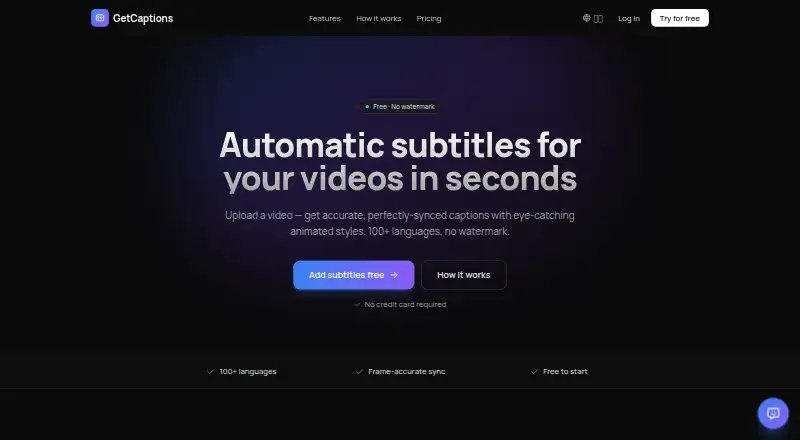
What GetCaptions is
GetCaptions creates and styles video captions, with options to burn captions into a video or export subtitles as SRT and VTT files. Brand caption presets are available. Its free Starter plan includes 60 minutes of transcription per month, up to five minutes per video and three projects. Pro costs $15 a month and includes 500 minutes of transcription monthly, videos up to 60 minutes and 50 projects. Studio costs $35 a month and offers unlimited usage subject to fair use. The listed maximum video length is 60 minutes, while plan limits determine which videos and project volumes a user can handle. GetCaptions is freemium, with a free plan and paid plans from $15/mo. The service’s caption features cover styling, burning captions into video, brand presets and subtitle file export, alongside transcription allowances that vary by plan.
Who it suits
GetCaptions suits creators who need styled or branded captions, burned-in text, or SRT and VTT subtitle files. The Starter plan fits limited transcription needs, while Pro and Studio offer higher or unlimited usage subject to their stated terms.
What it does well
- Free plan includes 60 transcription minutes monthly
- Exports subtitles as SRT and VTT
- Can burn captions into videos
- Includes brand caption presets
What to know first
- Starter videos are limited to five minutes
- Starter allows three projects
- Studio unlimited usage is subject to fair use
Limits
Starter is limited to 60 transcription minutes per month, videos up to five minutes, three projects, basic templates, and 720p export. Pro costs $15 a month and includes 500 transcription minutes monthly, videos up to 60 minutes, and 50 projects; Studio costs $35 a month and lists unlimited usage subject to fair use.
Plans
| Plan | Billed and limits | Price |
|---|---|---|
| Starter | 60 min transcription/mo · Up to 5 min per video · Basic templates · 720p export · 3 projects · Standard queue | Free |
| Pro | Monthly · 500 min transcription/mo · Up to 60 min per video · All animated templates · 1080p export · Priority processing · Translation & dubbing · 50 projects | $15 a month |
| Studio | Monthly · Everything in Pro · Publish to TikTok, Instagram & YouTube in one click · Unlimited (fair-use) · 4K export · Brand kit · Team access · API access · Highest priority | $35 a month |
As getcaptions.io lists them, read 5 Oct 2026. The maker's own page has the final word.
Getting started
- Visit https://getcaptions.io/.
- Use the web service or API route.
- Upload an MP4, MOV, or WebM video.
- Choose Starter, Pro, or Studio based on the listed limits and tools.
- Transcribe and edit captions, then export burned-in video or SRT/VTT files.
Verdict
GetCaptions combines caption styling, burn-in and subtitle export with tiered transcription limits. Compare the per-video and monthly allowances with your needs before choosing a plan.
Questions
Does GetCaptions have a free plan?
Yes. Starter costs $0.00 USD and includes 60 transcription minutes per month, videos up to five minutes, three projects, basic templates, and 720p export.
How much do the paid plans cost?
Pro costs $15 a month. Studio costs $35 a month.
Which platforms are available?
GetCaptions is listed for web and API access. Studio includes API access.
Which subtitle formats can I export?
You can download subtitles as SRT or VTT files, or export video with captions burned in.
Can captions be translated?
Yes. GetCaptions can translate finished captions into dozens of languages. Pro includes translation and dubbing.
What happens to uploaded video files?
GetCaptions says video files are stored so projects can be reopened and edited, then deleted when the project or account is deleted.
Facts from GetCaptions's own pages
- API
- The Studio plan includes API access. · getcaptions.io, 5 Oct 2026
- Audio processing
- Speech recognition runs on GetCaptions' own servers, and the privacy policy says uploaded audio is not sent to a third-party transcription service. · getcaptions.io, 5 Oct 2026
- Brand kit
- The brand kit applies a user's logo, colors, and fonts to videos and can import them from a website or YouTube channel. · getcaptions.io, 5 Oct 2026
- Brand caption presets
- Yes · getcaptions.io, 22 Sept 2026
- Burn-in captions
- Yes · getcaptions.io, 22 Sept 2026
- Caption styling
- Yes · getcaptions.io, 22 Sept 2026
- Data handling
- The privacy policy says video files are stored so users can reopen and edit projects, then deleted when the project or account is deleted. · getcaptions.io, 5 Oct 2026
- Exports
- Users can export video with burned-in captions or download SRT and VTT subtitle files. · getcaptions.io, 5 Oct 2026
- Free plan
- Yes · getcaptions.io, 22 Sept 2026
- Max video length
- 60 · getcaptions.io, 22 Sept 2026
- Product
- GetCaptions automatically generates, edits, and exports video subtitles and captions. · getcaptions.io, 5 Oct 2026
- Publishing
- The Studio plan offers one-click publishing to TikTok, Instagram, and YouTube. · getcaptions.io, 5 Oct 2026
- Refunds
- The refund policy offers a full refund within 14 days of a first paid subscription charge; monthly renewals after that period are non-refundable. · getcaptions.io, 5 Oct 2026
- Security
- The privacy policy describes HTTPS/TLS encryption in transit, access controls, and managed, regularly patched infrastructure. · getcaptions.io, 5 Oct 2026
- Service availability
- The terms say uninterrupted or error-free service is not guaranteed. · getcaptions.io, 5 Oct 2026
- Paid from
- 15 · getcaptions.io, 22 Sept 2026
- Subtitle export
- srt and vtt · getcaptions.io, 22 Sept 2026
- Subtitle styles
- The editor offers 18+ animated subtitle templates, including karaoke, highlight, neon, and pop styles. · getcaptions.io, 5 Oct 2026
- Support
- GetCaptions says it typically replies to support and billing emails within 1–2 business days. · getcaptions.io, 5 Oct 2026
- Transcription
- The AI transcribes speech with precise word-level timing and supports transcription in 100+ languages. · getcaptions.io, 5 Oct 2026
- Translation
- Users can translate finished captions into dozens of languages in one click. · getcaptions.io, 5 Oct 2026
- Upload formats
- The homepage says users can upload MP4, MOV, or WebM video files. · getcaptions.io, 5 Oct 2026
Where GetCaptions stands on Freedom251
- AI Video Caption Generators#13 of 99