Freedom251 › Text Summarization Software

genei
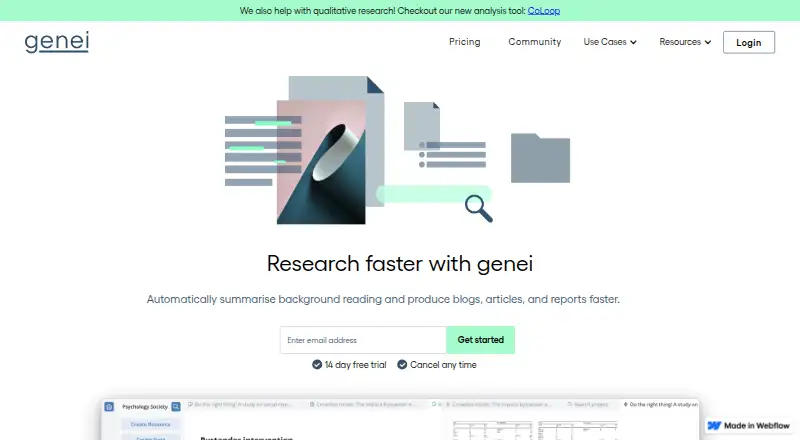
What genei is
genei is a research and note-taking tool for analysing webpages, documents and PDFs. It can extract and define keywords, search within and across documents by meaning or query, and summarise a document or selected section. Its natural language processing supports abstractive summaries, entity annotation, semantic search and question answering. In the web app, users can group documents into projects and add notes, highlights, comments and custom definitions. genei also manages citations and generates references for uploaded documents. Its Chrome extension can summarise a webpage or save it to read later. Supported files include PDF and web.x; documents must be in English. genei is for desktop devices and is not available on mobile. A free plan and 14-day trial are listed, with paid access noted from £3.99/user/mo on annual billing. Separately listed monthly plans are Genei Basic at $5.49 a month and Genei Pro at $20.99 a month.
Who it suits
genei suits desktop users who need to research English-language webpages and documents, organise notes and highlights, and manage references. Its extension may suit people who want to summarise or save webpages while browsing.
What it does well
- Searches within and across documents by meaning or query
- Organises documents into projects with notes and highlights
- Generates references for uploaded documents
- Chrome extension can summarise or save webpages
- Free plan and 14-day trial are listed
What to know first
- English-language documents only
- Not available on mobile devices
- PDF and web.x are the supported file types
Limits
genei supports English-language files only and is not available on mobile devices.
Plans
| Plan | Billed and limits | Price |
|---|---|---|
| Extension | Summarise webpages with one click · Chrome extension | Free |
| Genei Pro | per month · Everything in Basic · 70% higher quality AI · GPT3 access · multi-document summarisation, search and question answering · rephrasing and paraphrasing | $20.99 a month |
| Genei Basic | per month · PDF/webpage import, summarisation and analysis · document management · notes and annotations · citation management · export | $5.49 a month |
As genei.io lists them, read 1 Oct 2026. The maker's own page has the final word.
Getting started
- Visit https://www.genei.io/.
- Install the Chrome extension for one-click webpage summaries or saved reading.
- Start with the free Extension plan or use the 14-day trial.
- Import PDF or web.x files into the web app.
- Organise documents into projects and add notes, highlights, comments or citations.
Overview
genei brings AI analysis and note-taking into a project-based workspace, with a Chrome extension for capturing and summarising webpages. It is a strong fit for desktop researchers who need to revisit ideas across documents and keep references close to their notes. It is less suitable for mobile workflows or material in languages other than English.
Key features
genei extracts keywords and definitions, searches semantically or by query within and across documents, and summarises full documents or selected sections. Its natural-language processing also supports entity annotation and question answering. This combination is useful when research involves locating a concept across a reading set, not just producing a quick digest; the layered analysis may be more than an occasional reader needs.
Documents sit in projects in the web app, where users can add comments, highlights, custom definitions and notes. Citation management and reference generation for uploaded documents keep source handling in the same workspace. The Chrome extension can summarise a webpage or save it for later reading. Supported files include PDFs and web.x files.
Webpage summaries, file uploads, webpage summarisation, two output formats and API access are supported. The breadth makes genei adaptable to different research workflows, though its English-only and desktop-only limits are decisive for some readers.
Pricing
genei has a free Chrome extension plan, Extension, for summarising webpages with one click. It is a low-commitment option for readers who mainly want quick webpage summaries, but it does not include the document workspace described in the paid plans.
Genei Basic costs $5.49 a month, billed monthly. It adds PDF and webpage import, summarisation and analysis, document management, notes and annotations, citation management and export. This is the practical starting point for individuals who need an organised research workflow without Pro's additional AI features.
Genei Pro costs $20.99 a month, billed monthly. It includes everything in Basic, 70% higher quality AI, GPT3 access, multi-document summarisation, search and question answering, and rephrasing and paraphrasing. Choose it when cross-document analysis and those additional writing tools justify the higher monthly cost; Basic is the more focused option for document organisation and citations.
The pricing note also gives a paid starting price of £3.99/user/mo (annual) and a 14-day trial. The monthly plan prices above are in USD, so compare the stated terms rather than treating them as interchangeable. The terms restrict use to personal and non-commercial purposes, with enterprise subscriber access for authorised university, school or organisation users.
Platforms
genei is available on the web and as a Chrome extension, and is compatible with desktop devices. It is not available on mobile, which rules it out for readers who need to analyse or annotate material on a phone or tablet. It currently supports only English-language files and documents.
Its privacy policy describes access controls that limit personal-information access to people with a genuine business need, procedures for suspected breaches, and no transfer of personal data outside the European Economic Area. Support is available at [email protected] and [email protected].
Who it's for
genei suits students, analysts and other desktop users working through multiple English-language documents who want search, summaries, notes and references in one workflow. The free extension suits lighter webpage reading. Readers who need mobile access, other languages, or only an occasional summary should look for a narrower or more accessible fit.
Pros and cons
- Pros: Semantic and query-based search across documents helps users return to relevant ideas, not just read summaries.
- Pros: Project notes, annotations and citation tools keep analysis and references together.
- Pros: The free Chrome extension offers one-click webpage summaries without requiring a paid plan.
- Cons: English-only support excludes research materials in other languages.
- Cons: Desktop-only access leaves mobile users without a usable workflow.
- Cons: Pro's 20.99 USD monthly price is a substantial step up from Basic at $5.49 a month, so its extra tools need to matter to the user.
Alternatives
ChatPDF is a better fit for readers who want document analysis across a wider range of platforms, including Android, iOS, Linux, macOS and Windows; its free plan allows 2 documents/day.
AskYourPDF may suit readers who want a mobile or browser-extension option; its Premium plan is $11.99 a year and states limits of 2500 pages per document, 31MB per upload, 50 documents per day and 1200 questions per day.
OpenBrief is a free desktop app built in the open, with source code linked from its download page.
Summify offers an iOS and web option with a free plan capped at 5 analyses/day, making it worth considering for those who prefer its stated analysis-based limits.
Aginsi offers a free plan with 10 summaries / month for articles and PDFs, plus key-point highlights and citations; consider it for a more explicitly capped summary workflow.
Humata has a free plan for 1 user with 60 free pages monthly, and may be a fit for readers looking for a web-based document tool with a stated monthly page allowance.
Kenkyu.ai is a web option whose free plan includes unlimited search across 230 million papers, useful for readers focused on paper discovery.
NoteVox is another web-based option.
Browse more text summarization software or AI summarizers to compare tools by category.
Verdict
Choose genei if you work on a desktop with English-language documents and want search, summaries, project notes and citation management in one research workspace. Its central advantage is bringing those tasks together; its clearest reasons to look elsewhere are the lack of mobile access and support for other languages.
Verdict
genei combines document analysis, note organisation and citation tools with a Chrome extension for webpages. Its English-only and desktop-only limits matter if your research materials or devices fall outside those constraints.
Questions
Does genei have a free plan?
Yes. The Extension plan is free and provides one-click webpage summaries through Chrome.
What does genei cost?
The pricing note lists paid access from £3.99/user/mo on annual billing, with a 14-day trial. The monthly Genei Basic plan is $5.49 USD, and Genei Pro is $20.99 USD.
What does Genei Pro add?
Pro includes everything in Basic, 70% higher quality AI, GPT3 access, multi-document summarisation, search and question answering, and rephrasing and paraphrasing.
Which files and languages does genei support?
It supports PDF and web.x files, and currently supports English-language files and documents only.
Can I use genei on a phone?
No. genei is compatible with desktop devices and is not available on mobile devices.
Where is genei based?
genei is headquartered in London, United Kingdom.
Facts from genei's own pages
- AI methods
- genei uses natural language processing models for abstractive summarisation, entity annotation, semantic search and question answering. · genei.io, 1 Oct 2026
- Browser extension
- The Chrome extension summarises webpages or saves them for later reading while browsing. · genei.io, 1 Oct 2026
- Citations
- genei provides citation management and reference generation for uploaded documents. · genei.io, 1 Oct 2026
- Core purpose
- genei is an AI-powered research and note-taking tool that analyses webpages, documents and PDF files. · genei.io, 1 Oct 2026
- Data residency
- The privacy policy states that genei does not transfer personal data outside the European Economic Area. · genei.io, 1 Oct 2026
- Device limit
- genei is currently compatible with desktop devices and is not available on mobile devices. · genei.io, 1 Oct 2026
- File support
- genei supports PDF and web.x files. · genei.io, 1 Oct 2026
- Headquarters
- London, United Kingdom · genei.io, 28 Sept 2026
- Key features
- Its three key features are keyword extraction and definition, semantic and query-based search within and across documents, and document or section summarisation. · genei.io, 1 Oct 2026
- Language limit
- genei currently supports only English-language files and documents. · genei.io, 1 Oct 2026
- Organisation
- The web app organises documents into projects and supports comments, highlights, custom definitions and notes. · genei.io, 1 Oct 2026
- Security
- The privacy policy says genei has security measures limiting personal-information access to people with a genuine business need and procedures for suspected breaches. · genei.io, 1 Oct 2026
- Support
- Support is available at [email protected] and [email protected]. · genei.io, 1 Oct 2026
- Terms of use
- The site is for personal and non-commercial use, with enterprise subscriber access for authorised university, school or organisation users. · genei.io, 1 Oct 2026
Where genei stands on Freedom251
- Text Summarization Software#5 of 24
- AI Summarizers#12 of 36