Freedom251 › Text Summarization Software
NoteVox
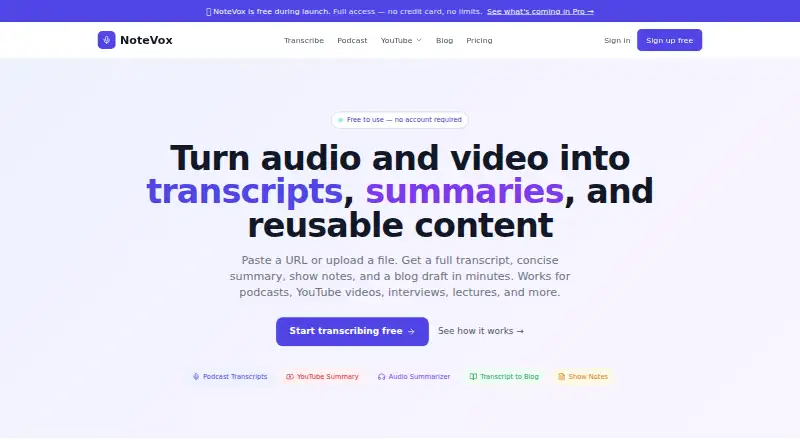
What NoteVox is
NoteVox is a web service for turning audio and video into transcripts and reusable content. Upload a file or paste a direct URL; supported formats include MP3, WAV, M4A, OGG, FLAC, WebM, MP4, and MOV. The Free plan accepts files up to 50MB, while Pro supports files up to 200MB. One upload can yield a full transcript, short and detailed summaries, key takeaways, chapter breakdowns, show notes, a blog draft, a social post, and title suggestions. NoteVox says it uses OpenAI Whisper for transcription and GPT-4 for summaries and other content, and supports over 50 languages, with accuracy varying by language. Free results can be copied or downloaded as plain text; Pro adds SRT and VTT subtitle exports. No account or email is required to start. NoteVox says uploaded audio is processed in memory and discarded afterward; transcripts and audio are not retained beyond the current session unless explicitly saved. Audio is sent to OpenAI for transcription and summarization. The Free plan is available, and Pro costs $4.99 a month.
Who it suits
NoteVox suits people who want to turn recordings or video into transcripts and several forms of written content. It may also suit podcast publishers repurposing material for SEO, accessibility, newsletters, show notes, and social posts.
What it does well
- No account or email address required.
- Supports over 50 languages.
- One upload yields multiple content formats.
- Free plan includes unlimited transcriptions.
- Pro includes SRT and VTT exports.
What to know first
- Free uploads are limited to 50MB.
- Language accuracy varies.
- Audio data is sent to OpenAI.
- YouTube access depends on publicly accessible audio.
Limits
The Free plan accepts files up to 50MB and provides text downloads. Pro costs $4.99 a month and raises the file limit to 200MB; its other listed additions include SRT/VTT export and saved history and outputs.
Plans
| Plan | Billed and limits | Price |
|---|---|---|
| Pro | Everything in Free · files up to 200MB · priority AI processing (2x faster) · Video → SEO Blog advanced tool · all social media outputs at once · saved history and outputs · SRT/VTT subtitle export · priority email support | $4.99 a month |
| Free | Unlimited transcriptions · files up to 50MB · full transcript with timestamps · summaries · key takeaways · chapter breakdown · show notes · SEO blog post · social posts · text download · 50+ languages · no account required | On request |
As notevox.me lists them, read 7 Oct 2026. The maker's own page has the final word.
Getting started
- Open https://www.notevox.me/ in a web browser.
- Upload a supported audio or video file, or paste a direct URL.
- For YouTube, use a video whose audio is publicly accessible; NoteVox recommends a direct audio URL or uploaded MP3 for best results.
- Generate a transcript and the content outputs you need.
- Copy or download results as plain text, or choose Pro for SRT or VTT subtitle export.
Verdict
NoteVox combines transcription with a broad set of repurposing outputs, and its Free plan includes unlimited transcriptions. Consider the 50MB Free upload cap, variable language accuracy, and the transfer of audio data to OpenAI.
Questions
Is NoteVox free?
Yes. The Free plan includes unlimited transcriptions and files up to 50MB. Pro costs $4.99 a month.
Which platforms does NoteVox support?
NoteVox is available on the web.
What files can I upload?
Supported formats include MP3, WAV, M4A, OGG, FLAC, WebM, MP4, and MOV. Free uploads can be up to 50MB; Pro supports files up to 200MB.
Do I need to create an account?
No account or email address is required to start using NoteVox.
What does NoteVox do with uploaded audio?
NoteVox says it processes uploaded audio in memory and discards it afterward. Transcripts and audio are not retained beyond the current session unless explicitly saved, and audio data is sent to OpenAI for processing.
Can I export subtitles?
Pro includes SRT and VTT subtitle export. Other results can be copied or downloaded as plain text.
Facts from NoteVox's own pages
- Analytics
- The privacy policy says NoteVox uses privacy-friendly analytics, does not use advertising cookies, and does not sell user data to third parties. · notevox.me, 7 Oct 2026
- Data processing
- NoteVox says audio data is sent to OpenAI for processing transcription and summarization. · notevox.me, 7 Oct 2026
- Exports
- Results can be copied to the clipboard or downloaded as plain text; Pro also lists SRT and VTT subtitle export. · notevox.me, 7 Oct 2026
- Inputs
- Users can upload files or paste a direct URL; supported formats include MP3, WAV, M4A, OGG, FLAC, WebM, MP4, and MOV, with a 50MB maximum upload size. · notevox.me, 7 Oct 2026
- Languages
- The service supports over 50 languages, with accuracy varying by language. · notevox.me, 7 Oct 2026
- No account required
- Users can start using NoteVox without signing up or providing an email address. · notevox.me, 7 Oct 2026
- Outputs
- A single upload can produce a full transcript, short and detailed summaries, key takeaways, chapter breakdown, show notes, a blog draft, a social post, and title suggestions. · notevox.me, 7 Oct 2026
- Paid plan flexibility
- The pricing page says Pro can be canceled anytime and that teams and agencies can contact NoteVox about flexible needs during launch. · notevox.me, 7 Oct 2026
- Podcast use
- The podcast page describes transcript repurposing for SEO, accessibility, blog posts, newsletters, show notes, and social content. · notevox.me, 7 Oct 2026
- Privacy
- The privacy policy says uploaded audio is processed in memory and discarded after processing, and transcripts or audio are not retained beyond the current session unless explicitly saved. · notevox.me, 7 Oct 2026
- Purpose
- NoteVox turns audio and video into transcripts, summaries, show notes, blog drafts, and reusable content. · notevox.me, 7 Oct 2026
- Transcription
- The FAQ says NoteVox uses OpenAI Whisper to transcribe audio and GPT-4 to generate summaries and other content. · notevox.me, 7 Oct 2026
- YouTube URL limitation
- YouTube URL support depends on whether the video's audio is publicly accessible; the FAQ recommends a direct audio URL or uploaded MP3 for best results. · notevox.me, 7 Oct 2026
Where NoteVox stands on Freedom251
- Text Summarization Software#12 of 24