Freedom251 › Game Testing Software
GAutomator
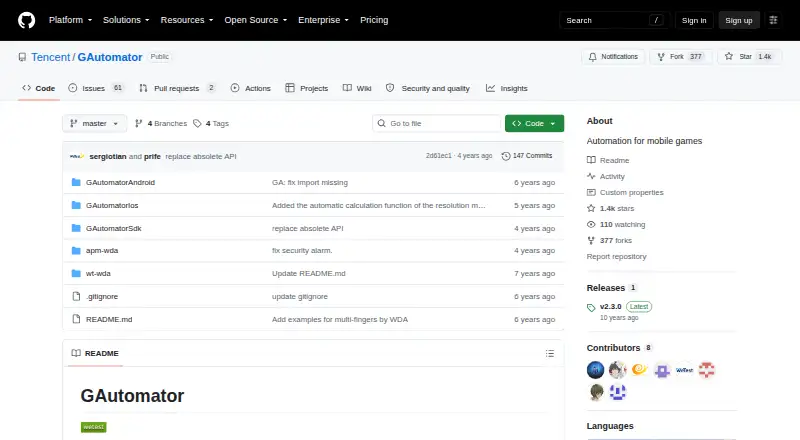
What GAutomator is
GAutomator is an open source framework for automating tests of mobile games on Android and iOS. It can interact with game engine elements, including Unity GameObjects, so a testing script can work across devices with different screen resolutions. Its listed engine actions include finding game objects, reading text and bounds, clicking, pressing, swiping, and entering text. GAutomatorViewer lets users inspect an application's UI hierarchy and control properties, including GameObject names and attributes.
Getting started involves integrating the SDK into a game and writing iOS or Android testing scripts. The Android project supports Unity and UE4 games. Its iOS Python library supports Unity interaction; other engines require separate environment configuration. Android requirements include Python 2.7 or 3.4+, Android SDK or adb, access to a USB-connected device, and Android 4.3 (API 18) or later. Android scripts can run on Windows or Linux. Device APIs include pressing Back, reading the current package and display rotation and size, and waiting for QQ or WeChat login. Some reporting functions are cloud-only, and scene tags are supported only in WeTest cloud reports. The project directs users to GitHub issues for bugs, requests, and usage questions, and lists QQ contact 800024531.
Who it suits
GAutomator suits developers who need automated tests for Android or iOS mobile games using Unity, or Android games using UE4. It is also suited to teams that can integrate an SDK into a game and write platform-specific testing scripts.
What it does well
- Open source and free.
- Supports Android and iOS mobile game testing.
- Unity scripts can work across devices with different screen resolutions.
- Android project supports Unity and UE4.
- Includes a viewer for inspecting UI hierarchy and control properties.
What to know first
- Android setup requires Python, Android SDK or adb, and a USB-connected device.
- iOS Python library supports Unity interaction; other engines need separate configuration.
- Some reporting functions are cloud-only.
Getting started
- Open the GAutomator project on GitHub.
- Integrate its SDK into the game.
- For Android, prepare Python 2.7 or 3.4+, Android SDK or adb, a USB-connected device, and Android 4.3 (API 18) or later.
- Write Android or iOS testing scripts for the game.
- Run Android project scripts on Windows or Linux if needed.
Verdict
Choose GAutomator if you need an open source framework for automating mobile game tests across Android and iOS, with Unity and Android UE4 support. Look elsewhere if your workflow depends on reporting functions that are cloud-only or iOS interaction with engines other than Unity without separate configuration.
Questions
Is GAutomator free?
Yes. It is listed as free and open source.
Which platforms does it support?
Its platforms are Android, iOS, Linux, and Windows. Android scripts can run on Windows or Linux.
Which game engines are supported?
The Android project supports Unity and UE4. The iOS Python library supports Unity interaction; other engines need separate environment configuration.
What does Android setup require?
The listed requirements are Python 2.7 or 3.4+, Android SDK or adb, USB-connected device access, and Android 4.3 (API 18) or later.
Are all reporting functions available locally?
Some reporting functions are cloud-only. Scene tags are supported only in WeTest cloud reports.
Where can users get support?
The project directs users to GitHub issues for bugs, requests, and usage questions, and lists QQ contact 800024531.
Facts from GAutomator's own pages
- Android engines
- The Android project supports Unity and UE4 games. · github.com, 4 Oct 2026
- Android requirements
- The Android project lists Python 2.7 or 3.4+, Android SDK or adb, USB-connected device access, and Android 4.3 (API 18) or later as requirements. · github.com, 4 Oct 2026
- Automation actions
- Its listed engine APIs include finding GameObjects, reading text and bounds, clicking, pressing, swiping, and entering text. · github.com, 4 Oct 2026
- Cloud reporting limit
- The README says scene tags are supported only in WeTest cloud reports and notes that some reporting functions are cloud-only. · github.com, 4 Oct 2026
- Desktop environments
- The Android project README says its scripts can run on Windows or Linux. · github.com, 4 Oct 2026
- Device controls
- Its device APIs include pressing Back, reading the current package and display rotation and size, and waiting for QQ or WeChat login. · github.com, 4 Oct 2026
- Game object testing
- It interacts with game engine elements such as Unity GameObjects, allowing one testing script to run on devices with different screen resolutions. · github.com, 4 Oct 2026
- Inspection tool
- GAutomatorViewer can inspect an application's UI hierarchy and control properties, including GameObject names and attributes. · github.com, 4 Oct 2026
- iOS engine support
- The iOS Python library supports Unity interaction; other engines require separate environment configuration. · github.com, 4 Oct 2026
- Product
- GAutomator is an open source test automation framework for mobile games. · github.com, 4 Oct 2026
- Setup
- Using GAutomator involves integrating its SDK into the game and writing iOS or Android testing scripts. · github.com, 4 Oct 2026
- Support
- The project README directs users to GitHub issues for bugs, requests, and usage questions, and lists QQ contact 800024531. · github.com, 4 Oct 2026
Where GAutomator stands on Freedom251
- Game Testing Software#15 of 18
- Study Timer Apps#41 of 43