GamePod Emu
What GamePod Emu is
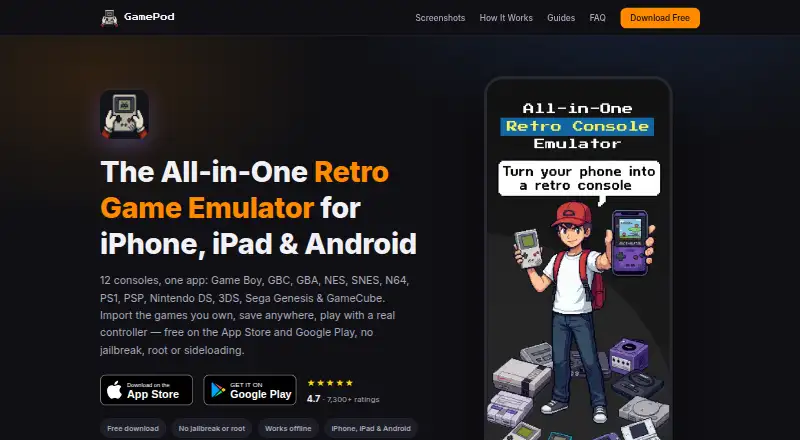
GamePod Emu is a retro game emulator and launcher for iPhone, iPad, and Android. It supports Game Boy, Game Boy Color, Game Boy Advance, NES, SNES, Nintendo 64, PlayStation 1, PSP, Nintendo DS, Nintendo 3DS, Sega Genesis, and GameCube. The app does not include, host, or distribute game files, so users need to import backups of games they legally own. iPhone import options include Files, iCloud Drive, and AirDrop; on Android, users can use a file manager, the Downloads folder, or a USB cable. Save states and auto-save let players preserve progress and load it again. Xbox, PS5, and PS4 controllers connect over Bluetooth, and per-console touch controls include haptic feedback. Imported games are grouped by console in a carousel with pixel-art covers. The app works offline after setup and includes turbo mode and upscaled visuals. It is free to download from the App Store and Google Play without jailbreak, root, or sideloading. Google Play lists ads and in-app purchases and gives it a 13+ rating because user-added games may contain mature content.
Who it suits
GamePod Emu suits mobile users who want to play games from its supported retro systems using legally owned game backups. It offers both Bluetooth controller support and touch controls.
What it does well
- Supports 12 listed game systems
- Offers save states and auto-save
- Works offline after setup
- Supports Xbox, PS5, and PS4 Bluetooth controllers
- Available on iOS and Android
What to know first
- Users must supply legally owned game backups
- Google Play lists ads and in-app purchases
- Google Play rating is 13+
Limits
The free plan covers 12 consoles and requires users to supply their own ROM backups. Google Play lists ads and in-app purchases.
Plans
| Plan | Billed and limits | Price |
|---|---|---|
| Free | 12 consoles · iPhone, iPad and Android · user-supplied ROM backups · optional Pro purchase | Free |
As gamepod.games lists them, read 15 Oct 2026. The maker's own page has the final word.
Getting started
- Download GamePod Emu from the App Store or Google Play.
- On iPhone, import legally owned game backups through Files, iCloud Drive, or AirDrop.
- On Android, import backups through a file manager, Downloads, or a USB cable.
- Choose an imported game from the console-organized library.
- Play with touch controls or connect an Xbox, PS5, or PS4 controller over Bluetooth.
Overview
GamePod Emu brings twelve retro systems to iPhone, iPad and Android, making it a practical fit for players with legally owned game backups across several consoles. Its broad coverage, flexible saves and offline play are strong reasons to consider it; the requirement to supply every game yourself rules it out for anyone seeking a ready-made library.
Imported games are sorted by console in a retro carousel and receive pixel-art cover art, which gives a mixed collection a more usable home than a file manager. Once setup is complete, the app works offline, so it can suit travel or play away from a dependable connection. It is an emulator and launcher, not a game store: users need to import backups of games they legally own.
Key features
- Twelve-system support: GamePod covers Game Boy, Game Boy Color, Game Boy Advance, NES, SNES, Nintendo 64, PlayStation 1, PSP, Nintendo DS, Nintendo 3DS, Sega Genesis and GameCube. That breadth suits players consolidating varied retro libraries in one mobile app.
- Flexible saves and speed: Save states let players save anywhere and load instantly, while auto-save helps preserve progress between sessions. Turbo mode and crisp upscaled visuals are tuned for modern phones, but no performance figures are provided to set expectations by system or device.
- Controller and touch input: Xbox, PS5 and PS4 controllers connect over Bluetooth. Per-console touch controls with haptic feedback provide an alternative when a controller is not available.
- Import options: iPhone users can import ROM backups through Files, iCloud Drive or AirDrop; Android users can use a file manager, Downloads or a USB cable. These routes offer flexibility, though the initial library setup depends on having backups ready.
- Privacy and distribution: Google Play says the app collects no data, shares no data with third parties and encrypts data in transit. It is downloadable from the App Store and Google Play without jailbreak, root or sideloading.
Pricing
GamePod Emu is free to download. Its Free plan costs nothing and includes all 12 supported consoles on iPhone, iPad and Android; users must provide their own ROM backups. The Google Play listing indicates ads and in-app purchases, so the free price does not mean an ad-free experience.
There are no paid plan details to compare. The app is best suited to players comfortable with the free offering and its ads, rather than anyone looking for a stated paid tier to remove limitations.
Platforms
GamePod runs on iOS and Android, including iPhone and iPad. Its store availability avoids the need for jailbreak, root or sideloading. Google Play gives the app a 13+ rating because user-added games may contain mature content.
Who it's for
Choose GamePod if you want one mobile app for a collection spanning several of its supported systems, value save-anywhere flexibility, and already have legally owned backups to import. Bluetooth controller support and offline operation make it a particularly sensible option for mobile play away from home.
Look elsewhere if you expect an included game catalog, want a desktop version, or do not want ads in the free Google Play experience. The app’s appeal depends on bringing your own library.
Pros and cons
- Pros: Twelve supported systems make it useful for varied collections; save states, auto-save and offline use support flexible sessions; imports work through familiar file-transfer options on both mobile platforms.
- Cons: No games are included, hosted or distributed, so users must source and import their own legally owned backups; the free Google Play experience includes ads and in-app purchases; no desktop platform is supported.
Alternatives
For a PSP-focused choice, PPSSPP offers a free PSP emulator across Android, iOS, Linux, macOS and Windows, making it a better fit when desktop access matters more than GamePod’s multi-system coverage. JPCSP is another free PSP emulator, for Linux, macOS and Windows, and suits players who want a desktop-only option.
N-EMU is a free mobile alternative whose own source is offered under the GNU General Public License version 3 or later; its free plan has no in-app ads and emulation features do not depend on support. Manic EMU is a free option for Android, iOS, Linux, macOS, web and Windows. ScePSX is a free alternative for Android, Linux, macOS and Windows.
For browser or self-hosted options, PSP Emulator Web is free and supports web and self-hosted use, while PSP.js is a free web option. PSPE4ALL is a free Windows alternative. Browse PSP Emulators for more options.
Verdict
GamePod Emu is a strong fit for mobile players who already own legal backups and want one free app for a broad range of retro systems, with offline play, flexible saves and controller support. Its main drawback is fundamental: it supplies no games, and the free Google Play version includes ads. If you want a ready-to-play catalog or desktop support, choose another option.
Verdict
GamePod Emu combines support for multiple retro systems with game imports, save features, and controller options on iOS and Android. Users need to provide their own legally owned game backups; the app does not distribute game files.
Questions
How much does GamePod Emu cost?
The Free plan costs nothing. The app is available as a free download from the App Store and Google Play.
Which devices does it support?
GamePod Emu supports iOS and Android, including iPhone and iPad.
Does it include game files?
No. Users must import backups of games they legally own.
Which game systems does it support?
It supports Game Boy, Game Boy Color, Game Boy Advance, NES, SNES, Nintendo 64, PlayStation 1, PSP, Nintendo DS, Nintendo 3DS, Sega Genesis, and GameCube.
Can I use it offline?
Yes. The app works without an internet connection after setup.
Who develops GamePod Emu?
Google Play identifies the developer as CLOUD APPS YAZILIM TICARET LIMITED SIRKETI.
Facts from GamePod Emu's own pages
- Age rating
- The Google Play listing says the app is rated 13+ because user-added games may contain mature content. · play.google.com, 1 Oct 2026
- API and SDKs
- The official product and guide pages describe the consumer app and import workflow but do not publish an API or SDK. · gamepod.games, 15 Oct 2026
- App size and version
- AppBrain lists version 3.1.1, a 153.71 MB download and a June 4, 2026 last update for the iOS listing. · appbrain.com, 15 Oct 2026
- Controllers
- GamePod supports Xbox, PS5 and PS4 controllers over Bluetooth and provides per-console touch controls with haptic feedback. · gamepod.games, 1 Oct 2026
- Controller support
- The product supports Xbox, PlayStation DualShock and DualSense, and Backbone controllers, with per-console mappings. · gamepod.games, 15 Oct 2026
- Developer
- Google Play identifies the developer as CLOUD APPS YAZILIM TICARET LIMITED SIRKETI. · play.google.com, 1 Oct 2026
- Developer identity
- Google Play identifies the developer as CLOUD APPS YAZILIM TICARET LIMITED SIRKETI. · play.google.com, 15 Oct 2026
- Distribution
- GamePod is available as a free download from the App Store and Google Play without jailbreak, root or sideloading. · gamepod.games, 1 Oct 2026
- Distribution change
- AppBrain says the app was removed from Google Play on July 10, 2026, although a Google Play listing is currently visible. · appbrain.com, 15 Oct 2026
- Documentation
- Documentation consists of setup and console guides covering importing ROMs, legality, controllers and individual systems. · gamepod.games, 15 Oct 2026
- File formats
- The guide lists GB, GBC, GBA, NDS, 3DS, ISO, CSO, NES, SFC, SMC, Z64, N64, MD, GEN, BIN, CUE, CHD and RVZ examples. · gamepod.games, 15 Oct 2026
- Game files
- GamePod does not include, host or distribute game files, so users must import backups of games they legally own. · gamepod.games, 1 Oct 2026
- Hardware limits
- The official guide says demanding 3D systems such as N64, GameCube and 3DS need newer hardware for best results. · gamepod.games, 15 Oct 2026
- Headquarters
- Google Play gives the developer address as Harmantepe Mahallesi Dalyan Sokak No:10 D:1, Kagithane, Istanbul, Türkiye. · play.google.com, 15 Oct 2026
- Import methods
- iPhone users can import through Files, iCloud Drive, AirDrop or USB, while Android users can use a file manager, Downloads or USB. · gamepod.games, 15 Oct 2026
- Legal positioning
- The site says emulator apps are legal but downloading copyrighted ROMs is not, and it recommends backups of games users own. · gamepod.games, 15 Oct 2026
- Library
- Imported games receive pixel-art cover art and are organized by console in a retro carousel interface. · gamepod.games, 1 Oct 2026
- Library organization
- Imported games are organized by console and can receive pixel-art cover artwork. · play.google.com, 15 Oct 2026
- Licence
- The official site states that GamePod is not affiliated with Nintendo, Sony or Sega and reserves its own site content under © 2026 GamePod; it does not state an open-source licence. · gamepod.games, 15 Oct 2026
- Limit: billing complaints
- Apple reviewers reported unexpected charges during or after a three-day trial, including complaints about $14 and $39 charges. · apps.apple.com, 15 Oct 2026
- Limit: controller customization
- An Apple reviewer said controller layouts could not be modified beyond choosing skins. · apps.apple.com, 15 Oct 2026
- Limit: paywall complaints
- Google Play reviewers complained that the supposedly free app requires premium payment before playing. · play.google.com, 15 Oct 2026
- Limit: reliability complaints
- Google Play reviewers reported that games did not work and that sign-in failed after purchase. · play.google.com, 15 Oct 2026
- Notable update
- Google Play records a September 2, 2026 update for the Android app. · play.google.com, 15 Oct 2026
Where GamePod Emu stands on Freedom251
- PSP Emulators#4 of 9