PSP.js
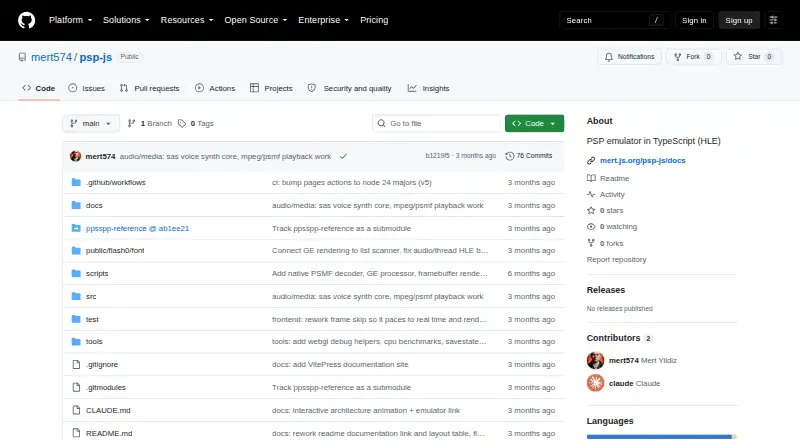
What PSP.js is
PSP.js is a free, open-source PlayStation Portable emulator written in TypeScript for use in a web browser. Its high-level emulation implements PSP system calls without requiring a BIOS ROM. It loads ISO and PBP game files, including KIRK-encrypted EBOOTs, and runs the MIPS Allegrex CPU and VFPU. Graphics use WebGL; the project also describes support for ATRAC3+ audio and MPEG/PSMF video. Game data is stored in browser storage, and keyboard controls are configured in the app.
The project remains a work in progress. It reports that several commercial games reach menus and render, and links to a per-game compatibility list for details. The project reports passing its pspautotests CPU and kernel suite. Running the graphics worker requires SharedArrayBuffer, so a plain static file server will not work. The documented local setup uses Git submodules, npm install, and npm run dev, with a development server that provides the required COOP/COEP headers. Documentation covers the user guide, architecture, and subsystem and HLE module references.
Who it suits
PSP.js is for people who want to run PSP game files in a browser or explore a TypeScript emulator project. Its work-in-progress status and per-game compatibility list are relevant for anyone checking whether a particular game runs.
What it does well
- Does not require a BIOS ROM.
- Loads ISO and PBP games.
- Saves game data in browser storage.
- Includes a per-game compatibility list.
What to know first
- The project is still a work in progress.
- Graphics worker requires SharedArrayBuffer.
- A plain static file server will not work.
Getting started
- Open the PSP.js website on GitHub.
- Follow the local quick start using Git submodules.
- Run npm install and npm run dev.
- Open the local URL in a browser, choose a game, and load an ISO or PBP file.
- Configure keyboard controls in the app’s input settings.
Verdict
PSP.js combines browser-based PSP emulation with support for several game and media formats. Its compatibility is still developing, and running the graphics worker requires the specified browser server setup.
Questions
Is PSP.js free?
Yes. It is free and open source.
Which platform does it support?
PSP.js runs on the web in a browser.
Does it require a BIOS ROM?
No. Its high-level emulation recreates PSP system calls in TypeScript.
Which game formats can it load?
It loads ISO and PBP games, including KIRK-encrypted EBOOTs.
What is needed to run the graphics worker?
The worker requires SharedArrayBuffer. The documented development server sends COOP/COEP headers; a plain static file server will not work for it.
What is its compatibility status?
The project says several commercial games boot to menus and render. It links to a per-game compatibility list for details.
Facts from PSP.js's own pages
- Audio and video
- The project says it decodes ATRAC3+ audio and MPEG/PSMF video. · github.com, 4 Oct 2026
- Browser APIs
- The implementation uses WebGL, AudioWorklet, and WebCodecs for graphics, audio, and video paths. · github.com, 4 Oct 2026
- Browser requirement
- The README says the graphics worker requires SharedArrayBuffer and that a plain static file server will not work. · github.com, 4 Oct 2026
- Compatibility information
- The repository links to a per-game compatibility list for status details. · github.com, 4 Oct 2026
- Compatibility status
- The project says several commercial games boot to menus and render, and directs users to a per-game compatibility list. · github.com, 4 Oct 2026
- CPU and graphics
- It runs the MIPS Allegrex CPU and VFPU and renders the PSP Graphics Engine using WebGL. · github.com, 4 Oct 2026
- Development status
- The project describes itself as a work in progress; several commercial games boot to menus and render. · github.com, 4 Oct 2026
- Documentation
- The README says project documentation covers the user guide, architecture, and subsystem and HLE module references. · github.com, 4 Oct 2026
- Emulation
- It runs the MIPS Allegrex CPU and VFPU and renders graphics through WebGL. · github.com, 4 Oct 2026
- Game formats
- It loads ISO and PBP games, including KIRK-encrypted EBOOTs. · github.com, 4 Oct 2026
- Input
- Keyboard controls are available in the in-app input settings. · github.com, 4 Oct 2026
- No BIOS required
- Its high-level emulation reimplements PSP system calls in TypeScript, so it does not require a BIOS ROM. · github.com, 4 Oct 2026
- Product
- PSP.js is a work-in-progress PlayStation Portable emulator written in TypeScript that runs in a browser using high-level emulation. · github.com, 4 Oct 2026
- Run locally
- The repository’s quick start uses Git submodules, npm install, and npm run dev, then opens a local URL in a browser. · github.com, 4 Oct 2026
- Saved data
- Game data is saved in browser storage. · github.com, 4 Oct 2026
- Server requirement
- The documented development server sends COOP/COEP headers for SharedArrayBuffer; the README says a plain static file server will not work for the GE worker. · github.com, 4 Oct 2026
- Testing
- The repository reports that its pspautotests CPU and kernel suite passes. · github.com, 4 Oct 2026
- Use
- The README directs users to open the browser app, choose a game, and load an ISO or PBP; keyboard controls are configured in the app. · github.com, 4 Oct 2026
- Work in progress
- The repository describes PSP.js as a work in progress. · github.com, 4 Oct 2026
Where PSP.js stands on Freedom251
- PSP Emulators#8 of 9