Freedom251 › Commodore 64 Emulators
Frodo
What Frodo is
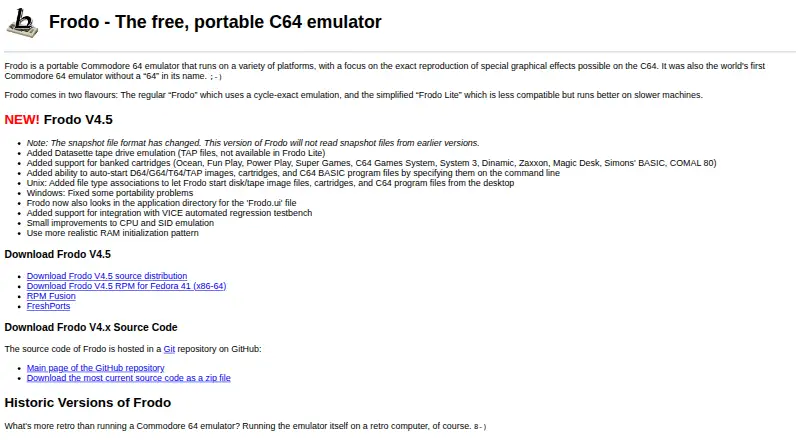
Frodo is a free, portable Commodore 64 emulator for Linux, macOS, and Windows. It focuses on reproducing special graphical effects possible on the C64 and supports disk and tape software as well as many game cartridges. Frodo has a cycle-exact regular mode and Frodo Lite, a less compatible version designed to run better on slower machines. The official site lists V4.5, which adds Datasette TAP emulation and support for banked cartridges including Ocean, Fun Play, Power Play, Super Games, and Simons' BASIC. TAP emulation is unavailable in Frodo Lite. V4.5 can auto-start D64, G64, T64, and TAP images, cartridges, and C64 BASIC program files from the command line. Frodo can detect connected game controllers for C64 joystick ports and map additional controller buttons to C64 keys. Display settings include windowed or fullscreen mode and initial window size. The V4.5 snapshot format changed, so it cannot read snapshots from earlier versions. The repository lists Frodo under GPL-2.0.
Who it suits
Frodo suits people who want to run Commodore 64 software on Linux, macOS, or Windows, especially those interested in reproducing C64 graphical effects. Frodo Lite is aimed at slower machines, with reduced compatibility.
What it does well
- Free portable C64 emulator.
- Cycle-exact regular mode is available.
- Supports disk, tape, and many game cartridges.
- Can map controller buttons to C64 keys.
- V4.5 supports command-line auto-start for images and programs.
What to know first
- Frodo Lite is less compatible.
- Datasette TAP emulation is unavailable in Frodo Lite.
- V4.5 cannot read snapshots from earlier versions.
- Some contributed historic ports are untested by the maker.
Limits
Frodo Lite does not include Datasette TAP emulation. Version 4.5 cannot read snapshots made with earlier versions.
Plans
| Plan | Billed and limits | Price |
|---|---|---|
| Frodo | cycle-exact C64 emulation · disk, tape and cartridge support · downloadable source and builds | Free |
As frodo.cebix.net lists them, read 15 Oct 2026. The maker's own page has the final word.
Getting started
- Visit the Frodo website.
- Choose a Windows, macOS or Linux/Unix route.
- For a Unix-like build, use a C++20 compiler and SDL 2.x; GTK 3 is optional.
- Run supported disk or tape images, cartridges, or C64 BASIC program files from the command line.
Overview
Frodo is a portable Commodore 64 emulator for people who want to run C64 software on Linux, macOS, or Windows. Its cycle-exact regular mode favors faithful emulation, while Frodo Lite offers a less compatible option for slower machines. The choice is useful, but V4.5’s snapshot-format change makes version upgrades worth planning.
Key features
Frodo handles C64 disk and tape software and many game cartridges. It supports D64, G64, T64, TAP, X64, and LYNX formats; V4.5 adds Datasette TAP emulation, which Frodo Lite does not support. That makes the regular version the better fit for tape workflows.
V4.5 also supports banked cartridges such as Ocean, Fun Play, Power Play, Super Games, and Simons' BASIC. It can auto-start D64, G64, T64, and TAP images, cartridges, and C64 BASIC program files from the command line, a practical convenience for users launching known titles or scripts.
Connected game controllers can be auto-detected for C64 joystick ports, and extra controller buttons can be mapped to C64 keys. Display settings include windowed or fullscreen mode and an initial window size. These options cover common control and display preferences without changing Frodo’s focus on emulation.
The central compromise is between cycle-exact regular Frodo and the less compatible Lite version, which is designed to run better on slower machines. Lite may suit constrained hardware, but users whose software depends on accurate behavior should favor the regular version where possible.
V4.5 uses a changed snapshot format and cannot read snapshots from earlier versions. Users who rely on older snapshots should account for that before upgrading. Frodo has no bundled software library, so users need to supply their own C64 content.
Pricing
Frodo costs nothing. The free plan includes the portable Commodore 64 emulator; there is no free trial because the software is free. There are no paid tiers to weigh against Lite’s compatibility trade-off. The repository lists the software under GPL-2.0.
Platforms
Frodo supports Windows, macOS, and Linux/Unix. The V4 build instructions cover Unix-like systems, macOS, and Windows 10 and above. Building on Unix-like systems requires a C++20 compiler and SDL 2.x; GTK 3 is optional. That makes it a plausible choice for technically comfortable users who can build from source, while prebuilt availability is not established for every platform.
Who it's for
Frodo suits C64 players and software users who want a free emulator across desktop operating systems, especially those who value cycle-exact emulation, controller mapping, cartridge support, or command-line auto-start. It is less compelling for anyone who needs a bundled library or must preserve snapshots created by an earlier version. Support for contributed historic ports may also be uncertain: most have not been tested by the maker, and support requests go to their respective maintainers.
Pros and cons
- Pro: Cycle-exact regular mode gives compatibility-minded users an option alongside Lite.
- Pro: Disk, tape, and cartridge support, plus V4.5’s banked-cartridge additions, cover varied C64 software.
- Pro: Controller mapping and command-line auto-start serve both interactive play and direct launching.
- Con: Frodo Lite is less compatible, so its performance-oriented trade-off can rule it out for some titles.
- Con: V4.5 cannot read snapshots from earlier versions, risking disruption for users carrying saves forward.
- Con: There is no bundled software library, and contributed historic ports may lack maker-tested support.
Alternatives
Commodore 64 Emulators is the category list for comparing C64 options. Choose VICE instead if Android support matters: it is free on Android as well as Linux, macOS, and Windows. Breadbin466 is another free option for Linux, macOS, and Windows; its Commodore ROM images are not covered by the MIT License. Buddi is budgeting software, not a C64 emulator. TRX64 is a free, GPL-3.0-or-later alternative for Linux, macOS, Windows, API, or self-hosted use, with C64 ROMs not included. VirtualC64 is a free, open-source option for macOS or web use. Atari 5200DS is another free option. C64 Forever offers a free Express Edition on Windows. BMC64 is a free alternative for Raspberry Pi Zero, Zero 2W, Pi 2, and Pi 3, with ROM files supplied separately.
Verdict
Choose Frodo if you want a free desktop C64 emulator with a cycle-exact mode, broad media support, and practical controller and command-line options. Look elsewhere if Android access, a bundled software library, or continuity with earlier snapshots is essential; Frodo’s strongest case depends on accepting its version and Lite-mode limits.
Verdict
Frodo offers a free way to run C64 software, with a cycle-exact mode and a lighter, less compatible alternative. Check snapshot compatibility before moving from an earlier version.
Questions
How much does Frodo cost?
Frodo is free, with a listed plan price of $0.
Which platforms does Frodo support?
Windows, macOS and Linux/Unix are listed. V4 build instructions cover Unix-like systems, macOS and Windows 10 and above.
Is Frodo open source?
The repository lists Frodo under the GPL-2.0 license.
What software and formats can Frodo run?
It supports Commodore 64 disk and tape software and many game cartridges. Listed disk and tape formats are D64, G64, T64, TAP, X64 and LYNX.
What is the difference between Frodo and Frodo Lite?
The regular version is cycle-exact. Frodo Lite is less compatible and designed to run better on slower machines; it does not support Datasette TAP emulation.
Who makes Frodo?
The maker's home page identifies him as Christian Bauer, a physicist who turned his computer hobby into his career.
Facts from Frodo's own pages
- Android distribution
- The official Frodo site links an Android port, and Google Play lists Frodo C64 by Arnaud Eric Claude Brochard with 100K-plus downloads. · play.google.com, 15 Oct 2026
- API and SDK
- The project is distributed as an emulator application and source repository; its official README documents build and user operation but exposes no public web API or SDK. · github.com, 15 Oct 2026
- Auto-start
- Command-line auto-start can open disk, tape, cartridge and C64 BASIC files, while the settings interface provides an Auto-Start Drive 8 control. · github.com, 15 Oct 2026
- Build requirements
- The Unix-like build requires a C++20 compiler and SDL 2.x, with GTK 3 listed as optional. · github.com, 4 Oct 2026
- Cartridges
- V4.5 added support for banked cartridges including Ocean, Fun Play, Power Play, Super Games, and Simons' BASIC. · frodo.cebix.net, 4 Oct 2026
- Cartridge support
- Version 4.5 added banked cartridge families including Ocean, Fun Play, Power Play, Super Games, C64 Games System, System 3, Dinamic, Zaxxon, Magic Desk, Simons' BASIC and COMAL 80. · github.com, 15 Oct 2026
- Company facts
- The reviewed official and independent pages identify an individual project maintainer rather than a separately described company, legal entity, headquarters, funding history or employee count. · cebix.net, 15 Oct 2026
- Controllers
- Frodo can auto-detect connected game controllers for C64 joystick ports and lets users map additional controller buttons to C64 keys. · github.com, 4 Oct 2026
- Controller support
- The current documentation says connected controllers are auto-detected, can drive either joystick port and can map extra buttons to C64 keys. · github.com, 15 Oct 2026
- CPU emulation
- The documented emulator includes instruction- and cycle-exact 6510 emulation, including undocumented opcodes and correct decimal mode. · frodo.cebix.net, 15 Oct 2026
- Developer build requirements
- Unix compilation requires a C++20 compiler and SDL 2.x, with GTK 3 optional; macOS builds use Homebrew and Windows builds use MSYS2. · github.com, 15 Oct 2026
- Disk and tape support
- Frodo supports Commodore 1541 disk software, Datasette TAP files and multiple disk-image formats including D64, G64 and T64. · github.com, 15 Oct 2026
- Documentation
- The repository includes an HTML manual and a beginner guide covering controllers, display, drives, loading software, keyboard mappings and emulator shortcuts. · github.com, 15 Oct 2026
- Emulation modes
- The project provides regular cycle-exact Frodo and a less compatible Frodo Lite intended to run better on slower computers. · frodo.cebix.net, 15 Oct 2026
- File associations
- Unix builds register desktop file associations for disk images, tape images, cartridges and C64 program files. · frodo.cebix.net, 15 Oct 2026
- Google Play complaint
- Google Play reviewers reported missing or inaccessible menus on newer phones, limited multi-key keyboard input and incompatibility after changing devices. · play.google.com, 15 Oct 2026
- Google Play praise
- A Google Play reviewer praised support for C64 games, Bluetooth gamepads, joystick-port switching and loading ROMs from removable storage. · play.google.com, 15 Oct 2026
- Historical ports
- The official site lists contributed ports for BeOS, Unix, macOS, AmigaOS, RISC OS, Windows, EPOC, Dreamcast, PalmOS, MorphOS, PSP, Java ME, Wii, Nintendo DS, ODROID-GO, webOS and Android. · frodo.cebix.net, 15 Oct 2026
- Installation
- The repository documents building with autogen.sh, make and make install on Unix-like systems, macOS and Windows. · github.com, 15 Oct 2026
- Latest release
- GitHub records Frodo V4.5 released on 14 December 2024. · github.com, 15 Oct 2026
- Licence
- The public source repository identifies the project as GPL-2.0 licensed. · github.com, 15 Oct 2026
- License
- The repository lists Frodo under the GPL-2.0 license. · github.com, 4 Oct 2026
- Limit: compatibility
- The Atari review reported that many sampled disk images initially failed until full 1541 emulation was enabled, which consumed substantial CPU time. · alive.atari.org, 15 Oct 2026
- Limit: performance
- The Acorn review reported severe processor demands and recommended a Risc PC, especially for the more precise FrodoSC mode. · cybervillage.co.uk, 15 Oct 2026
Where Frodo stands on Freedom251
- Commodore 64 Emulators#2 of 31