Freedom251 › Freelance Invoicing Software

FreelanceFlow
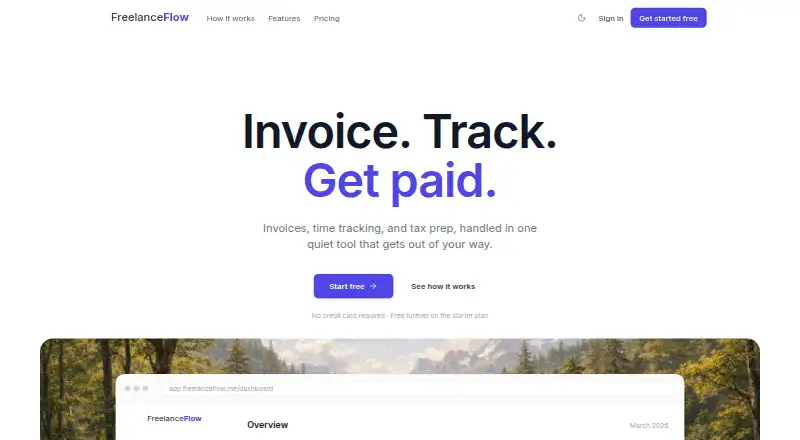
What FreelanceFlow is
FreelanceFlow combines invoicing, billable time tracking, client records, expense tracking, and tax summaries for freelancers and independent contractors. Its timer can be started, paused, resumed, or split; users can also add time manually and turn tracked hours into invoice line items. Invoices support branded templates, a logo, and payment terms, and can be emailed with sent, viewed, and paid statuses. Stripe handles online invoice payments, syncing payment status and sending deposits to the user's bank. Stripe's standard processing fee is 2.9% + 30 cents per transaction; FreelanceFlow adds no payment fee. Client profiles hold contact and billing details, a default rate, notes, and invoice and payment history, but clients must be added manually because spreadsheet import is not available. Categorized expenses feed tax summaries that estimate quarterly obligations from income and expenses; these estimates are informational, not tax, legal, or financial advice. The Free plan costs nothing and includes 3 invoices. Pro costs $9 a month and adds unlimited invoices and time tracking, tax summaries and exports, Stripe payment links, and priority support.
Who it suits
FreelanceFlow suits freelancers and independent contractors who need invoicing, time and expense tracking, client records, and tax estimates in one web service. It also fits users who want to collect invoice payments through Stripe.
What it does well
- Tracked time can become invoice line items
- Invoices show sent, viewed, and paid statuses
- Stripe payment status syncs automatically
- Categorized expenses feed quarterly tax estimates
- Free plan includes 3 invoices
What to know first
- Clients must be added manually
- Stripe charges 2.9% + 30 cents per transaction
- Tax summaries are informational, not advice
- Pro costs $9 a month
Limits
The Free plan includes 3 invoices. Pro costs $9 a month and includes unlimited invoices and time tracking, tax summaries and exports, Stripe payment links, and priority support.
Plans
| Plan | Billed and limits | Price |
|---|---|---|
| Free | free forever · 3 invoices · time tracking · client management · expense tracking | Free |
| Pro | monthly; annual option marked 20% off · unlimited invoices · unlimited time tracking · client management · expense tracking · tax summaries & exports · Stripe payment links · priority support | $9 a month |
As freelanceflow.me lists them, read 21 Oct 2026. The maker's own page has the final word.
Getting started
- Visit the FreelanceFlow website and use the web app.
- Create client records manually, adding their billing details and other profile information.
- Track time with the timer or enter hours manually.
- Create an invoice using a branded template, logo, or payment terms, then email it.
- Connect Stripe to accept online invoice payments.
Verdict
FreelanceFlow links time and expense tracking with invoicing, client records, and Stripe payments. Its tax summaries are estimates for information, and the Free plan is limited to 3 invoices.
Questions
How much does FreelanceFlow cost?
The Free plan costs nothing and includes 3 invoices. Pro costs $9 a month; an annual option is marked 20% off.
What is included in the Free plan?
It includes 3 invoices, time tracking, client management, and expense tracking.
What does Pro add?
Pro includes unlimited invoices and time tracking, client management, expense tracking, tax summaries and exports, Stripe payment links, and priority support.
Can I accept online payments?
Yes. FreelanceFlow integrates with Stripe for online invoice payments, and payment status syncs automatically. Stripe's standard processing fee is 2.9% + 30 cents per transaction; FreelanceFlow adds no payment fee.
Can I import clients from a spreadsheet?
No. Spreadsheet import is not yet available, so clients must be added manually.
Are its tax summaries tax advice?
No. The summaries and estimates are informational only and are not tax, legal, or financial advice.
Facts from FreelanceFlow's own pages
- Account deletion
- After account deletion is requested, the account is deactivated immediately and data is permanently deleted after a 30-day reactivation period, except for data retained as required by law or legitimate business purposes. · freelanceflow.me, 9 Oct 2026
- App Store availability
- AppBrain says that different same-name iOS app has been available since February 2026, is free, version 1.0 and 11.82 MB. · appbrain.com, 21 Oct 2026
- App Store developer
- AppBrain attributes that different iOS app to developer Gal Itach and says it is not affiliated with Gal Itach. · appbrain.com, 21 Oct 2026
- Billing terms
- Paid subscriptions are billed monthly or annually through Stripe and partial-period refunds are not provided. · freelanceflow.me, 21 Oct 2026
- Client import limit
- The client-management page says spreadsheet import is not yet available and clients must be added manually. · freelanceflow.me, 9 Oct 2026
- Client import limitation
- Spreadsheet client import is not available; clients must be entered manually. · freelanceflow.me, 21 Oct 2026
- Client records
- Client profiles can hold contact details, billing address, default rate, notes and invoice history. · freelanceflow.me, 21 Oct 2026
- Company profile
- A LinkedIn page named FreelanceFlow describes the business as software development focused on freelancer proposals, contracts, invoices, clients and payments. · linkedin.com, 21 Oct 2026
- Company size
- That LinkedIn page lists the organization at 2–10 employees. · linkedin.com, 21 Oct 2026
- Company update
- The LinkedIn page reports an update announcing Dodo Payments support for payees. · linkedin.com, 21 Oct 2026
- Data deletion
- Account deletion immediately deactivates the account, with permanent deletion after a 30-day reactivation period except for legally retained data. · freelanceflow.me, 21 Oct 2026
- Data security
- The privacy policy says data is encrypted in transit and at rest, with access controls and regular security reviews; it does not claim absolute security. · freelanceflow.me, 9 Oct 2026
- Expenses and taxes
- Expenses can be categorized and feed into tax summaries, which estimate quarterly tax obligations from income and expenses. · freelanceflow.me, 9 Oct 2026
- Expense tracking
- Expenses can be entered with amount, category, date and optional notes, then viewed against income for profit visibility. · freelanceflow.me, 21 Oct 2026
- Founded
- That LinkedIn page lists FreelanceFlow as founded in 2026. · linkedin.com, 21 Oct 2026
- Google Play app data
- That Google Play listing says the app may collect or share personal information, files and documents, and calendar data; it also states encryption in transit and deletion requests. · play.google.com, 21 Oct 2026
- Google Play update
- The same-name Google Play app was updated on July 30, 2026, according to its listing. · play.google.com, 21 Oct 2026
- Invoice delivery
- Invoices can be emailed with a link for clients to view and pay. · freelanceflow.me, 21 Oct 2026
- Invoices
- Invoices can use branded templates, include a logo and payment terms, be sent by email, and show sent, viewed, and paid statuses. · freelanceflow.me, 9 Oct 2026
- Invoice status
- The product records whether invoices are sent, viewed or paid. · freelanceflow.me, 21 Oct 2026
- Invoice templates
- Invoices support branding elements such as a logo, payment terms and notes. · freelanceflow.me, 21 Oct 2026
- Legal type
- That LinkedIn page identifies the organization as a partnership. · linkedin.com, 21 Oct 2026
- Manual time entries
- Users can add time manually with a date, duration and description. · freelanceflow.me, 21 Oct 2026
- Other integrations
- The privacy policy lists Google OAuth sign-in and PostHog product analytics in addition to Stripe payments. · freelanceflow.me, 9 Oct 2026
Where FreelanceFlow stands on Freedom251
- Freelance Invoicing Software#8 of 30