Freedom251 › File Viewer Software
FreeFileViewer
What FreeFileViewer is
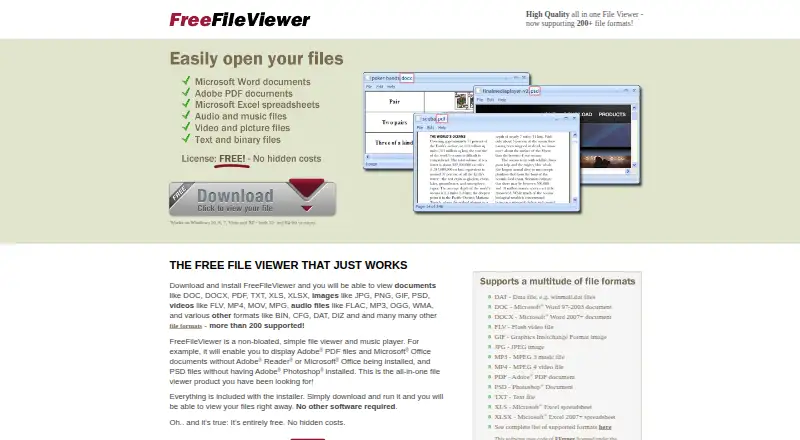
FreeFileViewer is a free Windows desktop app for opening documents, spreadsheets, images, videos, and other files, as well as playing audio. Its maker says it supports more than 200 file types; the listed count is 217 formats. When a file type is not recognized, the app can show it as a hexadecimal dump for inspection and printing. It can print most supported document, spreadsheet, and image files. The product page lists Windows 10, 8, 7, Vista, and XP in both 32-bit and 64-bit versions. The maker says the installer includes everything needed, without requiring other software. Installation sets the app as the default viewer for supported types that do not already have a default. Its license allows personal use on computers the user owns or controls. Promotional information, advertisements, and third-party offers may appear during installation, in the app, and on the site. Bitberry Software develops FreeFileViewer. Audio and video playback uses FFmpeg and related libraries; the app itself is not open source.
Who it suits
FreeFileViewer suits Windows users who want one free desktop app for viewing many file types and playing audio. Its license is for personal use on computers the user owns or controls.
What it does well
- Listed support for 217 file formats
- Opens documents, spreadsheets, images, videos, and audio
- Unrecognized files can be inspected as hexadecimal dumps
- Installer includes what the app needs to run
- Free plan costs nothing
What to know first
- Personal-use license only
- Promotional offers and ads may appear
- Listed platform support ends at Windows 10
- The app itself is not open source
Limits
The free plan is for personal use on computers the user owns or controls.
Plans
| Plan | Billed and limits | Price |
|---|---|---|
| FreeFileViewer | Entirely free · no hidden costs · personal use under the EULA | Free |
As freefileviewer.com lists them, read 8 Oct 2026. The maker's own page has the final word.
Getting started
- Visit the FreeFileViewer website.
- Download and install the Windows app.
- Use it to open supported files; installation sets it as the default for supported types without an existing default viewer.
Verdict
FreeFileViewer covers a broad range of file types on Windows and can display unknown files as hexadecimal data. Its personal-use license and the possibility of promotional material are relevant before installing.
Questions
How much does FreeFileViewer cost?
The FreeFileViewer plan costs nothing, and the app is entirely free for personal use under the EULA.
Which platforms does it support?
The product page lists Windows 10, 8, 7, Vista, and XP in 32-bit and 64-bit versions.
What kinds of files can it open?
It views documents, spreadsheets, images, videos, and other files, and plays audio. The listing counts 217 formats.
Is FreeFileViewer open source?
No. The app uses FFmpeg and related libraries for audio and video playback, but FreeFileViewer itself is not open source.
Who develops FreeFileViewer?
Bitberry Software develops the app.
What does the personal-use license allow?
It allows installation on computers the user owns or controls for personal use.
Facts from FreeFileViewer's own pages
- Advertising
- The EULA says promotional information, advertisements, and third-party offers may appear during installation, in the product, and on the site. · freefileviewer.com, 8 Oct 2026
- Default file associations
- The EULA says installation sets the app as the default viewer for supported file types that do not already have an associated default viewer. · freefileviewer.com, 8 Oct 2026
- Developer
- Free File Viewer is developed by Bitberry Software. · freefileviewer.com, 8 Oct 2026
- File viewer and player
- FreeFileViewer is a desktop app for viewing documents, spreadsheets, images, videos, and other files, and playing audio. · freefileviewer.com, 8 Oct 2026
- Headquarters
- Holbæk, Denmark · freefileviewer.com, 28 Sept 2026
- No extra software required
- The maker says the installer includes everything needed and no other software is required. · freefileviewer.com, 8 Oct 2026
- Personal-use license
- The EULA grants a limited license to install the app on computers the user owns or controls for personal use. · freefileviewer.com, 8 Oct 2026
- Printing
- The EULA says the app can print most supported document, spreadsheet, and image files. · freefileviewer.com, 8 Oct 2026
- Privacy policy
- Bitberry's policy says its website logs visited pages and visitor IP addresses to combat abuse and maintain site operation. · bitberry.com, 8 Oct 2026
- Support
- The About page directs users to an online contact form for enquiries and feedback. · freefileviewer.com, 8 Oct 2026
- Supported formats
- The maker says the app supports more than 200 file types. · freefileviewer.com, 8 Oct 2026
- Third-party media engine
- The app uses FFmpeg and related libraries for video and audio playback; the maker says Free File Viewer itself is not open source. · freefileviewer.com, 8 Oct 2026
- Unknown formats
- Other file types can be opened as a hexadecimal dump that can be inspected and printed. · freefileviewer.com, 8 Oct 2026
- Windows support
- The product page lists Windows 10, 8, 7, Vista, and XP in 32-bit and 64-bit versions. · freefileviewer.com, 8 Oct 2026
Where FreeFileViewer stands on Freedom251
- File Viewer Software#10 of 31