Freedom251 › Audio Converter Software

FreeConvert Audio Converter
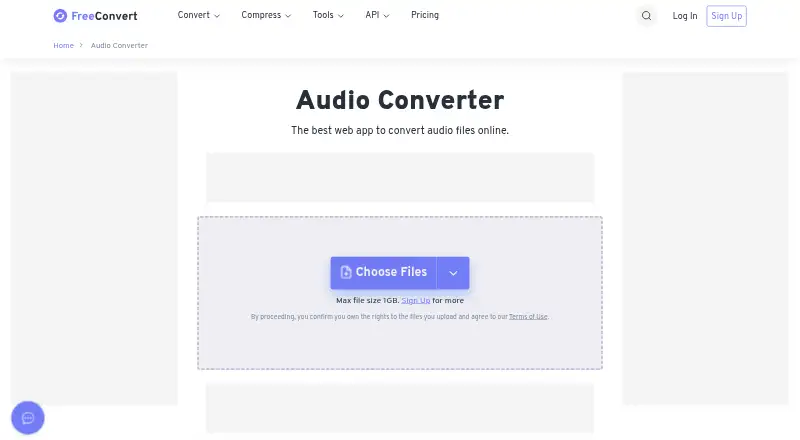
What FreeConvert Audio Converter is
FreeConvert Audio Converter is a web app for converting audio files, with support for more than 450 conversion types. Formats include MP3, WAV, AAC, AIFF, AMR, ALAC, WMA, FLAC, M4A, OGG, and OPUS, among others. Users can adjust audio quality, codec, and sample rate before conversion. Files may be selected from Dropbox, Google Drive, or OneDrive, or supplied by URL; the maker says the free converter works in any web browser. Free use provides 20 conversion minutes per day across Web and API, capped at five minutes per file, and the free uploader accepts files up to 1 GB. The converter page says files are protected with 256-bit SSL encryption and automatically deleted after eight hours. Paid plans start at $12.99 a month: Basic includes 1,500 conversion minutes per month and a 1.5 GB maximum file size. All paid plans support up to 100 conversions at a time and merging up to 100 files at a time. Listed platforms include API, Linux, macOS, web, and Windows. There is no free trial.
Who it suits
It suits people who want to convert audio in a browser, adjust conversion settings, or source files from cloud storage. Users with larger or more frequent conversion needs can consider its paid plans.
What it does well
- Supports more than 450 audio conversions.
- Offers quality, codec, and sample-rate controls.
- Accepts files from cloud storage or a URL.
- Free use includes 20 conversion minutes per day.
What to know first
- Free use is capped at five minutes per file.
- Free uploader limit is 1 GB.
- There is no free trial.
Limits
Free users receive 20 conversion minutes per day across Web and API, with five minutes allowed per file and a 1 GB uploader limit. Paid Basic, Standard and Pro Popular plans provide 1,500, 2,000 and 4,000 monthly minutes respectively, with maximum file sizes of 1.5 GB, 2 GB and 5 GB.
Plans
| Plan | Billed and limits | Price |
|---|---|---|
| Basic | $12.99 / Month (cancel any time) · 1,500 conversion minutes /month · Unlimited Operations /Day · 1.5 GB maximum file size · High priority | $12.99 a month |
| Standard | $24.99 / Month (cancel any time) · 2,000 conversion minutes /month · Unlimited Operations /Day · 2 GB maximum file size · Highest priority | $24.99 a month |
| Pro Popular | $29.99 / Month (cancel any time) · 4,000 conversion minutes /month · Unlimited Operations /Day · 5 GB maximum file size · Highest priority | $29.99 a month |
| Scale | On-Demand · Up to 1M conversion mins /month · Unlimited Operations /Day · Up to 20 GB max file size · Highest priority | On request |
As freeconvert.com lists them, read 4 Oct 2026. The maker's own page has the final word.
Getting started
- Open the FreeConvert Audio Converter website
- Choose a file, cloud source or URL
- Select the output audio format
- Adjust quality, codec and sample rate
- Run the conversion and download the result
Verdict
FreeConvert Audio Converter pairs broad format support with adjustable settings and cloud-file options. Free-use time and file-size limits may matter for larger jobs; paid plans begin at $12.99 a month.
Questions
Is FreeConvert Audio Converter free?
Yes. A free plan provides 20 conversion minutes per day for Web and API use. Paid plans start at $12.99 a month.
Which formats does it support?
Supported formats include MP3, WAV, AAC, AIFF, AMR, ALAC, WMA, FLAC, M4A, OGG, OPUS, MIDI and many others, with more than 450 conversions.
Can I use cloud files?
Yes. Files can come from Dropbox, Google Drive, OneDrive or a URL.
What platforms are available?
The listed platforms are API, Linux, macOS, web and Windows. The maker says the free converter works in any web browser.
Are files protected?
The converter page says files use 256-bit SSL encryption and are automatically deleted after eight hours.
Facts from FreeConvert Audio Converter's own pages
- API access
- The pricing page says free conversion minutes are available for both Web and API use, and paid plans can be used for Web and API. · freeconvert.com, 4 Oct 2026
- Audio settings
- Users can adjust audio quality, codec, and sample rate. · freeconvert.com, 4 Oct 2026
- Browser access
- The maker says the free audio converter works on any web browser. · freeconvert.com, 4 Oct 2026
- Cloud integrations
- Files can be selected from Dropbox, Google Drive, or OneDrive, or supplied by URL. · freeconvert.com, 4 Oct 2026
- File security
- The audio converter page says files are protected with 256-bit SSL encryption and automatically deleted after 8 hours. · freeconvert.com, 4 Oct 2026
- File size limit
- The audio converter page states a maximum file size of 1 GB for the free uploader. · freeconvert.com, 4 Oct 2026
- Format support
- The audio converter supports more than 450 audio conversions, including MP3, WAV, and AAC. · freeconvert.com, 4 Oct 2026
- Free usage
- Free users get 20 conversion minutes per day for Web and API use, with a limit of 5 conversion minutes per file. · freeconvert.com, 4 Oct 2026
- Paid plan limits
- The pricing page says all paid plans support 100 conversions at a time and merging 100 files at a time. · freeconvert.com, 4 Oct 2026
- Payment processing
- The pricing page says Stripe and PayPal process payments, and payment data is transferred through 128-bit secure HTTPS and is never saved on FreeConvert servers. · freeconvert.com, 4 Oct 2026
- Privacy
- FreeConvert says its privacy policy was drafted with data regulations such as the EU GDPR in mind. · freeconvert.com, 4 Oct 2026
- Purpose
- FreeConvert describes Audio Converter as a web app for converting audio files online. · freeconvert.com, 4 Oct 2026
- Support
- The pricing page says users with conversion quality issues can contact its dedicated engineers through the contact page. · freeconvert.com, 4 Oct 2026
Where FreeConvert Audio Converter stands on Freedom251
- Audio Converter Software#3 of 36
- Audio converters#7 of 7