Freedom251 › Distraction Blocking Software
FocusDesk
What FocusDesk is
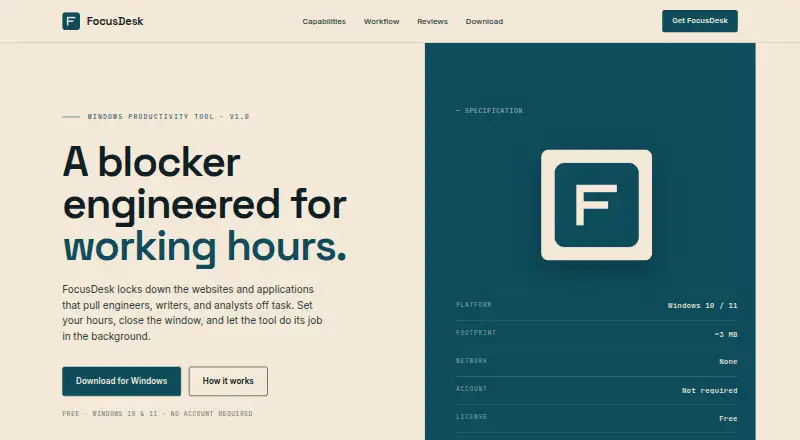
FocusDesk is a free Windows tool that blocks distracting websites and applications during focus hours. It blocks domains across browsers by adding them to the Windows hosts file, then reverses those changes when blocking ends. For applications, it terminates selected programs by executable name if they launch during a block. You can schedule focus hours by weekday, including ranges that cross midnight, or start a session manually without following a schedule. FocusDesk runs locally, stores block lists and preferences on the device, and does not transmit them to FocusDesk or other parties. The maker also says it does not initiate network connections during normal operation. The Free plan is listed as free, supports Windows 10 and 11, requires no account, and is about 3 MB. Operation requires Administrator privileges. Blocking may be bypassed by browsers using DNS-over-HTTPS, VPNs, or alternative network paths. The license allows personal and commercial productivity use on devices you own or control.
Who it suits
FocusDesk suits Windows 10 and 11 users who want recurring or manual blocks for websites and applications during work. Its stated license covers personal and commercial productivity use on devices you own or control.
What it does well
- Blocks websites across browsers and selected applications
- Weekday schedules can cross midnight
- Manual blocking sessions are available
- Preferences stay on the device
What to know first
- Requires Administrator privileges
- DNS-over-HTTPS, VPNs, or other paths may bypass blocks
Limits
The free plan is listed as free for Windows 10 and 11. Blocking may be bypassed by browsers using DNS-over-HTTPS, VPNs, or alternative network paths; sessions cannot be locked.
Plans
| Plan | Billed and limits | Price |
|---|---|---|
| Free | Windows 10 and 11 · no account required · ~3 MB | Free |
As focusdeskapp.com lists them, read 8 Oct 2026. The maker's own page has the final word.
Getting started
- Open the FocusDesk website.
- Use a Windows 10 or 11 device.
- Install the approximately 3 MB free plan; no account is required.
- Run FocusDesk with Administrator privileges.
- Choose websites or applications to block, then set weekday hours or use the manual toggle.
Verdict
FocusDesk offers local website and application blocking with recurring schedules and manual sessions. Its blocking depends on Windows network paths, and the maker notes some configurations can bypass it.
Questions
How much does FocusDesk cost?
The Free plan is listed as free.
Which platforms does FocusDesk support?
It supports Windows 10 and 11.
Does FocusDesk require an account?
No account is required for the free plan.
How does FocusDesk block websites and applications?
It adds blocked domains to the Windows hosts file and reverses those changes when a block ends. For applications, it terminates selected programs by executable name when they launch during a block.
Does FocusDesk send preferences or block lists off the device?
The maker says they stay on the device and are not transmitted to FocusDesk or other parties. It also says the software does not initiate network connections during normal operation.
Can blocking be bypassed?
The maker says DNS-over-HTTPS browsers, VPNs, and alternative network paths may bypass it.
Facts from FocusDesk's own pages
- Application blocking
- It terminates selected applications by executable name when they launch during a block. · focusdeskapp.com, 8 Oct 2026
- License
- The maker grants a royalty-free license for personal and commercial productivity use on devices the user owns or controls. · focusdeskapp.com, 8 Oct 2026
- Local operation
- The software runs locally and does not exchange data with a FocusDesk server. · focusdeskapp.com, 8 Oct 2026
- Manual sessions
- Users can skip a schedule and turn on a blocking session with a manual toggle. · focusdeskapp.com, 8 Oct 2026
- Network
- The maker says the software does not initiate network connections during normal operation. · focusdeskapp.com, 8 Oct 2026
- Notable limitation
- The maker says DNS-over-HTTPS browsers, VPNs, and alternative network paths may bypass blocking. · focusdeskapp.com, 8 Oct 2026
- Permissions
- Operation requires Administrator privileges. · focusdeskapp.com, 8 Oct 2026
- Privacy
- The software stores block lists and preferences on the device and does not transmit them to FocusDesk or other parties. · focusdeskapp.com, 8 Oct 2026
- Purpose
- FocusDesk blocks websites and applications that distract engineers, writers, and analysts. · focusdeskapp.com, 8 Oct 2026
- Schedules
- Users can set focus hours by weekday, including time ranges that cross midnight. · focusdeskapp.com, 8 Oct 2026
- System requirements
- The maker lists Windows 10 and 11 as supported platforms. · focusdeskapp.com, 8 Oct 2026
- Website blocking
- It adds blocked domains to the Windows hosts file, works across browsers, and reverses those changes when blocking ends. · focusdeskapp.com, 8 Oct 2026
Where FocusDesk stands on Freedom251
- Distraction Blocking Software#16 of 29