Freedom251 › AI Video Caption Generators
Fly Cut Caption
What Fly Cut Caption is
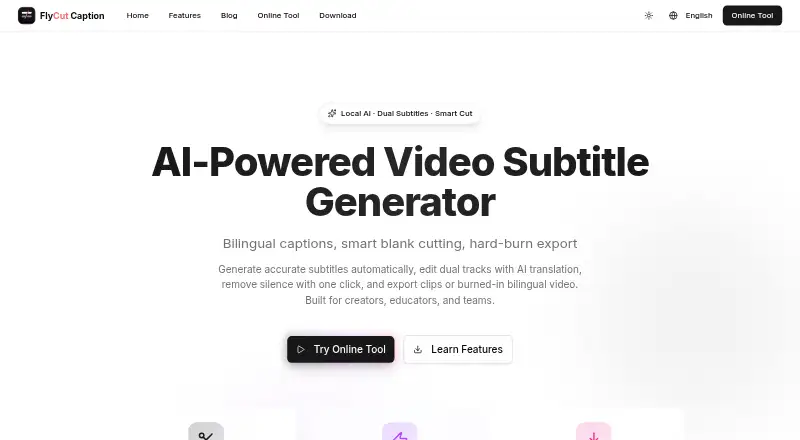
Fly Cut Caption is a free subtitle and video-editing tool for macOS, Windows, and the web. It generates subtitles, edits bilingual tracks, removes silence, and exports clips or videos with burned-in captions. Web speech recognition uses Whisper, while desktop builds use FunASR; both provide word-level timestamps, and the product states support for more than 50 languages. A visual timeline handles two subtitle tracks with separate styling and previews that skip deleted sections. AI translation can create a secondary track. Exports include SRT, VTT, and JSON subtitle files, kept video segments, and videos with dual subtitles burned in. Caption styling and brand presets are included. The maker says local processing avoids server uploads. The homepage says no registration is required. Browser use needs a modern browser and JavaScript, with at least 4 GB RAM recommended; browser memory determines file-size limits.
Who it suits
Fly Cut Caption suits creators, educators, teams, businesses, and social-media producers who need subtitles, bilingual tracks, silence removal, or burned-in captions. It works on desktop or in a browser.
What it does well
- Free with no registration
- Supports more than 50 languages
- Two subtitle tracks with independent styling
- Exports SRT, VTT, and JSON
- Local processing requires no server uploads
What to know first
- Browser file size depends on available memory
- Web version requires a modern browser and JavaScript
- At least 4 GB RAM is recommended
Plans
| Plan | Billed and limits | Price |
|---|---|---|
| Free | 100% free to use · no registration required · file size browser dependent | Free |
As caption.flycut.co lists them, read 11 Oct 2026. The maker's own page has the final word.
Verdict
Fly Cut Caption offers a broad subtitle workflow at no charge, including translation, styling, and video exports. Browser memory limits and platform requirements are the main practical constraints.
Facts from Fly Cut Caption's own pages
- Brand caption presets
- Yes · caption.flycut.co, 22 Sept 2026
- Burn-in captions
- Yes · caption.flycut.co, 22 Sept 2026
- Caption styling
- Yes · caption.flycut.co, 22 Sept 2026
- Desktop availability
- The download page lists macOS builds for Apple Silicon and Intel and Windows 10/11 builds. · caption.flycut.co, 11 Oct 2026
- Editing
- Its visual timeline supports two subtitle tracks, independent track styling, and preview that skips deleted segments. · caption.flycut.co, 11 Oct 2026
- Exports
- It exports subtitle files in SRT, VTT, and JSON formats, can export kept video segments, and can burn dual subtitles into video. · caption.flycut.co, 11 Oct 2026
- Free access
- The homepage says the tool is 100% free to use and requires no registration. · caption.flycut.co, 11 Oct 2026
- Free plan
- Yes · caption.flycut.co, 22 Sept 2026
- Integrations
- The maker describes subtitle file and video export options but lists no named third-party integrations on its features page. · caption.flycut.co, 11 Oct 2026
- Intended users
- The maker presents the product for creators, educators, teams, businesses, and social media content creators. · caption.flycut.co, 11 Oct 2026
- Languages
- The product states that it supports speech recognition in more than 50 languages. · caption.flycut.co, 11 Oct 2026
- Privacy
- The maker says local processing requires no server uploads and that data stays private. · caption.flycut.co, 11 Oct 2026
- Purpose
- FlyCut Caption generates video subtitles, edits bilingual tracks, removes silence, and exports clips or videos with burned-in subtitles. · caption.flycut.co, 11 Oct 2026
- Speech recognition
- The web version uses Whisper and the desktop version uses FunASR for speech recognition with word-level timestamps. · caption.flycut.co, 11 Oct 2026
- Subtitle export
- srt and vtt · caption.flycut.co, 22 Sept 2026
- Support
- The product site links to the maker's GitHub repository for support. · caption.flycut.co, 11 Oct 2026
- Translation
- The product supports AI translation for a secondary subtitle track. · caption.flycut.co, 11 Oct 2026
- Usage limit
- The features page says file size is browser dependent and lists browser memory as the limit. · caption.flycut.co, 11 Oct 2026
- Web requirements
- The web version requires a modern browser, JavaScript, and recommends at least 4 GB of RAM. · caption.flycut.co, 11 Oct 2026
Where Fly Cut Caption stands on Freedom251
- AI Video Caption Generators#37 of 99